

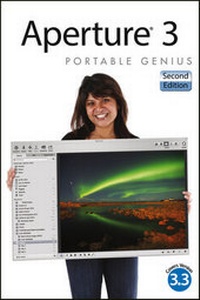
Aperture 3 Portable Genius
2nd Edition
Published on 20. September 2012
352 pages
978-1-118-33334-1 (ISBN)
Description

Get the latest tips, facts, and secrets that help you make themost of Aperture 3
Aperture offers a full range of tools to help seriousphotographers organize and manipulate images and manage workflow.This little guide is packed with hip tips, secrets, and shortcutsthat help you get even more functionality from the software. Findout more than you ever knew about vignetting, RAW fine-tuning,Quick Preview mode, Command Editor, and using the integrated iPhotoBrowser. Learn new ways to streamline your workflow, get tips onpublishing albums online or as customized photo books, and takeadvantage of many more Genius techniques.
* Designed for the Apple enthusiast, this handy, colorful guideis packed with ingenious and innovative tips for getting the mostfrom Aperture 3, and the latest version 3.3
* Offers advice on using the new streamlined interface, usingadvanced RAW image processing, and streamlining workflow withkeyboard shortcuts
* Shows how to maximize the effectiveness of vignetting, usingQuick Preview mode and Command Editor, and working with theintegrated iPhoto Browser
* Provides helpful hints on creating web-based albums and printphoto books
Aperture 3 Portable Genius, 2nd Edition gives you theprofessional tips and tricks that help you squeeze all thefunctionality from this cool software.
More details
Other editions
Additional editions
Josh Anon | Ellen Anon
Aperture 3 Portable Genius
Book
10/2012
2nd Edition
Wiley
€50.99
Article exhausted; check different version
Persons
Josh Anon is a senior product manager at Lytro, thecoauthor of several books, and was a camera & staging artist atPixar Animation Studios. He is an award-winning still photographerand his images have appeared in a variety of books, magazines,galleries, and more.
Ellen Anon, PhD, is an Apple Certified Trainer inAperture. She is an accomplished nature photographer, teachesphotography, and is the author of several books. Her photos havebeen showcased in calendars, posters, galleries, magazines, andbooks.
Content
- Aperture 3 Portable Genius, 2nd Edition
- About the Authors
- Acknowledgments
- Table of Contents
- Introduction
- Chapter 1: How Do I Get Started with Aperture?
- Understanding Why Aperture Is a Key Part of Your Workflow
- Working with Aperture's File Structure
- A Brief Tour of Aperture's Interface
- Basic Customization Options
- Chapter 2: How Do I Import Images?
- Importing from a Memory Card, Camera, or Hard Drive
- Choosing Import Settings
- Understanding Unified iPhoto and Aperture Libraries
- Dragging and Dropping Files into Aperture
- Using Photo Stream
- Chapter 3: What Methods Can I Use to See My Images?
- Customizing the Interface
- Taking a Closer Look
- Viewing in Full-Screen Mode
- Additional Viewer Options
- Configuring and Using Metadata Overlays
- Switching between RAW+ JPEG Originals
- Working with Referenced Images
- Working with Stacks in Browser
- Creating and Working with a Light Table
- Chapter 4: How Can I Use Metadata to Organize and Find My Images?
- Using Ratings to Sort Images
- Using Flags and Labels to Further Organize Images
- Using the Info Inspector
- Adjusting Date and Time after Import
- Working with Keywords
- Adding Custom Metadata
- Applying Batch Metadata Changes
- Searching for Images
- Writing IPTC Information to an Original
- Chapter 5: How Do I Use Faces and Places to Categorize My Images?
- Using Faces
- Using Places
- Chapter 6: What Tools Can I Use to Make My Images Better?
- Getting Started with Adjustments
- Making Adjustments
- Using Quick Brushes
- Creating and Using Effects
- Using an External Editor
- Using Third-Party Editing Plug-Ins
- Chapter 7: What Options Do I Have to Create a Physical Copy of My Photos?
- Color Management
- Using Aperture's Print Dialog
- Ordering Prints
- Creating a Book
- Chapter 8: How Can I Share My Images Digitally?
- Exporting Originals and Versions of Images
- E-mailing Images
- Setting Your Desktop Image
- Creating Slide Shows
- Creating Web Pages
- Flickr
- Using Other Export Plug-ins
- Chapter 9: How Can I Use Aperture with My HDSLR's Video Files?
- How Does Aperture Handle Video Files?
- Importing Video Files
- Viewing Video Files
- Editing a Clip
- Exporting a Video Clip
- Working with Audio Files
- Chapter 10: How Can Aperture Make My Workflow Smoother?
- Understanding Badge Meanings
- Managing Photo Previews
- Working with Multiple Libraries
- Controlling Tethered Shooting
- Customizing Keyboard Shortcuts
- Using Aperture with Automator
- Using Vaults and Backup
- Using Aperture's Database Repair Tools
- Index
