
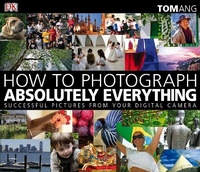
How to Photograph Absolutely Everything
Description
Alles über E-Books | Antworten auf Fragen rund um E-Books, Kopierschutz und Dateiformate finden Sie in unserem Info- & Hilfebereich.
Whatever you want to photograph, discover how to get it right every time
'A digital imaging bible.' Outdoor Photography on Digital Photographer's Handbook
From still life to children's parties, make sure you're picture perfect with this concise guide from expert photographer and bestselling author Tom Ang. Follow straightforward photographs and instructions to discover what equipment you'll need, the best approach for each subject and to compose, light, frame and take shots. Checklists give instant advice on getting results, while tricks of the trade show you how to turn a good picture into a great one. Plus, pick up valuable tips on everyday photography, including passport shots and displaying items on eBay.
Get clicking and get outstanding results every time.
More details
Other editions
Additional editions


Person
System requirements
File format: PDF
Copy-Protection: Adobe-DRM (Digital Rights Management)
System requirements:
- Computer (Windows; MacOS X; Linux): Install the free reader Adobe Digital Editions prior to download (see eBook Help).
- Tablet/smartphone (Android; iOS): Install the free app Adobe Digital Editions or the app PocketBook before downloading (see eBook Help).
- E-reader: Bookeen, Kobo, Pocketbook, Sony, Tolino and many more (only limited: Kindle).
The file format PDF always displays a book page identically on any hardware. This makes PDF suitable for complex layouts such as those used in textbooks and reference books (images, tables, columns, footnotes). Unfortunately, on the small screens of e-readers or smartphones, PDFs are rather annoying, requiring too much scrolling.
This eBook uses Adobe-DRM, a „hard” copy protection. If the necessary requirements are not met, unfortunately you will not be able to open the eBook. You will therefore need to prepare your reading hardware before downloading.
Please note: We strongly recommend that you authorise using your personal Adobe ID after installation of any reading software.
For more information, see our eBook Help page.