

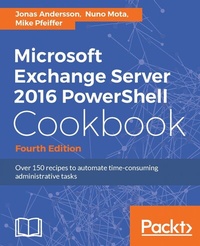
Microsoft Exchange Server 2016 PowerShell Cookbook
Powerful recipes to automate time-consuming administrative tasks
4th Edition
Published on 8. July 2025
648 pages
978-1-78728-765-5 (ISBN)
Description

Make the most of PowerShell\'s features to manage all aspects of your Exchange Server 2016 environment.
Key Features
Learn to integrate PowerShell with Exchange Server 2016
Write scripts and functions to run tasks automatically, and generate complex reports with PowerShell
Use these effective recipes to learn all popular and important PowersShell scripts to manage tasks and avoid errors
Book DescriptionWe start with a set of recipes on core PowerShell concepts. This will provide you with a foundation for the examples in the book. Next, you'll see how to implement some of the common exchange management shell tasks, so you can effectively write scripts with this latest release. You will then learn to manage Exchange recipients, automate recipient-related tasks in your environment, manage mailboxes, and understand distribution group management within the Exchange Management Shell. Moving on, we'll work through several scenarios where PowerShell scripting can be used to increase your efficiency when managing databases, which are the most critical resources in your Exchange environment. Towards the end, you'll discover how to achieve Exchange High Availability and how to secure your environment, monitor the health of Exchange, and integrate Exchange with Office Online Server, Skype for Business Server, and Exchange Online (Office 365). By the end of the book, you will be able to perform administrative tasks efficiently. What you will learn
Master the new features and capabilities of PowerShell and Exchange Server 2016
Get to grips with the core PowerShell concepts
Use simple PowerShell scripts and commands to get powerful results
Generate detailed reports, send the output of commands by email , and schedule scripts to run automatically
Import, export, and move mailboxes, and delete messages from mailboxes using the command line
Configure transport server settings such as mail relay, tracking logs, transport rules, delivery reports, and more
Manage mailbox and public folders
Monitor the health of an Exchange environment through built-in cmdlets and other methods
Integrate Exchange with Office Online Server, Skype for Business Server, and Exchange Online (Office 365)
Who this book is forThis book is for messaging professionals who want to build real-world scripts with Windows PowerShell and the Exchange Management Shell. You'll also find it indispensable if you're a network or systems administrator responsible for managing and maintaining Exchange Server 2016.
Key Features
Learn to integrate PowerShell with Exchange Server 2016
Write scripts and functions to run tasks automatically, and generate complex reports with PowerShell
Use these effective recipes to learn all popular and important PowersShell scripts to manage tasks and avoid errors
Book DescriptionWe start with a set of recipes on core PowerShell concepts. This will provide you with a foundation for the examples in the book. Next, you'll see how to implement some of the common exchange management shell tasks, so you can effectively write scripts with this latest release. You will then learn to manage Exchange recipients, automate recipient-related tasks in your environment, manage mailboxes, and understand distribution group management within the Exchange Management Shell. Moving on, we'll work through several scenarios where PowerShell scripting can be used to increase your efficiency when managing databases, which are the most critical resources in your Exchange environment. Towards the end, you'll discover how to achieve Exchange High Availability and how to secure your environment, monitor the health of Exchange, and integrate Exchange with Office Online Server, Skype for Business Server, and Exchange Online (Office 365). By the end of the book, you will be able to perform administrative tasks efficiently. What you will learn
Master the new features and capabilities of PowerShell and Exchange Server 2016
Get to grips with the core PowerShell concepts
Use simple PowerShell scripts and commands to get powerful results
Generate detailed reports, send the output of commands by email , and schedule scripts to run automatically
Import, export, and move mailboxes, and delete messages from mailboxes using the command line
Configure transport server settings such as mail relay, tracking logs, transport rules, delivery reports, and more
Manage mailbox and public folders
Monitor the health of an Exchange environment through built-in cmdlets and other methods
Integrate Exchange with Office Online Server, Skype for Business Server, and Exchange Online (Office 365)
Who this book is forThis book is for messaging professionals who want to build real-world scripts with Windows PowerShell and the Exchange Management Shell. You'll also find it indispensable if you're a network or systems administrator responsible for managing and maintaining Exchange Server 2016.
All prices
More details
Edition
4th Revised edition
Language
English
Place of publication
Birmingham
United Kingdom
Target group
Professional and scholarly
US School Grade: College Graduate Student
Edition type
Revised edition
File size
4,64 MB
ISBN-13
978-1-78728-765-5 (9781787287655)
Copyright in bibliographic data and cover images is held by Nielsen Book Services Limited or by the publishers or by their respective licensors: all rights reserved.
Schweitzer Classification
Other editions
Additional editions
Jonas Andersson | Nuno Mota | Mike Pfeiffer
Microsoft Exchange Server 2016 PowerShell Cookbook - Fourth Edition
Powerful recipes to automate time-consuming administrative tasks
Book
07/2017
Packt Publishing
€76.70
Shipment within 3-4 weeks
Persons
Mota Nuno :
Nuno Mota is a Senior Microsoft Messaging Consultant currently working for a large sovereign wealth fund. He has been responsible for designing and deploying Exchange and Office 365 solutions for organizations across the UK. He also shares a passion for Skype for Business, Active Directory, and PowerShell. Besides writing his personal Exchange blog, called LetsExchange, he is also an author on the MSExchange website with dozens of published articles and product reviews as well as multiple scripts on TechNet. He has also been awarded the Microsoft Most Valuable Professional (MVP) on Exchange five times since 2012.Pfeiffer Mike :
Mike Pfeiffer is a 20-year IT industry veteran, published author, and international conference speaker. He's a former architect for Amazon Web Services and engineer for Microsoft. Today, Pfeiffer serves as chief technologist for CloudSkills, a cloud computing training and consulting firm.Andersson Jonas :
Jonas Andersson is devoted to constantly developing himself and his skills. He started out in the IT business in 2004 and initially worked in a support center, where he acquired a basic knowledge of the industry. In 2007, he started his career as a Microsoft Infrastructure consultant, and from 2008 onwards his focus has been on Unified Communication. At the start of 2010, he was employed at a large outsourcing company as a messaging specialist, specializing in Microsoft Exchange. His work included designing, implementing, and developing messaging solutions for enterprise customers. In 2014, he joined Microsoft Consulting Services, and from then onward his main focus has been Office 365. His role was of a deployment consultant with Microsoft's Office 365 Global Practice EMEA team. In 2016, he started to work for Swedens largest retail companies with a known brand as a Product Specialist for Office 365, mostly focusing on Skype for Business Online but also on the other workloads. As a reward for his work in the community, he was awarded the Microsoft Most Valuable Professional for the Microsoft Exchange Server product in 2014.
Nuno Mota is a Senior Microsoft Messaging Consultant currently working for a large sovereign wealth fund. He has been responsible for designing and deploying Exchange and Office 365 solutions for organizations across the UK. He also shares a passion for Skype for Business, Active Directory, and PowerShell. Besides writing his personal Exchange blog, called LetsExchange, he is also an author on the MSExchange website with dozens of published articles and product reviews as well as multiple scripts on TechNet. He has also been awarded the Microsoft Most Valuable Professional (MVP) on Exchange five times since 2012.Pfeiffer Mike :
Mike Pfeiffer is a 20-year IT industry veteran, published author, and international conference speaker. He's a former architect for Amazon Web Services and engineer for Microsoft. Today, Pfeiffer serves as chief technologist for CloudSkills, a cloud computing training and consulting firm.Andersson Jonas :
Jonas Andersson is devoted to constantly developing himself and his skills. He started out in the IT business in 2004 and initially worked in a support center, where he acquired a basic knowledge of the industry. In 2007, he started his career as a Microsoft Infrastructure consultant, and from 2008 onwards his focus has been on Unified Communication. At the start of 2010, he was employed at a large outsourcing company as a messaging specialist, specializing in Microsoft Exchange. His work included designing, implementing, and developing messaging solutions for enterprise customers. In 2014, he joined Microsoft Consulting Services, and from then onward his main focus has been Office 365. His role was of a deployment consultant with Microsoft's Office 365 Global Practice EMEA team. In 2016, he started to work for Swedens largest retail companies with a known brand as a Product Specialist for Office 365, mostly focusing on Skype for Business Online but also on the other workloads. As a reward for his work in the community, he was awarded the Microsoft Most Valuable Professional for the Microsoft Exchange Server product in 2014.
Content
Table of Contents
PowerShell Key Concepts
Exchange Management Shell Common Tasks
Managing Recipients
Managing Mailboxes
Distribution Groups and Address Lists
Mailbox Database Management
Managing Client Access
Managing Transport Servers
Exchange Security
Compliance and Audit Logging
High Availability
Monitoring Exchange Health
Integration
Scripting with the Exchange Web Services Managed API
Appendix A
Appendix B
PowerShell Key Concepts
Exchange Management Shell Common Tasks
Managing Recipients
Managing Mailboxes
Distribution Groups and Address Lists
Mailbox Database Management
Managing Client Access
Managing Transport Servers
Exchange Security
Compliance and Audit Logging
High Availability
Monitoring Exchange Health
Integration
Scripting with the Exchange Web Services Managed API
Appendix A
Appendix B

