

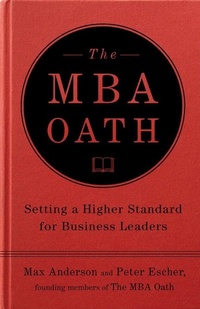
The MBA Oath
Setting a Higher Standard for Business Leaders
Published on 1. April 2010
288 pages
978-1-101-40456-0 (ISBN)
Description

"As a manager, my purpose is to serve the greater good by bringing people and resources together to create value that no single individual can create alone..."
So begins the MBA Oath, conceived in early 2009 by Max Anderson, Peter Escher, and a team of Harvard Business School students. They saw that in the wake of the financial crisis, the Madoff scandal, and other headlines, MBAs were being vilified. People were angry because business leaders, many of whom were MBAs, seemed not to care about anything beyond their own private interests. Many began to question the worth of business schools and the MBA degree.
The oath quickly spread beyond Harvard, becoming a worldwide movement for a new generation of leaders who care about society as well as the bottom line. Thousands of graduating MBAs have now pledged to conduct themselves with honesty and integrity, just as medical students swear by the Hippocratic oath before they can practice.
This book is the manifesto for the movement. It provides not only a strong case for why the MBA Oath is necessary but also examples of how it can be applied in the real world. It will help guide businesspeople through some of the toughest decisions they'll make in their careers.
So begins the MBA Oath, conceived in early 2009 by Max Anderson, Peter Escher, and a team of Harvard Business School students. They saw that in the wake of the financial crisis, the Madoff scandal, and other headlines, MBAs were being vilified. People were angry because business leaders, many of whom were MBAs, seemed not to care about anything beyond their own private interests. Many began to question the worth of business schools and the MBA degree.
The oath quickly spread beyond Harvard, becoming a worldwide movement for a new generation of leaders who care about society as well as the bottom line. Thousands of graduating MBAs have now pledged to conduct themselves with honesty and integrity, just as medical students swear by the Hippocratic oath before they can practice.
This book is the manifesto for the movement. It provides not only a strong case for why the MBA Oath is necessary but also examples of how it can be applied in the real world. It will help guide businesspeople through some of the toughest decisions they'll make in their careers.
More details
Language
English
Place of publication
New York
United States
Target group
US School Grade: Twelfth Grade
Product notice
Windows
File size
0,33 MB
ISBN-13
978-1-101-40456-0 (9781101404560)
Copyright in bibliographic data and cover images is held by Nielsen Book Services Limited or by the publishers or by their respective licensors: all rights reserved.
Schweitzer Classification
Other editions
Additional editions
Book
08/2010
Portfolio
€42.31
No shipping information available
