

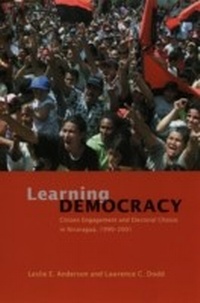
Learning Democracy
Citizen Engagement and Electoral Choice in Nicaragua, 1990-2001
1st Edition
Published on 15. November 2009
388 pages
978-0-226-01974-1 (ISBN)
Description

Historically, Nicaragua has been mired in poverty and political conflict, yet the country has become a model for the successful emergence of democracy in a developing nation. Learning Democracy tells the story of how Nicaragua overcame an authoritarian government and American interventionism by engaging in an electoral revolution that solidified its democratic self-governance.By analyzing nationwide surveys conducted during the 1990, 1996, and 2001 Nicaraguan presidential elections, Leslie E. Anderson and Lawrence C. Dodd provide insight into one of the most unexpected and intriguing recent advancements in third world politics. They offer a balanced account of the voting patterns and forward-thinking decisions that led Nicaraguans to first support the reformist Sandinista revolutionaries only to replace them with a conservative democratic regime a few years later. Addressing issues largely unexamined in Latin American studies, Learning Democracy is a unique and probing look at how the country's mass electorate moved beyond revolutionary struggle to establish a more stable democratic government by realizing the vital role of citizens in democratization processes.",This is a work that makes the reader a better political scientist, telling a fine story in the process. Steeped in the voting behavior literature as it has developed during the last half-century in the United States, Learning Democracy also offers broader lessons having to do with how individuals struggle to make decisions when institutions are developing. A classic of how to do electoral analysis through time and polls, this book is likely to likely to include people interested in voting behavior, democratic development, Latin American politics, and decision-making. It will serve as a model of how to do comparative research.",--Bryan D. Jones, author of Politics and the Architecture of Choice
More details
Other editions
Additional editions
Leslie E. Anderson | Lawrence C. Dodd
Learning Democracy
Citizen Engagement and Electoral Choice in Nicaragua, 1990-2001
Book
05/2005
University of Chicago Press
€100.28
Article exhausted; check different version
Leslie E. Anderson | Lawrence C. Dodd
Learning Democracy
Citizen Engagement and Electoral Choice in Nicaragua, 1990-2001
Book
05/2005
University of Chicago Press
€37.14
Shipment within 10-20 days
Content
- Intro
- Contents
- Preface
- Chapter 1 The Democratic Experiment in Nicaragua: An Introduction
- Part I Pathways toward Democracy: The Case of Nicaragua
- Chapter 2 Foundations of Nicaraguan Democracy: Space, Class, and Party
- Chapter 3 Embracing Electoral Choice: Political Discourse and the 1990 Campaign
- Part II Choice amidst Crisis: Public Opinion in 1990
- Chapter 4 An Empirical Theory of Electoral Choice
- Chapter 5 Citizen Attitudes in 1990: Candidates, the Economy, and the Regime
- Chapter 6 The Voters Are Not Fools: Modeling the 1990 Presidential Election
- Part III Affirming the 1990 Choice: The 1996 and 2001 Elections in Context
- Chapter 7 The Post-1990 Context: Democratic Foundations and Public Choice
- Chapter 8 Reaffirming Citizen Choice: The 1996 and 2001 Elections
- Chapter 9 Learning Democracy In and From Nicaragua: Concluding Perspectives
- Appendix
- Bibliography
- Index
