

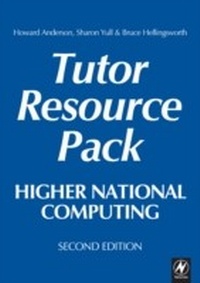
Higher National Computing Tutor Resource Pack
2nd Edition
Published on 26. October 2009
270 pages
978-1-136-39892-6 (ISBN)
Description

Used alongside the students' text, Higher National Computing 2nd edition, this pack offers a complete suite of lecturer resource material and photocopiable handouts for the compulsory core units of the new BTEC Higher Nationals in Computing and IT, including the four core units for HNC, the two additional core units required at HND, and the Core Specialist Unit 'Quality Systems', common to both certificate and diploma level.
The authors provide all the resources needed by a busy lecturer, as well as a bank of student-centred practical work and revision material, which will enable students to gain the skills, knowledge and understanding they require.
Also available as a web download for adopters, this pack will save a course team many hours' work preparing handouts and assignments, and is freely photocopiable within the purchasing institution. The pack includes:
* Exercises to support and develop work in the accompanying student text
* Planned projects which will enable students to display a wide range of skills and use their own initiative
* Assessment materials
* Reference material for use as hand-outs
* Background on running the new HNC / HND courses
* Tutor's notes supporting activities in the students' book and resource pack
The authors provide all the resources needed by a busy lecturer, as well as a bank of student-centred practical work and revision material, which will enable students to gain the skills, knowledge and understanding they require.
Also available as a web download for adopters, this pack will save a course team many hours' work preparing handouts and assignments, and is freely photocopiable within the purchasing institution. The pack includes:
* Exercises to support and develop work in the accompanying student text
* Planned projects which will enable students to display a wide range of skills and use their own initiative
* Assessment materials
* Reference material for use as hand-outs
* Background on running the new HNC / HND courses
* Tutor's notes supporting activities in the students' book and resource pack
More details
Edition
2nd edition
Language
English
Place of publication
London
United Kingdom
Publishing group
Taylor & Francis Ltd
Target group
College/higher education
File size
6,25 MB
ISBN-13
978-1-136-39892-6 (9781136398926)
Copyright in bibliographic data and cover images is held by Nielsen Book Services Limited or by the publishers or by their respective licensors: all rights reserved.
Schweitzer Classification
Other editions
Additional editions
Howard Anderson | Sharon Yull | Bruce Hellingsworth
Higher National Computing Tutor Resource Pack
Core Units for BTEC Higher Nationals in Computing and IT
Book
07/2004
2nd Edition
Newnes
€179.51
Shipment within 15-20 days
Persons
Howard Anderson, Sharon Yull, Bruce Hellingsworth
Content
Chapter 1 Enrichment; Chapter 2 Systems Analysis; Chapter 3 Programming Concepts; Chapter 4 Concepts of Database Design; Chapter 5 Network Assignment; Chapter 6 Personal Skills Development; Chapter 7 Quality Systems;
