

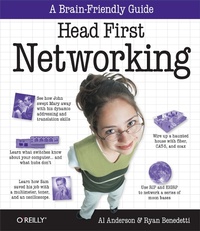
Head First Networking
A Brain-Friendly Guide
Published on 27. May 2009
538 pages
978-1-4493-6814-2 (ISBN)
Description

Frustrated with networking books so chock-full of acronyms that your brain goes into sleep mode? Head First Networking's unique, visually rich format provides a task-based approach to computer networking that makes it easy to get your brain engaged. You'll learn the concepts by tying them to on-the-job tasks, blending practice and theory in a way that only Head First can. With this book, you'll learn skills through a variety of genuine scenarios, from fixing a malfunctioning office network to planning a network for a high-technology haunted house. You'll learn exactly what you need to know, rather than a laundry list of acronyms and diagrams. This book will help you:Master the functionality, protocols, and packets that make up real-world networkingLearn networking concepts through examples in the fieldTackle tasks such as planning and diagramming networks, running cables, and configuring network devices such as routers and switchesMonitor networks for performance and problems, and learn troubleshooting techniquesPractice what you've learned with nearly one hundred exercises, questions, sample problems, and projectsHead First's popular format is proven to stimulate learning and retention by engaging you with images, puzzles, stories, and more. Whether you're a network professional with a CCNA/CCNP or a student taking your first college networking course, Head First Networking will help you become a network guru.
More details
Other editions
Additional editions

Book
06/2009
1st Edition
O'Reilly
€51.50
Shipment within 10-20 days
Content
- Intro
- Advance Praise for Head First Networking
- Copyright
- Authors of Head First Networking
- Table of Contents
- How to use this book: Intro
- Who is this book for?
- Who should probably back away from this
- We know what you're thinking
- We know what your brain is thinking
- Metacognition: thinking about thinking
- Here's what WE did:
- Here's what YOU can do to bend your brain into submission
- Read Me
- The technical review team
- Acknowledgments
- Safari® Books Online
- Chapter 1: Fixing physical networks: Walking on Wires
- Coconut Airways has a network problem
- How do we fix the cable?
- Introducing the CAT-5 cable
- The CAT-5 cable dissected
- So what's with all the colors?
- Let's fix the broken CAT-5 cable
- A closer look at the RJ-45 connector
- So what are the physical steps?
- You fixed the CAT-5 cable
- Coconut Airways has more than one network
- Introducing the coaxial cable
- Coaxial networks are bus networks
- So can we fix the cable?
- The network's still not working
- What about connectors and terminators?
- No sound means no electrons
- You've fixed the coaxial cable
- Introducing fiber-optic cables
- The Coconut Airways cable's over-bent
- How to fix fiber-optics with a fusion splicer
- A fiber-optic connector needs fitting too
- We're nearly ready to fix the connector
- There are two types of fiber
- Which mode fiber should you use?
- Let's fit the connector on the fiber-optic
- Coconut Airways is sky high
- Chapter 2: Planning network layouts: Networking in the Dark
- Ghost Watch needs your help!
- Every good network needs a good plan
- So how does the device list help us plan
- How to plan a network layout
- Let's plan the cabling with a floorplan
- Ready to plot some network cables?
- So where have we got to?
- We need to decide on the cable management hardware
- Uh oh! The cabling is a mess
- Ghost Watch needs cable management hardware
- Things that go bump...
- You've really cleaned up that noise and straightened out most of the cables!
- Let's start by labeling the cables
- But there are still lots of cables
- So what's a patch panel?
- Behind the scenes of a patch panel
- The wires go into a punch down block
- Roll the cameras!
- Chapter 3: Tools and troubleshooting: Into the Wire
- Mighty Gumball won the Super Bowl contract
- A toner and tracer can check for a signal...
- ...but can't check for signal quality
- Introducing the multimeter
- So what's resistance?
- So how well did the multimeter do?
- An oscilloscope shows voltage changes
- Voltage is really electrical pressure
- Where does noise on network cables come from?
- So how well did the oscilloscope perform for Mighty Gumball?
- A logical analyzer uses voltage too
- When is a logical analyzer useful?
- So which tool is best?
- The Mighty Gumball bonus went to Jill
- A LAN analyzer combines the functions of all the other tools
- A LAN analyzer understands the network traffic in the signal
- So which tool is best?
- The Mighty Gumball problems are fixed!
- Chapter 4: Packet analysis: You've Been Framed
- What's the secret message?
- Network cards handle encoding
- To get the message, reverse the encoding
- The Ethernet standard tells hardware how to encode data
- A quick guide to binary
- Computers read numbers, humans read letters
- Hexadecimal to the rescue
- We can convert to ASCII using hex
- Back at the spy agency...
- Protocols define the structure of a message
- Network frames have lots of layers
- Your friendly packet field guide
- So can we decode the secret message?
- We've got all the right packets... but not necessarily in the right order
- The packet tells you the correct order
- Networkcross
- Chapter 5: Network devices and traffic: How Smart is Your Network?
- You've decoded the secret message...
- The packet information tells us where the packet came from
- So who's the mole?
- There's more to networks than computers
- Hubs are dumb
- Hubs don't change the MAC address
- A hub sends signals, and sends them everywhere
- So what passed the signal to the hub?
- A switch sends frames, and only sends them where they need to go
- Switches store MAC addresses in a lookup table to keep the frames flowing smoothly
- The switch has the information...
- We can use software to monitor packets
- Let's hook Wireshark up to the switch
- Wireshark gives us traffic information
- Routers have MAC addresses too
- Routers are really smart
- We're closing in!
- You've found the mole!
- Chapter 6: Connecting networks with routers: Bringing Things Together
- Networking
- Walking on the moon
- We need to connect two networks together
- The light's on, but nobody's home
- Let's see what traffic is on our network
- MAC address versus IP address
- IP addresses give our networks a sense of location, and network nodes a sense of belonging to that location
- We retrieve IP addresses using the MAC address and the Address Resolution Protocol (ARP)
- So what's the problem with the Moonbase?
- How do we get network traffic to move between networks?
- How the router moves data across networks
- Back to the Moonbase problem
- The secret of IP numbers is...
- Routers connect networks by doing the math...
- Are you ready to program the router?
- You just created this router config file
- Let the router tell us what's wrong...
- Chapter 7: Routing protocols: It's a Matter of Protocol
- Houston, we have a problem...
- Routing tables tell routers where to send packets
- Each line represents a different route
- So how do we enter routes?
- Routes help routers figure out where to send network traffic
- So are the moonbases now connected?
- Back on the moon...
- So how do we troubleshoot bad routes?
- The traceroute command is useful too
- So what's the problem with the network connection
- The network address changes keep on coming...
- Use RIP to get routes to update themselves
- So how do we set up RIP?
- But there's still a problem...
- There are too many hops
- The routing protocol zoo
- So how do we setup EIGRP?
- We have lift off!
- Chapter 8: The domain name system: Names to Numbers
- The Head First Health Club needs a website
- Hello, my name is...
- Let's go buy a domain name
- Uh-oh! We're in trouble
- Introducing the DNS
- The DNS relies on name servers
- How the DNS sees your domain
- So how does this affect the Health Club?
- First install a DNS name server...
- ...then configure the name server
- The anatomy of a DNS zone file
- Here's what the DNS zone file tells us about the Health Club servers
- The Health Club can't send emails
- So what's the problem?
- Email servers use RDNS to fight SPAM
- Check your sources with reverse DNS
- The dig command can do a reverse DNS lookup
- Your name server has another important zone file...
- The emails are working!
- Chapter 9: Monitoring and troubleshooting: Listen to Your Network's Troubles
- Pajama Death are back on tour
- So where would you start troubleshooting a misfiring network?
- Start troubleshooting your network problems by checking in with your network devices
- Troubleshoot network connectivity with the ping command
- If the ping fails, check the cables
- Get started with the show interface command
- The ticket network's still not fixed
- SNMP to the rescue!
- SNMP is a network admininistrator's communication tool
- How to configure SNMP on a Cisco device
- One hour to go...
- Get devices to send you their problems
- How to configure syslogd on a Cisco device
- How do you tell what's in the logs?
- Too much information can be just as bad as not enough
- How do you know which events are important?
- Pajama Death's a sell-out!
- Chapter 10: Wireless networking: Working Without Wires
- Your new gig at Starbuzz Coffee
- Wireless access points create networks using radio waves
- Let's fit the wireless access point
- What about the network configuration?
- So what's DHCP?
- First make sure the client has DHCP turned on
- Second, make the wireless access point a DHCP server
- ...and then specify an acceptable range of IP addresses
- So has setting up DHCP solved the problem?
- This time it's personal
- We've run out of IP addresses
- So how do we configure NAT?
- So has this fixed the problem?
- There's more than one wireless protocol
- The central Starbuzz server needs to access the cash register
- Port mapping to the rescue!
- Let's set up port mapping on the Starbuzz access point
- The wireless access point is a success!
- Chapter 11: Network security: Get Defensive
- The bad guys are everywhere
- And it's not just the NETWORK that gets hurt...
- The big four in network security
- Defend your network against MAC address spoofing
- So how do we defend against MAC address spoofing?
- Defend your network against ARP poisoning attacks
- So what can we do about ARP poisoning attacks?
- It's all about the access, baby!
- Set up your router's Access Control List to keep attackers out
- So how do we configure the Access Control List?
- Firewalls filter packets between networks
- Packet-filtering rules!
- Master the static packet filter
- Get smart with stateful packet-filters
- Humans are the weakest link in your security chain
- So how do social engineers operate?
- Smash social engineering with a clear and concise security policy
- You've hardened your network
- Chapter 12: Designing networks: You Gotta Have a Plan!
- Now you have to plan a network from scratch!
- You have to know what the needs are before you can plan
- So you've developed your questions, now what?
- Look at your action plan
- So you have a physical layout, what's next?
- Blueprints show everything in a building's design
- You may have to modify your network design based on what you see in the blueprints!
- So you've got your physical network layout, what's next?
- Finally, you need an implementation plan
- It's been great having you here in Networkville!
- Appendix i: Leftovers: The Top Ten Things (we didn't cover)
- #1 Network topologies
- #2 Installing Wireshark
- #3 How to get to the console or terminal
- #4 The TCP Stack
- #5 VLANS
- #6 Cisco IOS Simulators
- #7 BGP
- #8 VPN
- #9 Intrusion Detection Systems
- #10 Cisco Certification
- Appendix ii: ASCII tables: Looking Things Up
- ASCII tables 0-28
- ASCII code tables 29-57
- ASCII code tables 58-87
- ASCII code tables 88-117
- ASCII code tables 118-127
- Appendix iii: Installing BIND: Getting a Server to talk DNS
- #1 Installing BIND on Windows (XP, 2000, Vista)
- #2 Installing BIND Mac OS X Server
- #3 Installing BIND Mac OS X Client & Linux
- Index
