

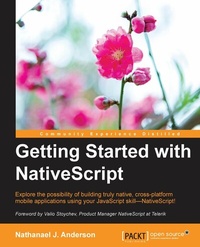
Getting Started with NativeScript
Explore the possibility of building truly native, cross-platform mobile applications using your JavaScript skill-NativeScript!
Published on 8. July 2025
168 pages
978-1-78588-935-6 (ISBN)
Description

Explore the possibility of building truly native, cross-platform mobile applications using your JavaScript skill-NativeScript!
Key Features
[*]Save your marketing time by building for iOS, Android, and Windows Mobile platforms simultaneously
[*]Be an ace at utilizing the features of NativeScript and its ability to communicate with each of the host device libraries natively
[*]Proficiently, build your fully cross-platform communication application exhibiting the fundamentals of NativeScript
Book DescriptionNativeScript allows you to build a fast cross-platform application that has a native UI. NativeScript is a true cross-platform framework that generates native speed applications using the native components of the host platform, all using JavaScript. Although NativeScript allows you to build your application in JavaScript, you have full access to the host OS from your code, allowing you to easily tweak or use new platform features instantly at native code speeds. Whether you have already developed multiple applications or zero applications, this book will help you to develop your next application in a cross-platform framework quickly, saving you a massive amount of time and money. This book concisely shows you NativeScript's built-in framework that allows you to rapidly develop a fully-working compiled cross-platform application in just a few chapters. It starts by laying the foundation of NativeScript and working through the fundamentals to create a basic shell of the application. Moving on, you'll see how to build a full-fledged application step by step. We'll show you how to use plugins, and how to communicate with the native OS libraries easily so that you can customize your application as if your app was created in Java or Objective C. We then deal with the issues that arise from being cross platform and compensate for the different screen sizes, screen resolutions, and device abilities. Finally, we progress to testing and deploying your app. What you will learn
[*]Install and compile your application in NativeScript
[*]Get important know-how on the NativeScript project structure
[*]Develop and style your screens for multiple platforms
[*]Create a full-featured cross-platform communication application
[*]Import and use several third-party components
[*]Simplify and deal with device resolution and cross-platform issues
[*]Test and deploy your application
Who this book is forIf you are a JavaScript developer and want to build cross-platform applications, then this book is just the right one for you!
Key Features
[*]Save your marketing time by building for iOS, Android, and Windows Mobile platforms simultaneously
[*]Be an ace at utilizing the features of NativeScript and its ability to communicate with each of the host device libraries natively
[*]Proficiently, build your fully cross-platform communication application exhibiting the fundamentals of NativeScript
Book DescriptionNativeScript allows you to build a fast cross-platform application that has a native UI. NativeScript is a true cross-platform framework that generates native speed applications using the native components of the host platform, all using JavaScript. Although NativeScript allows you to build your application in JavaScript, you have full access to the host OS from your code, allowing you to easily tweak or use new platform features instantly at native code speeds. Whether you have already developed multiple applications or zero applications, this book will help you to develop your next application in a cross-platform framework quickly, saving you a massive amount of time and money. This book concisely shows you NativeScript's built-in framework that allows you to rapidly develop a fully-working compiled cross-platform application in just a few chapters. It starts by laying the foundation of NativeScript and working through the fundamentals to create a basic shell of the application. Moving on, you'll see how to build a full-fledged application step by step. We'll show you how to use plugins, and how to communicate with the native OS libraries easily so that you can customize your application as if your app was created in Java or Objective C. We then deal with the issues that arise from being cross platform and compensate for the different screen sizes, screen resolutions, and device abilities. Finally, we progress to testing and deploying your app. What you will learn
[*]Install and compile your application in NativeScript
[*]Get important know-how on the NativeScript project structure
[*]Develop and style your screens for multiple platforms
[*]Create a full-featured cross-platform communication application
[*]Import and use several third-party components
[*]Simplify and deal with device resolution and cross-platform issues
[*]Test and deploy your application
Who this book is forIf you are a JavaScript developer and want to build cross-platform applications, then this book is just the right one for you!
All prices
More details
Edition
Digital original
Language
English
Place of publication
Birmingham
United Kingdom
Target group
US School Grade: College Graduate Student
Edition type
Digital original
File size
3,41 MB
ISBN-13
978-1-78588-935-6 (9781785889356)
Copyright in bibliographic data and cover images is held by Nielsen Book Services Limited or by the publishers or by their respective licensors: all rights reserved.
Schweitzer Classification
Other editions
Additional editions
Nathanael Anderson
Getting Started with NativeScript
Book
01/2016
Packt Publishing
€39.10
Shipment within 3-4 weeks
Person
Anderson Nathanael J. :
Nathanael J. Anderson has been developing software for over 20 years in a wide range of industries including games, time management, imaging, service, printing, accounting, land management, security, the web, and even, believe it or not, some successful government projects. He is currently the owner of Master Technology, co-founder of nStudio, LLC, and can create a solution for any type of application (native, web, mobile and hybrid) running on any operating system. As a senior devops engineer he can work, tune, and secure everything from your backend servers to the final destination of the data on your desktop or mobile devices. By understanding the entire infrastructure, including real or virtualized hardware; he can totally eliminate many different types of issue between all parts of the framework. He currently runs the entire NativeScript.rocks family of sites, has multiple highly rated cross-platform plugins for NativeScript and works heavily in the NativeScript community.
Nathanael J. Anderson has been developing software for over 20 years in a wide range of industries including games, time management, imaging, service, printing, accounting, land management, security, the web, and even, believe it or not, some successful government projects. He is currently the owner of Master Technology, co-founder of nStudio, LLC, and can create a solution for any type of application (native, web, mobile and hybrid) running on any operating system. As a senior devops engineer he can work, tune, and secure everything from your backend servers to the final destination of the data on your desktop or mobile devices. By understanding the entire infrastructure, including real or virtualized hardware; he can totally eliminate many different types of issue between all parts of the framework. He currently runs the entire NativeScript.rocks family of sites, has multiple highly rated cross-platform plugins for NativeScript and works heavily in the NativeScript community.
Content
Table of Contents
Introduction to NativeScript
The Project Structure
Declarative UI, Styling & Events
Building a featured application
Installating 3rd party components
Platform differences and different screen resolutions
Testing and Deploying your Application
Introduction to NativeScript
The Project Structure
Declarative UI, Styling & Events
Building a featured application
Installating 3rd party components
Platform differences and different screen resolutions
Testing and Deploying your Application

