

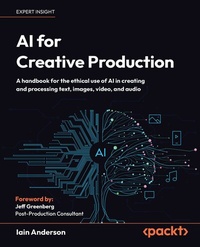
AI for Creative Production
Description

Key Features
Master AI-powered workflows for editing video, enhancing audio, and improving text and images
Discover the potential of AI automation tools to make your creative workflow faster and more efficient
Boost your creativity with a view to navigating ethical and copyright challenges
Book DescriptionAI for Creative Production is a practical, non-technical guide that helps digital creators, filmmakers, musicians, and writers embrace AI as a tool or collaborator-not a replacement. Beginning with a clear foundation in how modern AI works and its ethical implications, the book offers a hype-free perspective, showing where AI is genuinely useful and where it's not. It breaks AI into three accessible categories. Starting with Utility AI, tools that help organize and enhance your work, identify the best shots, select image elements, transcribe and search videos, clean audio, and summarize text. You'll then explore Generative AI, learning to create new text, images, video, and audio with creative control. GenAI doesn't have to replace your work; you'll discover tips for better prompting, tools for retouching, and fresh methods for brainstorming and ideation. Finally, you'll uncover the potential of Automation AI to help edit videos, process photos, and build scripts that streamline your creative workflows. Packed with hands-on examples using accessible tools like Firefly, Runway, Sora, Photoshop, DaVinci Resolve, and ElevenLabs, this book equips you to integrate AI into your practice with clarity and confidence. By the end, you'll know how to get the best from AI while preserving the unique value of human creativity in an AI-driven world.What you will learn
Understand modern AI foundations and ethics
Use AI to organize, classify, and improve media
Apply AI to images, video, and audio enhancement
Summarize, rewrite, and translate text effectively
Generate new text, images, video, and audio
Automate workflows with assistants and scripts
Evaluate AI's role in professional creative practice
Balance efficiency, originality, and ethical concerns
Who this book is forThis book is for creative professionals, photographers, digital creators, video editors, writers, and enthusiasts who want to understand and apply AI in their work. Readers should already be comfortable with digital creative tools in at least one medium and ready to explore more. Whether you're seeking to enhance productivity, explore generative creativity, or navigate ethical questions, this book offers clear, practical guidance.
All prices
More details
Other editions
Additional editions
Persons
Content
The AI Story So Far
Ethical Implications of AI Use
Utility AI with Audio
Utility AI with Images and Video
Utility AI with Text
Generative AI with Text
Generative AI with Images
Generative AI with Video
Generative AI with Audio
Automation AI with Images
Automation AI with Video
Automation AI with Digital Assistants and Agents
Preface
Artificial intelligence is one of the most divisive technologies of our time, especially for creatives. If you believe the hype, it'll replace all filmmakers and photographers within a couple of years, and nobody will ever create anything by hand again. But hype rarely translates to reality.
Instead, in this book, you'll see how AI has the potential to help creatives become more creative. It is true that AI will perform some tasks that creatives might have once been given, but clients who don't see the value of a human would have already been using templates and presets. When it comes to jobs that require creativity, humans still win.
A creative person can, if they wish, augment their capabilities by using the right AI tools and avoiding others. A common refrain I hear among creatives is to describe a tool as "good AI" or "machine learning, but not AI," but this distinction can be better expressed as Utility AI or Automation AI versus Generative AI (more on this in Chapter 1):
- Utility AI: Recognition, classification, and understanding
- Generative AI: Creation of text, images, video, audio, and more
- Automation AI: Performing tasks humans usually would
Some tasks are boring, tedious, or even impossible for a human to do well. Today, Utility AI tools can help you perform a task, or, if it's more predictable, Automation AI can do it for you. Few creatives want to select pixels one by one or trace outlines frame by frame, and even if an AI tool isn't perfect, a human can often benefit from its help. Some jobs can be automated or made easier; others are best done by hand. It's up to you.
Even though Generative AI attracts most of the hate, that doesn't mean it's all bad; it depends on how you use it. While copyright and ethical concerns are real (see Chapter 2), remember that in the development process, while you're coming up with ideas, almost anything goes. Hollywood directors use soundtracks from other movies while they edit new ones, and mood boards at every level are filled with other people's work. This isn't a new concept, and if you do it right, it's possible to use Generative AI to help develop ideas while humans create the finished product.
To help you make sense of the huge number of tools and apps employing AI-powered features, I've taken a broad view here, testing as many web-based services and locally run apps as possible. While I have included step-by-step instructions for some of the better-hidden features in desktop apps, for easy-to-use websites, I've focused mostly on results.
As this is a book primarily for non-technical creatives, most of the solutions examined here are public-facing apps and services. Enthusiasts and developers may wish to explore the world of open source models, but most designers aren't coders, and you won't need to code to follow the examples here.
Throughout, I've tried to give an honest appraisal of how well these systems fulfill their promises when given real-world problems. While some just didn't work well for me, they may work for you. Indeed, the speed of change in AI means those systems have probably changed since I tested them: some will have improved, some will be more expensive, and some may no longer exist.
New models and new tools will continue to appear-some have come out between writing the chapters and this preface-and you should always be ready to test on your own. But always be wary of hype, because it's possible for a solution to be technically impressive and still useless.
As you explore AI tools for creative professionals, you'll be promised the world. Sometimes, you'll be amazed at how quickly a boring job (such as transcription) can be performed. At other times, the juxtaposition of amazement and disappointment can be jarring, such as when I asked an AI to write a song about friends on holiday at the beach. It was amazing to be given 4 passable songs in 30 seconds, but disappointing (and hilarious) that 2 of the songs were from the perspective of a robot pool cleaner.
Exploring these tools has been a wild and fascinating ride, and I'm sure it's going to stay that way for some time to come. On your own travels, expect imperfection: take the good and discard the bad. But don't let a robot replace your creativity.
Who this book is for
This book is for creative professionals who want to understand AI better, so they can use AI in their creative practice. It's not a book to help anyone replace creative humans or their creativity.
What this book covers
Chapter 1, The AI Story So Far, introduces AI technologies, discusses how they work, and lists many tools you may wish to investigate further.
Chapter 2, Ethics, considers the ethical and copyright issues around the use of AI.
Chapter 3, Utility AI with Audio, discusses transcription, beat matching, stem splitting, and audio cleanup tools.
Chapter 4, Utility AI with Images and Video, explores how to use AI tools to organize and classify your media, select people and objects, reframe, convert for stereoscopic delivery, and more.
Chapter 5, Utility AI with Text, looks at summarizing, grammar, verification, and reformatting with regard to written content.
Chapter 6, Generative AI with Text, stays with text to look at rewriting it, citing other works, coming up with ideas, and translating. It also looks at using AI to help with accessibility needs.
Chapter 7, Generative AI with Images, shows you how to manipulate existing images and create entirely new ones from text or image sources. It considers photos, vector art, and 3D models, as well as mood boards and ideation.
Chapter 8, Generative AI with Video, takes an honest look at how clips can be extended and created from text, images, or other videos, as well as how to transform existing videos into something entirely new.
Chapter 9, Generative AI with Audio, explores the world of synthetic audio, including sound effects, music, speech, voice cloning, and replacing part of an existing recording, along with audio translation.
Chapter 10, Automation AI with Images, shows you several tools that use AI to perform tasks on your behalf, including culling images, retouching, and performing other processing tasks. You will also see how to use AI to write scripts to help with design tasks.
Chapter 11, Automation AI with Video, looks at several tools that automate video editing, from simple silence removal, through simpler editing tools, to full prompt-based editing assistants.
Chapter 12, Automation AI with Digital Assistants and Agents, takes a look at how digital assistants are likely to develop further, at AI-powered wearables and browsers, and at the potential of agents.
To get the most out of this book
The more creative areas you're familiar with (such as photography, design, retouching, video editing, and writing), the more useful you'll find this book, but the book has been written with a general audience in mind.
Most tools in this book are cloud-based, while some can be run on a local computer. A modern Mac will be able to run all the local apps mentioned in this book; a modern PC will be able to run most of them.
You don't need a custom PC with a powerful graphics card, and you don't need to know how to code.
Download the color images
The free PDF version of the book includes color images of the screenshots/diagrams used in this book. You can download it here: https://packt.link/gbp/9781806025817.
Conventions used
There are a number of text conventions used throughout this book.
CodeInText: Indicates prompts and other typed input. For example: "I'm just going to ask the tool to do it in plain English: Remove the people from this image."
Bold: Indicates a new term, an important word, or words that you see on the screen. For instance, words in menus or dialog boxes appear in the text like this: "Today, the existing tools are augmented by Generative Remove and Generative Fill, two fully generative features that draw on Adobe Stock images licensed for the purpose."
Warnings or important notes appear like this.
Tips and tricks appear like this.
Get in touch
Feedback from readers is always welcome.
General feedback: If you have questions about any aspect of this book or have any general feedback, please email us at customercare@packt.com and mention the book's title in the subject of your message.
Errata: Although we have taken every care to ensure the accuracy of our content, mistakes do happen. If you have found a mistake in this book, we would be grateful if you reported this to us. Please visit...
