

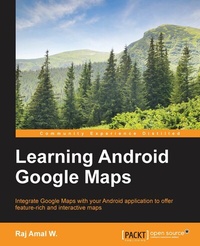
Learning Android Google Maps
Integrate Google Maps with your Android application to offer feature-rich and interactive maps
Published on 13. January 2025
356 pages
978-1-84969-887-0 (ISBN)
Description

Integrate Google Maps with your Android application to offer feature-rich and interactive maps
Key Features
Set up the development environment and obtain the Google API key to create your first map application
Create a cutting edge Google maps application by implementing all the concepts learned
A step-by-step tutorial guide that is full of pragmatic examples
Book DescriptionThis book helps you to overcome the most common problems faced by users and helps you create a successful map application without any hassle. The book starts with a brief description of how to set up an environment and obtain an API key to create your map application. This book will teach you about adding markers, overlays, and information windows to the map in detail. You will then dive deep into customizing various types of maps and working with location data and Google Street view. By the end of this book, you will be able to create succinct map applications in Android using Google maps efficiently.What you will learn
Get to know about the basic development environment setup needed to create a successful map application
Generate an SHA1 fingerprint, obtain an API key, and create a basic map application
Detect different types of maps and implement them in your application
Add information to your map such as markers, overlays, information windows, and shapes
Explore the interaction with maps and work with gestures
Change the different camera views in your map application
Work with real-time GPS location data and implementing it in your application
Apply Street View and integrate the StreetViewPanoroma fragment to your application
Employ the native Google maps application to solve some of the tasks using intents
Create a cutting edge Google maps application by implementing all the concepts learned
Who this book is forIf you are an Android developer and want to integrate maps into your application, then this book is definitely for you. This book is intended for novice Android application developers who would like to get up and running with map rich applications using Google Maps. Some basic development experience would be helpful but it's not a mandate.
Key Features
Set up the development environment and obtain the Google API key to create your first map application
Create a cutting edge Google maps application by implementing all the concepts learned
A step-by-step tutorial guide that is full of pragmatic examples
Book DescriptionThis book helps you to overcome the most common problems faced by users and helps you create a successful map application without any hassle. The book starts with a brief description of how to set up an environment and obtain an API key to create your map application. This book will teach you about adding markers, overlays, and information windows to the map in detail. You will then dive deep into customizing various types of maps and working with location data and Google Street view. By the end of this book, you will be able to create succinct map applications in Android using Google maps efficiently.What you will learn
Get to know about the basic development environment setup needed to create a successful map application
Generate an SHA1 fingerprint, obtain an API key, and create a basic map application
Detect different types of maps and implement them in your application
Add information to your map such as markers, overlays, information windows, and shapes
Explore the interaction with maps and work with gestures
Change the different camera views in your map application
Work with real-time GPS location data and implementing it in your application
Apply Street View and integrate the StreetViewPanoroma fragment to your application
Employ the native Google maps application to solve some of the tasks using intents
Create a cutting edge Google maps application by implementing all the concepts learned
Who this book is forIf you are an Android developer and want to integrate maps into your application, then this book is definitely for you. This book is intended for novice Android application developers who would like to get up and running with map rich applications using Google Maps. Some basic development experience would be helpful but it's not a mandate.
All prices
More details
Edition
Digital original
Language
English
Place of publication
Birmingham
United Kingdom
Target group
Professional and scholarly
US School Grade: College Graduate Student
Edition type
Digital original
File size
8,01 MB
ISBN-13
978-1-84969-887-0 (9781849698870)
Copyright in bibliographic data and cover images is held by Nielsen Book Services Limited or by the publishers or by their respective licensors: all rights reserved.
Schweitzer Classification
Other editions
Additional editions
Person
Raj Amal W. has almost three years real-time working experience with Android technology and has helped many developers to complete their projects on time with high quality standards as an Android developer for a private company. Raj is an open source evangelist and encourages others to use open source software. He writes about Android and Linux at http://www.learn2crack.com.
Content
Table of Contents
Setting up the Development Environment
Configuring API Key, Creating first Map Application
Working with different Map types
Adding Information to Maps
Interacting with the Map
Working with Custom views
Working with Location data
Know about the Street View
Google maps Intents
Creating a Custom Map Application
Setting up the Development Environment
Configuring API Key, Creating first Map Application
Working with different Map types
Adding Information to Maps
Interacting with the Map
Working with Custom views
Working with Location data
Know about the Street View
Google maps Intents
Creating a Custom Map Application

