

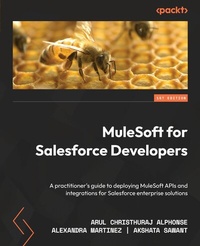
MuleSoft for Salesforce Developers
A practitioner's guide to deploying MuleSoft APIs and integrations for Salesforce enterprise solutions
Published on 23. September 2024
490 pages
978-1-80107-422-3 (ISBN)
Description

No detailed description available for "MuleSoft for Salesforce Developers".
All prices
More details
Edition
Digital original
Language
English
Place of publication
Birmingham
United Kingdom
Target group
Professional and scholarly
US School Grade: College Graduate Student
Edition type
Digital original
Product notice
Reflowable
File size
30,89 MB
ISBN-13
978-1-80107-422-3 (9781801074223)
Copyright in bibliographic data and cover images is held by Nielsen Book Services Limited or by the publishers or by their respective licensors: all rights reserved.
Schweitzer Classification
Other editions
Additional editions
Arul Christhuraj Alphonse | Alexandra Martinez | Akshata Sawant
MuleSoft for Salesforce Developers
A practitioner's guide to deploying MuleSoft APIs and integrations for Salesforce enterprise solutions
Book
09/2022
Packt Publishing
€61.50
Shipment within 3-4 weeks
Persons
Christhuraj Alphonse Arul :
Arul Christhuraj Alphonse works as a senior integration architect at Cognizant. He previously worked at Akmin Technologies, Quinnox, IBM, and TCS. He has over 18 years of experience in the integration and API domain and has designed over 1,000 integrations. His educational qualifications include Master of Computer Applications and Master of Business Administration degrees, and his professional qualifications include MuleSoft Mentor, MuleSoft Certified Integration Architect, MuleSoft Certified Platform Architect, MuleSoft Certified Developer Level 1, and SoftwareAG webMethods Certified Professional. He is from Tamil Nadu, India, and currently lives in Singapore. He shares his knowledge through Udemy and the Tech Lightning YouTube channel.Martinez Alexandra :
Alexandra Martinez is a developer advocate at MuleSoft, creating technical content to enable developers and architects to get started with MuleSoft's products. Before this, Alex worked as a MuleSoft developer and was part of the MuleSoft community as an Ambassadress and meetup leader for the Toronto, Online Spanish, and Women Who Mule chapters. Alex has 10+ years of experience in technology and has developed software in other languages, such as Java, Python, and PHP. Born and raised in Monterrey, Mexico, Alexandra's MuleSoft career was key to moving to a different country, and she currently lives in Niagara Falls, Canada. Alex volunteers at organizations such as Women Who Code and Olascoaga MX to help close the gender gap in STEM careers.Sawant Akshata :
Akshata Sawant is a developer advocate at MuleSoft. She's been evangelizing MuleSoft through her blogs, videos, and training sessions. She has around five years of experience as a MuleSoft developer. Apart from this, she's also a MuleSoft Certified Developer and an architect. Akshata has been an active member of the MuleSoft community and is also a former MuleSoft Ambassadress and a meetup leader for the London, Mumbai, and Manchester regions. Her roots go back to Mumbai but she's currently living her London dream. She's been a global speaker and mentors women in the integration ecosystem.
Arul Christhuraj Alphonse works as a senior integration architect at Cognizant. He previously worked at Akmin Technologies, Quinnox, IBM, and TCS. He has over 18 years of experience in the integration and API domain and has designed over 1,000 integrations. His educational qualifications include Master of Computer Applications and Master of Business Administration degrees, and his professional qualifications include MuleSoft Mentor, MuleSoft Certified Integration Architect, MuleSoft Certified Platform Architect, MuleSoft Certified Developer Level 1, and SoftwareAG webMethods Certified Professional. He is from Tamil Nadu, India, and currently lives in Singapore. He shares his knowledge through Udemy and the Tech Lightning YouTube channel.Martinez Alexandra :
Alexandra Martinez is a developer advocate at MuleSoft, creating technical content to enable developers and architects to get started with MuleSoft's products. Before this, Alex worked as a MuleSoft developer and was part of the MuleSoft community as an Ambassadress and meetup leader for the Toronto, Online Spanish, and Women Who Mule chapters. Alex has 10+ years of experience in technology and has developed software in other languages, such as Java, Python, and PHP. Born and raised in Monterrey, Mexico, Alexandra's MuleSoft career was key to moving to a different country, and she currently lives in Niagara Falls, Canada. Alex volunteers at organizations such as Women Who Code and Olascoaga MX to help close the gender gap in STEM careers.Sawant Akshata :
Akshata Sawant is a developer advocate at MuleSoft. She's been evangelizing MuleSoft through her blogs, videos, and training sessions. She has around five years of experience as a MuleSoft developer. Apart from this, she's also a MuleSoft Certified Developer and an architect. Akshata has been an active member of the MuleSoft community and is also a former MuleSoft Ambassadress and a meetup leader for the London, Mumbai, and Manchester regions. Her roots go back to Mumbai but she's currently living her London dream. She's been a global speaker and mentors women in the integration ecosystem.
Content
Table of Contents
Introduction to MuleSoft
Design your API
Exploring Anypoint Studio
Core Components
All About Anypoint Platform
LearningTransform with Dataweave
Transform with DataWeave
Build your Mule Application
Deploy your application
Secure your API
Testing your application
MuleSoft integration with Salesforce
MuleSoft connectors and Use cases
MuleSoft Best practices, Tip and Tricks
Mulesoft Certification and Interview Tips
Introduction to MuleSoft
Design your API
Exploring Anypoint Studio
Core Components
All About Anypoint Platform
LearningTransform with Dataweave
Transform with DataWeave
Build your Mule Application
Deploy your application
Secure your API
Testing your application
MuleSoft integration with Salesforce
MuleSoft connectors and Use cases
MuleSoft Best practices, Tip and Tricks
Mulesoft Certification and Interview Tips
