

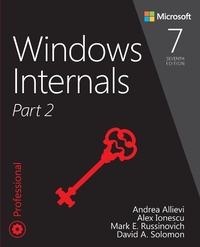
Windows Internals, Part 2
7th Edition
Published on 10. September 2021
912 pages
978-0-13-546238-6 (ISBN)
Description

Drill down into Windows architecture and internals, discover how core Windows components work behind the scenes, and master information you can continually apply to improve architecture, development, system administration, and support.
Led by three renowned Windows internals experts, this classic guide is now fully updated for Windows 10 and 8.x. As always, it combines unparalleled insider perspectives on how Windows behaves "under the hood" with hands-on experiments that let you experience these hidden behaviors firsthand.
Part 2 examines these and other key Windows 10 OS components and capabilities:
Startup and shutdown
The Windows Registry
Windows management mechanisms
WMI
System mechanisms
ALPC
ETW
Cache Manager
Windows file systems
The hypervisor and virtualization
UWP Activation
Revised throughout, this edition also contains three entirely new chapters:
Virtualization technologies
Management diagnostics and tracing
Caching and file system support
Led by three renowned Windows internals experts, this classic guide is now fully updated for Windows 10 and 8.x. As always, it combines unparalleled insider perspectives on how Windows behaves "under the hood" with hands-on experiments that let you experience these hidden behaviors firsthand.
Part 2 examines these and other key Windows 10 OS components and capabilities:
Startup and shutdown
The Windows Registry
Windows management mechanisms
WMI
System mechanisms
ALPC
ETW
Cache Manager
Windows file systems
The hypervisor and virtualization
UWP Activation
Revised throughout, this edition also contains three entirely new chapters:
Virtualization technologies
Management diagnostics and tracing
Caching and file system support
More details
Series
Edition
7th edition
Language
English
Place of publication
Boston
United States
Publishing group
Pearson Education (US)
Target group
Professional and scholarly
File size
17,22 MB
ISBN-13
978-0-13-546238-6 (9780135462386)
Copyright in bibliographic data and cover images is held by Nielsen Book Services Limited or by the publishers or by their respective licensors: all rights reserved.
Schweitzer Classification
Other editions
Additional editions
Andrea Allievi | Alex Ionescu | Mark Russinovich
Windows Internals, Part 2
Book
01/2022
7th Edition
Addison Wesley
€56.00
Shipment within 15-20 days
Persons
Andrea Allievi (Greater Seattle, WA Area) is a Senior Kernel Engineer with more than 15 years of experience in the field. He works in the Windows Core OS team at Microsoft, where he designs and develops robust Windows kernel Security features. He is also active in the security research community and often speaks at conferences, including Recon and Blue Hat. He started as a Security Researcher in small Italian companies such as TgSoft and SaferBytes. He then moved to the Talos group at Cisco Systems, where his time was split between the development of anti-virus and anti-rootkit tools and security research of offensive and defensive technologies, particularly in the Windows' kernel. In that time, after the design of the first UEFI Bootkit and the bypass of the Windows 8.1 Kernel Patch Protection, he became an internationally recognized expert in the operating system's internals.
Alex Ionescu (Greater Seattle, WA Area) is a Senior Vice President of Endpoint Security at CrowdStrike, and an internationally recognized expert in low-level system software, operating system research and kernel development, security training, and reverse engineering. He teaches Windows Internals courses around the world and is active in the security research community through conference talks and bug bounty programs.
Mark E. Russinovich (Seattle, WA Area) is a Technical Fellow in the Windows Azure Group at Microsoft, focusing on the Microsoft Cloud. He is a widely recognized expert in operating systems, distributed systems, and cybersecurity. Russinovich is co-author of the popular Windows Internals series of books and Windows Sysinternals Administrator's Reference. He joined Microsoft when it acquired Winternals, a software company he co-founded in 1996. He created the popular Sysinternals tools.
David A. Solomon (Los Angeles, CA Area), coauthor of the Windows Internals book series, has taught Windows internals to thousands of developers and IT professionals worldwide, including Microsoft staff. He is a regular speaker at Microsoft conferences, including TechNet and PDC.
Alex Ionescu (Greater Seattle, WA Area) is a Senior Vice President of Endpoint Security at CrowdStrike, and an internationally recognized expert in low-level system software, operating system research and kernel development, security training, and reverse engineering. He teaches Windows Internals courses around the world and is active in the security research community through conference talks and bug bounty programs.
Mark E. Russinovich (Seattle, WA Area) is a Technical Fellow in the Windows Azure Group at Microsoft, focusing on the Microsoft Cloud. He is a widely recognized expert in operating systems, distributed systems, and cybersecurity. Russinovich is co-author of the popular Windows Internals series of books and Windows Sysinternals Administrator's Reference. He joined Microsoft when it acquired Winternals, a software company he co-founded in 1996. He created the popular Sysinternals tools.
David A. Solomon (Los Angeles, CA Area), coauthor of the Windows Internals book series, has taught Windows internals to thousands of developers and IT professionals worldwide, including Microsoft staff. He is a regular speaker at Microsoft conferences, including TechNet and PDC.
