

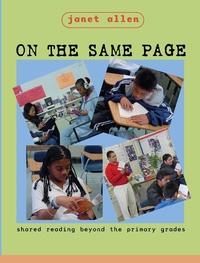
On the Same Page
Shared Reading Beyond the Primary Grades
1st Edition
Published on 1. November 2024
328 pages
978-1-040-29261-7 (ISBN)
Description

Maya Angelou says, Words mean more than what is set down on paper. It takes the human voice to infuse them with the shades of deeper meaning. On the Same Page celebrates the use of our voices in shared reading with students to help them gain deeper understanding of the texts we read. If you have enjoyed the increased engagement and motivation that accompany reading with your students and wondered how to extend those benefits throughout the day, this book offers support for using this approach as a foundation for learning across content areas.
On the Same Page explores the use of shared reading as an instructional approach for readers and writers at all levels of language proficiency. Janet Allen provides research, resources, practical ideas, and strategies for building from shared reading to increase students' literate experiences in a variety of curricular and instructional areas:strategic reading and comprehension;building background knowledge for content literacy;personal, academic, and public writing;transitions to independent reading;community knowledge and literature circles;increased vocabulary;modeled fluency.
On the Same Page is enriched with a wide range of student work as well as extensive appendices of additional resources, graphic organizers, suggested reading lists, and teaching guides for implementation of shared reading in your classroom.
On the Same Page explores the use of shared reading as an instructional approach for readers and writers at all levels of language proficiency. Janet Allen provides research, resources, practical ideas, and strategies for building from shared reading to increase students' literate experiences in a variety of curricular and instructional areas:strategic reading and comprehension;building background knowledge for content literacy;personal, academic, and public writing;transitions to independent reading;community knowledge and literature circles;increased vocabulary;modeled fluency.
On the Same Page is enriched with a wide range of student work as well as extensive appendices of additional resources, graphic organizers, suggested reading lists, and teaching guides for implementation of shared reading in your classroom.
More details
Edition
1. Auflage
Language
English
Place of publication
London
United Kingdom
Publishing group
Taylor & Francis Ltd
Target group
College/higher education
Professional and scholarly
ISBN-13
978-1-040-29261-7 (9781040292617)
Copyright in bibliographic data and cover images is held by Nielsen Book Services Limited or by the publishers or by their respective licensors: all rights reserved.
Schweitzer Classification
Other editions
Additional editions
Book
10/2002
1st Edition
Stenhouse Publishers
€57.13
Shipment within 3-4 weeks
Person
Janet Allen (EdD, University of Maine) spends her time researching, writing, and consulting with schools and teachers who are changing their literacy practices. An award-winning teacher, she taught high school English and reading for twenty years in rural Maine, eventually leaving her classroom to teach English education courses as an associate professor at the University of Central Florida. Janet helped create the Orange County Literacy Project, directed the Central Florida Writing Project, and currently works with districts implementing large-scale literacy initiatives. Her first book, It's Never Too Late: Leading Adolescents to Lifelong Literacy, was published in 1995. Stenhouse published There's Room for Me Here: Literacy Workshop in the Middle School, co-authored with Kyle Gonzalez (1998), and Words, Words, Words: Teaching Vocabulary in Grades 4-12 (1999).
Content
1. On the Same Page: Shared Reading Beyond the Primary Grades 2. "Pleeeze, Just One More Chapter": Expanding Reading Fluency with Connected Shared Reading 3. Learning to Read and Reading to Learn: Understanding Strategic Shared Reading 4. "When Do I Teach Vocabulary?" Shared Reading and Word Study 5. Building on Common Ground: Shared Paths to Content Literacy 6. Writing Roads: Shared Reading as the Foundation for Integrated Language Arts 7. Shared Reading as a Bridge to Independence 8. "But What About Grades?" Assessing the "Value" of Shared Reading
