

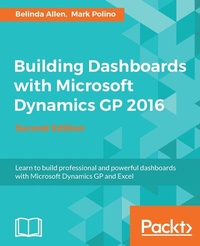
Building Dashboards with Microsoft Dynamics GP 2016
Excel, Jet Reports, and MS Power BI with GP 2016
2nd Edition
Published on 13. January 2025
354 pages
978-1-78646-404-0 (ISBN)
Description

Learn to build professional and powerful dashboards with Microsoft Dynamics GP and Excel
Key Features
[] This book provides a core foundation for you to understand the ever-changing Microsoft Power BI
[] Through this book, you'll understand how data flows and is secured between Microsoft Dynamics GP and Microsoft Excel
[] You'll see how to create amazing dashboards using various tools such as Excel 2016, Power BI, Jet Express, and more
Book DescriptionMicrosoft Dynamics GP is a complete ERP solution that is extremely beneficial for small to midsize organizations in helping them grow exponentially. The book shows you in detail how to build great-looking dashboards with Microsoft Dynamics GP that enhance a company's decision-making processes. This guide will take you from the basics of setting up and deploying to creating secure, refreshable Excel reports. Using a whole host of tools available within Microsoft Dynamics GP and Excel, this tutorial will show you how to visualize your data using simple conditional formatting techniques and easy-to-read charts, and allow you to make your data interactive with slicers. We will also cover core topics such as Business Analyzer, Microsoft SQL Reporting services reports, BI360, and more. You will find out to use Power BI, share and refresh data and dashboards in Power BI, and use Power BI Query Editor. By the end of this book, you will have all the information required to build interactive dashboards using Dynamics GP. What you will learn
Use GP Data in Excel 2016 in a meaningful way
Build basic financial statements using Jet Reporting Express, including visualizations
Understand the foundation of Power BI and its components
Get and maintain data from Dynamics GP in Power BI
Find out how to use the Power BI Query Editor (the Get and Transform feature in Excel 2016)
Format basic visualizations to get better insights
Understand Jet Reports Express, which is used to create basic financial statements
Use the new Dynamics GP features, such as OData and adding Power BI tiles on the home page
Who this book is forThis book is geared up for analysts and accountants keen on building and maintaining professional dashboards with Microsoft Excel 2016 for Microsoft Dynamics GP 2016 data, and building financials with visuals using the New Jet Reports Express Tool for Dynamics GP. An introduction is provided for those who want to maintain dashboards in Microsoft Power BI.
Key Features
[] This book provides a core foundation for you to understand the ever-changing Microsoft Power BI
[] Through this book, you'll understand how data flows and is secured between Microsoft Dynamics GP and Microsoft Excel
[] You'll see how to create amazing dashboards using various tools such as Excel 2016, Power BI, Jet Express, and more
Book DescriptionMicrosoft Dynamics GP is a complete ERP solution that is extremely beneficial for small to midsize organizations in helping them grow exponentially. The book shows you in detail how to build great-looking dashboards with Microsoft Dynamics GP that enhance a company's decision-making processes. This guide will take you from the basics of setting up and deploying to creating secure, refreshable Excel reports. Using a whole host of tools available within Microsoft Dynamics GP and Excel, this tutorial will show you how to visualize your data using simple conditional formatting techniques and easy-to-read charts, and allow you to make your data interactive with slicers. We will also cover core topics such as Business Analyzer, Microsoft SQL Reporting services reports, BI360, and more. You will find out to use Power BI, share and refresh data and dashboards in Power BI, and use Power BI Query Editor. By the end of this book, you will have all the information required to build interactive dashboards using Dynamics GP. What you will learn
Use GP Data in Excel 2016 in a meaningful way
Build basic financial statements using Jet Reporting Express, including visualizations
Understand the foundation of Power BI and its components
Get and maintain data from Dynamics GP in Power BI
Find out how to use the Power BI Query Editor (the Get and Transform feature in Excel 2016)
Format basic visualizations to get better insights
Understand Jet Reports Express, which is used to create basic financial statements
Use the new Dynamics GP features, such as OData and adding Power BI tiles on the home page
Who this book is forThis book is geared up for analysts and accountants keen on building and maintaining professional dashboards with Microsoft Excel 2016 for Microsoft Dynamics GP 2016 data, and building financials with visuals using the New Jet Reports Express Tool for Dynamics GP. An introduction is provided for those who want to maintain dashboards in Microsoft Power BI.
All prices
More details
Edition
2nd Revised edition
Language
English
Place of publication
Birmingham
United Kingdom
Target group
Professional and scholarly
US School Grade: College Graduate Student
Edition type
Revised edition
File size
14,34 MB
ISBN-13
978-1-78646-404-0 (9781786464040)
Copyright in bibliographic data and cover images is held by Nielsen Book Services Limited or by the publishers or by their respective licensors: all rights reserved.
Schweitzer Classification
Other editions
Additional editions
Belinda Allen | Mark Polino
Building Dashboards with Microsoft Dynamics GP 2016
Book
03/2017
Packt Publishing
€69.50
Shipment within 3-4 weeks
Persons
Allen Belinda :
Belinda Allen is a Microsoft Most Valuable Professional for Dynamics GP (MVP) and a GPUG (GP User Group) All-Star. Belinda is currently the Business Intelligence Program Manager for the new Azure Cloud-based SaaS ERP offering, PowerGP Online. This is an amped-up version of the GP we all love, running in the Microsoft Azure Cloud. In this role, she helps both Partners and Customers design and implement BI methodologies, allowing businesses to make decisions based on timely and accurate information. Belinda was one of the co-founders of Smith & Allen Consulting, Inc. (SACI), a New York City based firm with over 25 years' experience specializing in business intelligence, analytics and ERP software. On April 1, 2016, SACI joined forces with Njevity, Inc. (www.NjevityToGo.com). Now she gets to spend time in her favorite place, the world of Business Intelligence (BI). NjevityToGo offers solutions for ERP, CRM, BI, and much more in the cloud. Njevity is also the force behind PowerGP Online. Belinda's first book, Real-world Business Intelligence with Microsoft Dynamics GP was co-written with Mark Polino. It's a dive into where to Implementing a Business Intelligence Methodology with Microsoft Dynamics GP. Currently a member of the Credentialing Council for the Association of Dynamics Professionals, Belinda was the first Council Chair. In this role, she led a team of community leaders providing guidance and insight in the delivery and development of credentials for both Microsoft Dynamics GP and Microsoft Dynamics NAV. Belinda is also an inaugural member of the Board of Advisors for PBIUG (Power BI User Group.) In this role she provides her experience to the User Board Members, while they create the foundation for this new organization. The goal is to make Power BI a critical tool in the user's organizations. Belinda began implementing ERP systems so long ago that Windows was not an operating system but an application. And at that time, larger businesses used main frames with monitors that projected green type on black backgrounds, and smaller business did their accounting by hand. Having seen the evolution that has taken place over the years from sheets of paper to integrated analytics, Belinda still gets excited every time she helps a business improve. Belinda is also well known for her blog, www.BelindaTheGPcsi.com. On her blog, she shares really useful information about the product quickly and succinctly. She has earned the nickname GP CSI because she excels at reviewing GP problems and figuring out what went wrong... and why. With followers from all over the globe, she is able to share knowledge and achieve her mission--"To improve the lives and business success of my followers." Belinda has just started her new blog, www.BIbelinda.com, which is devoted to Microsoft Power BI. When not delving into GP problems and spearheading business success for clients, Belinda enjoys sailing, crochet/knitting, sewing/quilting, reading, and turning wood.Polino Mark :
Mark Polino is CPA, with additional certifications in financial forensics (CFF) and information technology (CITP). He is a Microsoft MVP for Business Solutions and a GPUG All Star who has worked with Dynamics GP and its predecessors since 1999. He works as the Director of Client Services for Fastpath, and he runs the DynamicAccounting.net website dedicated to all things Dynamics GP. He is a regularly featured speaker at Dynamics GP related events. This is Mark's tenth book, and his seventh GP related book with Packt Publishing. His work includes eight technology-focused books and two novels. He is also the author of the best-selling Microsoft Dynamics GP 2010 Cookbook, the spin off Lite edition, and a co-author for updated GP 2013 and 2016 editions, all from Packt Publishing.
Belinda Allen is a Microsoft Most Valuable Professional for Dynamics GP (MVP) and a GPUG (GP User Group) All-Star. Belinda is currently the Business Intelligence Program Manager for the new Azure Cloud-based SaaS ERP offering, PowerGP Online. This is an amped-up version of the GP we all love, running in the Microsoft Azure Cloud. In this role, she helps both Partners and Customers design and implement BI methodologies, allowing businesses to make decisions based on timely and accurate information. Belinda was one of the co-founders of Smith & Allen Consulting, Inc. (SACI), a New York City based firm with over 25 years' experience specializing in business intelligence, analytics and ERP software. On April 1, 2016, SACI joined forces with Njevity, Inc. (www.NjevityToGo.com). Now she gets to spend time in her favorite place, the world of Business Intelligence (BI). NjevityToGo offers solutions for ERP, CRM, BI, and much more in the cloud. Njevity is also the force behind PowerGP Online. Belinda's first book, Real-world Business Intelligence with Microsoft Dynamics GP was co-written with Mark Polino. It's a dive into where to Implementing a Business Intelligence Methodology with Microsoft Dynamics GP. Currently a member of the Credentialing Council for the Association of Dynamics Professionals, Belinda was the first Council Chair. In this role, she led a team of community leaders providing guidance and insight in the delivery and development of credentials for both Microsoft Dynamics GP and Microsoft Dynamics NAV. Belinda is also an inaugural member of the Board of Advisors for PBIUG (Power BI User Group.) In this role she provides her experience to the User Board Members, while they create the foundation for this new organization. The goal is to make Power BI a critical tool in the user's organizations. Belinda began implementing ERP systems so long ago that Windows was not an operating system but an application. And at that time, larger businesses used main frames with monitors that projected green type on black backgrounds, and smaller business did their accounting by hand. Having seen the evolution that has taken place over the years from sheets of paper to integrated analytics, Belinda still gets excited every time she helps a business improve. Belinda is also well known for her blog, www.BelindaTheGPcsi.com. On her blog, she shares really useful information about the product quickly and succinctly. She has earned the nickname GP CSI because she excels at reviewing GP problems and figuring out what went wrong... and why. With followers from all over the globe, she is able to share knowledge and achieve her mission--"To improve the lives and business success of my followers." Belinda has just started her new blog, www.BIbelinda.com, which is devoted to Microsoft Power BI. When not delving into GP problems and spearheading business success for clients, Belinda enjoys sailing, crochet/knitting, sewing/quilting, reading, and turning wood.Polino Mark :
Mark Polino is CPA, with additional certifications in financial forensics (CFF) and information technology (CITP). He is a Microsoft MVP for Business Solutions and a GPUG All Star who has worked with Dynamics GP and its predecessors since 1999. He works as the Director of Client Services for Fastpath, and he runs the DynamicAccounting.net website dedicated to all things Dynamics GP. He is a regularly featured speaker at Dynamics GP related events. This is Mark's tenth book, and his seventh GP related book with Packt Publishing. His work includes eight technology-focused books and two novels. He is also the author of the best-selling Microsoft Dynamics GP 2010 Cookbook, the spin off Lite edition, and a co-author for updated GP 2013 and 2016 editions, all from Packt Publishing.
Content
Table of Contents
Getting Data from Dynamics GP 2016 to Excel 2016
The Ultimate GP to Excel Tool
Pivot Tables
Making Your Data Visually Appealing and Meaningful with Formatting, Conditional Formatting, and Charts
Drilling Back to the Source Data and Other Cool Stuff
Introducing Jet Reports Express
Building Financial Reports in Jet Express for GP
Introducing Microsoft Power BI
Getting Data in Power BI
Creating Power BI Visuals
Using the Power BI Service
Sharing and Refreshing Data and Dashboards in Power BI
Using the Power Query Editor
Bonus Chapter
Getting Data from Dynamics GP 2016 to Excel 2016
The Ultimate GP to Excel Tool
Pivot Tables
Making Your Data Visually Appealing and Meaningful with Formatting, Conditional Formatting, and Charts
Drilling Back to the Source Data and Other Cool Stuff
Introducing Jet Reports Express
Building Financial Reports in Jet Express for GP
Introducing Microsoft Power BI
Getting Data in Power BI
Creating Power BI Visuals
Using the Power BI Service
Sharing and Refreshing Data and Dashboards in Power BI
Using the Power Query Editor
Bonus Chapter

