

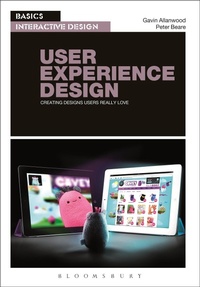
Basics Interactive Design: User Experience Design
Creating Designs Users Really Love
Published on 27. February 2014
184 pages
978-2-940447-69-5 (ISBN)
Description

By putting people at the centre of interactive design, user experience (UX) techniques are now right at the heart of digital media design and development. As a designer, you need to create work that will impact positively on everyone who is exposed to it. Whether it's passive and immutable or interactive and dynamic, the success of your design will depend largely on how well the user experience is constructed.
User Experience Design shows how researching and understanding users' expectations and motivations can help you develop effective, targeted designs. The authors explore the use of scenarios, personas and prototyping in idea development, and will help you get the most out of the latest tools and techniques to produce interactive designs that users will love.
With practical projects to get you started, and stunning examples from some of today's most innovative studios, this is an essential introduction to modern UXD.
User Experience Design shows how researching and understanding users' expectations and motivations can help you develop effective, targeted designs. The authors explore the use of scenarios, personas and prototyping in idea development, and will help you get the most out of the latest tools and techniques to produce interactive designs that users will love.
With practical projects to get you started, and stunning examples from some of today's most innovative studios, this is an essential introduction to modern UXD.
Reviews / Votes
An accessible, visually compelling introduction to UXD, this book offers that big picture which will help motivate students to learn more about the field and its methods. * Jeffrey Bardzell, Indiana University * This is an extremely useful reference/activity hand book if you are a Design Teacher, a Project Leader, a Design Team Member or if you are mentoring a Design Team for example. Use for guidance, to stimulate ideas and to plan project meetings. The book is a good resource to aid lesson planning, or to compile presentations. Also stepping away from focusing on the work of a design team a little, know the book can work very well for a digital or search engine marketer to dip into for snippets of information ... Illustrations of graphic design work is eye catching. * tssreviews * Although user experience design (UXD) is now a familiar refrain, this volume by Allanwood and Beare (both, Univ. of Central Lancashire, UK) should engage even the most jaded readers. Using a highly visual, interactive approach, it provides a stimulating process-oriented overview with colorful illustrations. Focusing on digital media design, the authors introduce basic concepts for novice readers while providing details on user research, design methods, and the design process that will enrich more experienced individuals. User behavior based on such aspects as emotional response and memory, design aspects of usability, and design methods such as personas, storyboards, and card sorting are only a few of the topics covered in this work. The five chapters include related step-by-step activities, most of which require only paper and pencil. These activities encourage user research and exploration of prototypes and solutions. Interviews with professional practitioners and a case study reinforce the implications and importance of the UXD approach. Additional readings, a glossary, and a detailed index are valuable inclusions. Though this book was reviewed in its print version, the book's physical arrangement and layout should transition well to e-book format.Summing Up: Highly Recommended. Lower-level undergraduates and above; general readers. * CHOICE *
More details
Series
Language
English
Place of publication
United States
Publishing group
Bloomsbury Publishing PLC (Digital)
Target group
Professional and scholarly
Illustrations
200 colour illus
File size
48,78 MB
ISBN-13
978-2-940447-69-5 (9782940447695)
Copyright in bibliographic data and cover images is held by Nielsen Book Services Limited or by the publishers or by their respective licensors: all rights reserved.
Schweitzer Classification
Other editions
Additional editions
Gavin Allanwood | Peter Beare
Basics Interactive Design: User Experience Design
Creating designs users really love
Book
02/2014
Fairchild Books
€50.94
Article exhausted; check different version
Persons
Gavin Allanwood is a writer, designer and business leader based in north-west England. Trained as a photographer in the 1970s he has somehow managed to adapt, survive and thrive in the digital age. He is a founder and director of actibility.com, a company that provides guidance and quality assurance services to UX design teams.
Peter Beare is an expert in multidisciplinary approaches to digital media design and teaches Media Technology at the University of Central Lancashire, UK.
Peter Beare is an expert in multidisciplinary approaches to digital media design and teaches Media Technology at the University of Central Lancashire, UK.
Content
Introduction
Chapter 1: What is User Experience Design?
Roles in UXD
Today's multidisciplinary team
Case Study: A UXD approach Exercise: A user centred development cycle
Chapter 2: Users
User context
Researching the user's world
Brands
Case Study: User profiling
Emotional responses
Memory
Fallibility
Expectation
Motivation
Exercise: Designing a memorable experience
Chapter 3: Experience Design
Personas
Scenario development
Case Study: User Involvement
Fun
Usability
Simplicity
Discovery
Challenge
360 degree view
Life cycle
Exercise: Intuitive Design
Semiotics
Chapter 4: Design Process
User involvement
User vs. client requirements
Constraints
Design specification
Planning tools
Case Study: Planning
Exercise: Plan a memorable experience
Chapter 5: Design Methods
Platforms and technologies
Semantic design
Interoperability
Design tools
Wireframing
Prototyping
Design Patterns
Layout
Type
Image
Iteration
Exercise: Build a prototype
End matter: Standards and checklist; Conclusion; Glossary; Index
Chapter 1: What is User Experience Design?
Roles in UXD
Today's multidisciplinary team
Case Study: A UXD approach Exercise: A user centred development cycle
Chapter 2: Users
User context
Researching the user's world
Brands
Case Study: User profiling
Emotional responses
Memory
Fallibility
Expectation
Motivation
Exercise: Designing a memorable experience
Chapter 3: Experience Design
Personas
Scenario development
Case Study: User Involvement
Fun
Usability
Simplicity
Discovery
Challenge
360 degree view
Life cycle
Exercise: Intuitive Design
Semiotics
Chapter 4: Design Process
User involvement
User vs. client requirements
Constraints
Design specification
Planning tools
Case Study: Planning
Exercise: Plan a memorable experience
Chapter 5: Design Methods
Platforms and technologies
Semantic design
Interoperability
Design tools
Wireframing
Prototyping
Design Patterns
Layout
Type
Image
Iteration
Exercise: Build a prototype
End matter: Standards and checklist; Conclusion; Glossary; Index
