

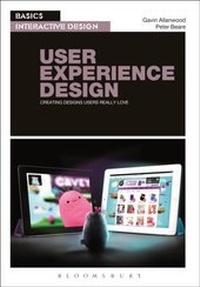
Basics Interactive Design: User Experience Design
Creating Designs Users Really Love
1st Edition
Published on 29. January 2015
184 pages
978-1-4742-3872-4 (ISBN)
Description

By putting people at the centre of interactive design, user experience (UX) techniques are now right at the heart of digital media design and development. As a designer, you need to create work that will impact positively on everyone who is exposed to it. Whether it's passive and immutable or interactive and dynamic, the success of your design will depend largely on how well the user experience is constructed.
User Experience Design shows how researching and understanding users' expectations and motivations can help you develop effective, targeted designs. The authors explore the use of scenarios, personas and prototyping in idea development, and will help you get the most out of the latest tools and techniques to produce interactive designs that users will love.
With practical projects to get you started, and stunning examples from some of today's most innovative studios, this is an essential introduction to modern UXD.
More details
Series
Edition
1. Auflage
Language
English
Place of publication
London
United Kingdom
Publishing group
Bloomsbury Publishing PLC
Target group
Professional and scholarly
Illustrations
200 colour illus
File size
44,18 MB
ISBN-13
978-1-4742-3872-4 (9781474238724)
Copyright in bibliographic data and cover images is held by Nielsen Book Services Limited or by the publishers or by their respective licensors: all rights reserved.
Schweitzer Classification
Other editions
Additional editions
Gavin Allanwood | Peter Beare
Basics Interactive Design: User Experience Design
Creating designs users really love
Book
02/2014
Fairchild Books
€50.94
Article exhausted; check different version
Persons
Content
Introduction
Chapter 1: What is User Experience Design?
Roles in UXD
Today's multidisciplinary team
Case Study: A UXD approach Exercise: A user centred development cycle
Chapter 2: Users
User context
Researching the user's world
Brands
Case Study: User profiling
Emotional responses
Memory
Fallibility
Expectation
Motivation
Exercise: Designing a memorable experience
Chapter 3: Experience Design
Personas
Scenario development
Case Study: User Involvement
Fun
Usability
Simplicity
Discovery
Challenge
360 degree view
Life cycle
Exercise: Intuitive Design
Semiotics
Chapter 4: Design Process
User involvement
User vs. client requirements
Constraints
Design specification
Planning tools
Case Study: Planning
Exercise: Plan a memorable experience
Chapter 5: Design Methods
Platforms and technologies
Semantic design
Interoperability
Design tools
Wireframing
Prototyping
Design Patterns
Layout
Type
Image
Iteration
Exercise: Build a prototype
End matter: Standards and checklist; Conclusion; Glossary; Index
Chapter 1: What is User Experience Design?
Roles in UXD
Today's multidisciplinary team
Case Study: A UXD approach Exercise: A user centred development cycle
Chapter 2: Users
User context
Researching the user's world
Brands
Case Study: User profiling
Emotional responses
Memory
Fallibility
Expectation
Motivation
Exercise: Designing a memorable experience
Chapter 3: Experience Design
Personas
Scenario development
Case Study: User Involvement
Fun
Usability
Simplicity
Discovery
Challenge
360 degree view
Life cycle
Exercise: Intuitive Design
Semiotics
Chapter 4: Design Process
User involvement
User vs. client requirements
Constraints
Design specification
Planning tools
Case Study: Planning
Exercise: Plan a memorable experience
Chapter 5: Design Methods
Platforms and technologies
Semantic design
Interoperability
Design tools
Wireframing
Prototyping
Design Patterns
Layout
Type
Image
Iteration
Exercise: Build a prototype
End matter: Standards and checklist; Conclusion; Glossary; Index
