

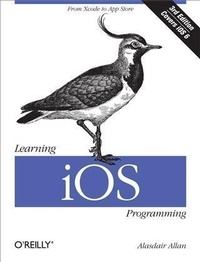
Learning iOS Programming
From Xcode to App Store
Published on 12. March 2013
452 pages
978-1-4493-5939-3 (ISBN)
Description

Get a rapid introduction to iPhone, iPad, and iPod touch programming. With this easy-to-follow guide, youll learn how to develop your first marketable iOS application, from opening Xcode to submitting your product to the App Store. Whether youre a developer new to Mac programming or an experienced Mac developer ready to tackle iOS, this is your book.Youll learn about Objective-C and the core frameworks hands-on by writing several sample iOS applications, giving you the basic skills for building your own applications independently. Packed with code samples, this book is refreshed and updated for iOS 6 and Xcode 4.Discover the advantages of building native iOS appsGet started with Objective-C and the Cocoa Touch frameworksDive deep into the table view classes for building user interfacesHandle data input, parse XML and JSON documents, and store data on SQLiteUse iOS sensors, including the accelerometer, magnetometer, camera, and GPSBuild apps that use the Core Location and MapKit frameworksIntegrate Apples iCloud service into your applicationsWalk through the process of distributing your polished app to the App Store
More details
Other editions
Additional editions
Book
04/2013
3rd Edition
O'Reilly
€33.00
Shipment within 10-20 days
Content
- Intro
- Copyright
- Table of Contents
- Preface
- Third Edition
- Notes from the Second Edition
- Who Should Read This Book?
- What Should You Already Know?
- What Will You Learn?
- What's in This Book?
- Conventions Used in This Book
- Using Code Examples
- How to Contact Us
- Safari® Books Online
- Acknowledgments
- Chapter 1. Why Go Native?
- The Pros and Cons
- Why Write Native Applications?
- The Release Cycle
- Build It and They Will Come
- Chapter 2. Becoming a Developer
- Registering as an iOS Developer
- Enrolling in the iOS Developer Program
- The Mac Developer Program
- Installing the iOS SDK
- What Happens When There Is a Beta?
- Preparing Your iOS Device
- Creating a Development Certificate
- Getting the UDID of Your Development Device
- Creating an App ID
- Creating a Mobile Provisioning Profile
- Making Your Device Available for Development
- Chapter 3. Your First iOS App
- Objective-C Basics
- Object-Oriented Programming
- The Objective-C Object Model
- The Basics of Objective-C Syntax
- Creating a Project
- Exploring the Project in Xcode
- Our Project in Interface Builder
- Building the User Interface
- Connecting the User Interface to the Code
- Running the Application in the Simulator
- Putting the Application on Your iPhone
- Chapter 4. Coding in Objective-C
- Declaring and Defining Classes
- Declaring a Class with the Interface
- Defining a Class with the Implementation
- Object Typing
- Properties
- Synthesizing Properties
- The Dot Syntax
- Declaring Methods
- Calling Methods
- Calling Methods on nil
- Memory Management
- Creating Objects
- The Autorelease Pool
- The alloc, retain, copy, and release Cycle
- Automatic Reference Counting
- The dealloc Method
- Responding to Memory Warnings
- Fundamental iOS Design Patterns
- The Model-View-Controller Pattern
- Views and View Controllers
- The Delegates and DataSource Pattern
- Conclusion
- Chapter 5. Table View-Based Applications
- Creating the Project
- Creating a Table View
- Running the Code
- Populating the Table View
- Building a Model
- Adding Cities to the Guide
- Adding Images to Your Projects
- Connecting the Controller to the Model
- Mocking Up Functionality with Alert Windows
- Adding Navigation Controls to the Application
- Adding a City View
- Edit Mode
- Deleting a City Entry
- Adding a City Entry
- The "Add New City" Interface
- Capturing the City Data
- Chapter 6. Other View Controllers
- Utility Applications
- Making the Battery Monitoring Application
- Tab Bar Applications
- Adding Another Tab Bar Item
- Combining View Controllers
- Modal View Controllers
- Modifying the City Guide Application
- The Image Picker View Controller
- Adding the Image Picker to the City Guide Application
- Master-Detail Applications
- Creating a Universal Application
- Popover Controllers
- Chapter 7. Connecting to the Network
- Detecting Network Status
- Apple's Reachability Class
- Embedding a Web Browser in Your App
- A Simple Web View Controller
- Displaying Static HTML Files
- Getting Data Out of a UIWebView
- Sending Email
- Getting Data from the Internet
- Synchronous Requests
- Asynchronous Requests
- Using Web Services
- Chapter 8. Handling Data
- Data Entry
- UITextField and Its Delegate
- UITextView and Its Delegate
- Parsing XML
- Parsing XML with libxml2
- Parsing XML with NSXMLParser
- Parsing JSON
- NSJSONSerialization
- The JSON Framework
- Retrieving Twitter Trends
- Using the Social Framework
- The Twitter Trends Application
- Regular Expressions
- Introduction to Regular Expressions
- Storing Data
- Using Flat Files
- Storing Information in a SQL Database
- Core Data
- Chapter 9. Using Sensors
- Hardware Support
- Network Availability
- Camera Availability
- Audio Input Availability
- GPS Availability
- Magnetometer Availability
- Setting Required Hardware Capabilities
- Persistent WiFi
- Background Modes
- Differences Between iPhone and iPad
- Using the Camera
- The Core Motion Framework
- Pulling Motion Data
- Pushing Motion Data
- The Accelerometer
- The Gyroscope
- The Magnetometer
- Accessing the Proximity Sensor
- Using Vibration
- Chapter 10. Geolocation and Mapping
- The Core Location Framework
- Device Heading
- Location-Dependent Weather
- Reverse Geocoding
- Forward Geocoding
- CLPlacemark Objects
- Modifying the Weather Application
- User Location and MapKit
- Annotating Maps
- Chapter 11. Introduction to iCloud
- How Can I Use iCloud?
- iCloud Backup
- Provisioning Your Application for iCloud
- Using Key-Value Storage
- Wrapping Up
- Chapter 12. Integrating Your Application
- Application Preferences
- The Accounts Framework
- The Social Framework
- Sending Tweets
- Making Posts to Facebook
- Custom URL Schemes
- Using Custom Schemes
- Registering Custom Schemes
- Media Playback
- Using the Address Book
- Interactive People Picking
- Programmatic People Picking
- Sending Text Messages
- Chapter 13. Distributing Your Application
- Adding Missing Features
- Adding an Icon
- Adding a Launch Image
- Changing the Display Name
- Enabling Rotation
- Building and Signing
- Ad Hoc Distribution
- Developer-to-Developer Distribution
- App Store Distribution
- Submitting to the App Store
- Building Your Application for App Store Distribution
- The App Store Resource Center
- Reasons for Rejection
- Chapter 14. Going Further
- Cocoa and Objective-C
- The iOS SDK
- Web Applications
- PhoneGap
- Core Data
- In-App Purchase
- MKStoreKit
- Core Animation
- Game Kit
- Writing Games
- Look and Feel
- Hardware Accessories
- Index
- About the Author
