

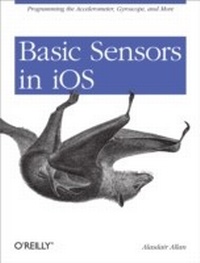
Basic Sensors in iOS
Programming the Accelerometer, Gyroscope, and More
1st Edition
Published on 22. July 2011
108 pages
978-1-4493-1597-9 (ISBN)
Description

What really sets the iPhone apart from laptops and PCs is its use of onboard sensors, including those that are location-enabled. This concise book takes experienced iPhone and Mac developers on a detailed tour of iPhone and iPad hardware by explaining how these sensors work, and what they're capable of doing.With this book, you'll build sample applications for each sensor, and learn hands-on how to take advantage of the data each sensor produces. You'll gain valuable experience that you can immediately put to work inside your own iOS applications for the iPhone, iPod touch, and iPad. This book helps you focus on:Camera: learn how to take pictures and video, create video thumbnails, customize video, and save media to the photo albumAudio: use the media picker controller and access the iPod music library in your own application, and enable your app to record and play sampled audioAccelerometer: write an application that uses this sensor to determine device orientationMagnetometer: learn how this sensor verifies compass headingsCore Motion: use this framework to receive motion data from both the accelerometer and the vibrational gyroscopeThis short book is part of a collection that will, along with new material, be compiled into a larger book, iOS Sensor Programming. The other books in this collection are Augmented Reality in iOS, Geolocation in iOS, and iOS Sensor Apps with Arduino.
More details
Other editions
Additional editions
Book
08/2011
O'Reilly
€19.00
Shipment within 10-20 days
Content
- Intro
- Table of Contents
- Preface
- Who Should Read This Book?
- What You Should Already Know?
- What Will You Learn?
- What's In This Book?
- Conventions Used in This Book
- Using Code Examples
- Safari® Books Online
- How to Contact Us
- Acknowledgments
- Chapter 1. The Hardware
- Available Sensor Hardware
- Differences Between iPhone and iPad
- Device Orientation and the iPad
- Going beyond basic support
- Detecting Hardware Differences
- Camera Availability
- Audio Input Availability
- GPS Availability
- Magnetometer Availability
- Setting Required Hardware Capabilities
- Persistent WiFi
- Background Modes
- Chapter 2. Using the Camera
- The Hardware
- Capturing Stills and Video
- Video Thumbnails
- Video Thumbnails Using the UIImagePicker
- Video Thumbnails Using AVFoundation
- Saving Media to the Photo Album
- Video Customization
- Chapter 3. Using Audio
- The Hardware
- Media Playback
- Recording and Playing Audio
- Recording Audio
- Playing Audio
- Chapter 4. Using the Accelerometer
- About the Accelerometer
- Writing an Accelerometer Application
- Determining Device Orientation
- Determining Device Orientation Directly Using the Accelerometer
- Obtaining Notifications when Device Orientation Changes
- Which Way Is Up?
- Convenience Methods for Orientation
- Detecting Shaking
- Chapter 5. Using the Magnetometer
- About the Magnetometer
- Writing a Magnetometer Application
- Determining the Heading in Landscape Mode
- Measuring a Magnetic Field
- Chapter 6. Using Core Motion
- Core Motion
- Pulling Motion Data
- Pushing Motion Data
- Accessing the Gyroscope
- Measuring Device Motion
- Comparing Device Motion with the Accelerometer
- Chapter 7. Going Further
- The iPhone SDK
- Geolocation and Maps
- Third-Party SDKs
- Speech Recognition
- Computer Vision
- Augmented Reality
- External Accessories
