

Make
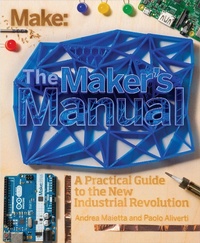
The Maker's Manual: A Practical Guide to the New Industrial Revolution
1st Edition
Published on 9. April 2015
232 pages
978-1-4571-9397-2 (ISBN)
Description

The Maker''s Manual is a practical and comprehensive guide to becoming a hero of the new industrial revolution. It features dozens of color images, techniques to transform your ideas into physical projects, and must-have skills like electronics prototyping, 3d printing, and programming. This book''s clear, precise explanations will help you unleash your creativity, make successful projects, and work toward a sustainable maker business. Written by the founders of Frankenstein Garage, which has organized courses since 2011 to help makers to realize their creations, The Maker''s Manual answers your questions about the Maker Movement that is revolutionizing the way we design and produce things.
More details
Language
English
Place of publication
Sebastopol
United States
Product notice
Windows
File size
99,93 MB
ISBN-13
978-1-4571-9397-2 (9781457193972)
Copyright in bibliographic data and cover images is held by Nielsen Book Services Limited or by the publishers or by their respective licensors: all rights reserved.
Schweitzer Classification
Other editions
Additional editions
Paolo Aliverti | Andrea Maietta
The Maker's Manual
A Practical Guide to the New Industrial Revolution
Book
06/2015
1st Edition
O'Reilly
€24.00
Shipment within 10-20 days
Content
- Intro
- Table of Contents
- Preface
- Book Site
- Conventions Used in This Book
- Using Code Examples
- Safari® Books Online
- How to Contact Us
- Part I. The World of the Maker
- Chapter 1. Who Are the Makers?
- The Culture of Reuse
- We Are All Designers
- Not Only Digital
- The Maker
- Chapter 2. The Origins of the Movement
- The Culture of Sharing
- The Triumph of Technology
- The Fab Labs
- The Spread in the Media
- Chapter 3. A New Revolution?
- The Introduction of Computers
- The Power of Information
- From Bits to Atoms
- The Rebirth of the Economy
- Part II. Realizing an Idea
- Chapter 4. Can Creativity Be Learned?
- Neurophysiology for the Uninitiated
- The Learning Process
- Techniques for Creativity
- Lateral Thinking
- Making Associations
- Experimenting
- Networking
- Generating Alternatives
- Changing the Assumptions
- Shifting the Boundaries of the Problem
- Pseudorandom Input
- Chapter 5. From Idea to Project
- Design
- The Design Process
- The Problem Definition
- The Requirements
- Decomposition
- Evaluating Alternatives
- Aesthetics in Design
- You've Got to Try, Try, and Try...
- Eventually You Can Do It...Even Twice, Three Times
- Chapter 6. Project Management
- What Is a Project?
- The Project Manager
- Management of a Project
- The List of Activities
- The Gantt Chart
- Chapter 7. Try, Fail, and Pick Yourself Up!
- Business Plan
- Abstract
- Product (or Service)
- Marketing Plan
- Operating Plan
- Management and Organization
- Assets
- Financial Plan
- Ready for Success?
- Wrong Assumptions
- Success, This Time for Real
- Customer Development
- The Business Model Canvas
- Chapter 8. Financing Your Work
- Classic Funding Sources
- The Friends and Family Network
- The Bank
- Alternative Solutions
- Local and Regional Economic Development
- The New Angels
- Venture Capital
- Crowdfunding
- Beyond Financing
- Bootstrapping
- What's the Right Solution?
- Chapter 9. Collaboration
- The Importance of the Net
- An Open Process
- Distributed Intelligence
- A New Protection
- Bits, Bytes, and Atoms
- Part III. From Bits to Atoms
- Chapter 10. Managing Project Files
- Distributed Design
- Git and GitHub
- Creating a New Project
- The Three Areas of the System
- Installing Git Locally
- The Workflow
- Not Only Trees Have Branches
- Chapter 11. This Is Not a Pipe
- Manufacturing Processes
- Starting from Bits
- Software
- OpenSCAD
- Hello, World!
- Beyond Cubes
- Variables
- Move Slightly!
- Lazy Is Good!
- Other Transformations
- Expanding OpenSCAD
- Chapter 12. 3D Printing
- How Does It Work?
- Materials
- 3D Printers
- MakerBot
- Kentstrapper
- WASP
- The Workflow
- Corrections
- Slice It Up!
- Setting Up the Printer
- Operating the Printer
- What If You Don't Have a Printer?
- Chapter 13. Milling
- CNC Machines
- Designing with a CNC
- Software
- CAD Software
- CAM Software
- Control Software
- Where Do We Turn?
- Chapter 14. Laser Cutting
- Lasers
- Laser Cutters
- Models
- Part IV. Giving Life to Objects
- Chapter 15. Electronics and Fairy Dust
- Hello World!
- What You Need
- A First Circuit
- Current, Voltage, and Resistance
- Circuits and Components
- Circuits
- Components
- Creating a Circuit
- Measurements
- Ohm's Law
- Chapter 16. Arduino
- What Is Arduino?
- The Software Structure
- The Simplest Sketch
- How to Upload a Sketch in Arduino
- Interacting with the Physical World
- Shall We Switch It On?
- Not So Fast.
- Pardon Me, You Were Saying?
- Where Do You Store Your Data?
- Only When I Say Go.
- .Even Two, Three Times!
- Beyond Digital
- Some Exercises to Try
- Chapter 17. Expanding Arduino
- Reading the World: Sensors
- Thermistors
- Photoresistors
- Other Kinds of Sensors
- Changing the World: Actuators
- Buzzers
- Servos
- Strong Currents
- Shields
- Smart Textiles
- Chapter 18. Raspberry Pi
- Component Check!
- Getting Started
- Basic Shell Commands
- Operations on Files and Directories
- Redirection
- The World of the Superuser
- Monitoring Hardware
- The Graphical User Interface
- Python
- GPIO
- Hello World
- A Flashing Python!
- Button, Button
- Arduino and the Raspberry Pi
- Chapter 19. Processing
- Your First Sketch
- Let's Get a Move On!
- How Many Circles?
- I've Got the Power!
- Programming with Cartoons
- Classes and Objects
- I Want.a New One!
- OK, but What Should I Do with It?
- Using a Drop
- Raindrops Keep Fallin' on My Head.
- Processing, Meet Arduino!
- Libraries
- Chapter 20. The Internet of Things
- Physical Computing
- This New World
- Where to Put the Data?
- From Ivrea to Rome: Flyport
- Raspberry Pi on the Net
- Features of a Service
- Index
- About the Authors
