

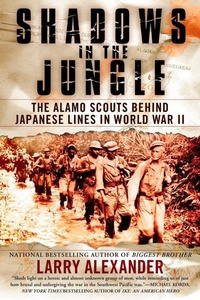
Shadows in the Jungle
The Alamo Scouts Behind Japanese Lines in World War II
Published on 3. February 2009
368 pages
978-1-4406-8735-8 (ISBN)
Description

From the New York Times bestselling coauthor of A Higher Call, an up-close-and-personal account of the Alamo Scouts in World War II.
Determined to retake the Philippines ever since his ignominious flight from the islands in 1942, General Douglas MacArthur needed a first-rate intelligence-gathering unit. Out of thousands, only 138 soldiers were chosen: the best, toughest, and most fit men the army had to offer. Their task: silently slip onto Japanese-held islands, stalk through the thick jungles, and assess enemy locations, conditions, morale, and troop strength, all while remaining undetected. It was an impossible task, doomed to failure, but incredibly, the Alamo Scouts were a valuable success.
Acclaimed author Larry Alexander follows the men who made up the elite recon unit that served as General MacArthur's eyes and ears during the Pacific War. Drawing from personal interviews and testimonies from Scout veterans, Alexander weaves together the tales of the individual Scouts, who often spent weeks behind enemy lines to complete their missions. Now, more than seventy years after the war, the story of the Alamo Scouts will finally be told.
Determined to retake the Philippines ever since his ignominious flight from the islands in 1942, General Douglas MacArthur needed a first-rate intelligence-gathering unit. Out of thousands, only 138 soldiers were chosen: the best, toughest, and most fit men the army had to offer. Their task: silently slip onto Japanese-held islands, stalk through the thick jungles, and assess enemy locations, conditions, morale, and troop strength, all while remaining undetected. It was an impossible task, doomed to failure, but incredibly, the Alamo Scouts were a valuable success.
Acclaimed author Larry Alexander follows the men who made up the elite recon unit that served as General MacArthur's eyes and ears during the Pacific War. Drawing from personal interviews and testimonies from Scout veterans, Alexander weaves together the tales of the individual Scouts, who often spent weeks behind enemy lines to complete their missions. Now, more than seventy years after the war, the story of the Alamo Scouts will finally be told.
More details
Other editions
Additional editions
Book
02/2010
New American Library
€26.00
Article exhausted; check different version

Book
02/2009
Nal Caliber
€42.96
Article exhausted; check different version
Person
Larry Alexander is the author of the New York Times bestselling Biggest Brother: The Life Of Major Dick Winters, The Man Who Led The Band of Brothers and the coauthor of A Higher Call: An Incredible True Story of Combat and Chivalry in the War-Torn Skies of World War II. He has been a journalist and columnist for the Intelligencer Journal newspaper in Lancaster, Pennsylvania, for more than a decade, winning numerous awards for excellence in journalism.
