

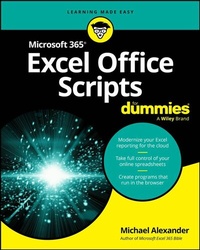
Microsoft 365 Excel Office Scripts For Dummies
Description

Unlock the full potential of automation in the online version of Excel online with this easy-to-follow guide
Microsoft 365 Excel Office Scripts For Dummies, by experienced Microsoft MVP Michael Alexander, explains how to use Office Scripts to unlock VBA-like capabilities in the online version of Excel. Alexander demonstrates exactly how to automate repetitive tasks, streamline workflows, and customize your spreadsheet experience with the same power previously available only to users of Excel's desktop version.
This comprehensive guide walks you through the practical application of Office Scripts using TypeScript. It walks you through basic automation scripts before moving on to advanced integration features you can access with Power Automate. The author's hands-on approach helps you master the techniques you need to transform your Excel online experience from repetitive drudgery to automated efficiency, showing you how to maximize your productivity in a huge variety of settings.
Learn how to:
- Master TypeScript fundamentals specifically tailored for Excel automation and scripting
- Automate table formatting, data cleaning, and sorting processes to eliminate repetitive manual work
- Create dynamic charts and enhance PivotTables with custom scripts for professional reporting
- Integrate Power Automate features to build sophisticated workflows across Microsoft 365 applications
- Apply range definitions and advanced scripting techniques for complex data manipulation tasks
Perfect for business professionals, data analysts, and advanced Excel users who work mostly with the online version of Excel and who want to automate their workflows, Microsoft 365 Excel Office Scripts For Dummies is a must-read for everyone interested in managing large datasets, creating regular reports, and streamlining routine tasks.
More details
Other editions
Additional editions
Person
Michael Alexander is a senior consultant at Slalom Consulting and former Microsoft MVP. He is a recognized Excel trainer and the author of multiple Excel books, including Microsoft Excel 365 Bible and Excel Dashboards & Reports For Dummies. You can find Michael at Exceltopia.com, where he shares articles and training on Excel development.
