

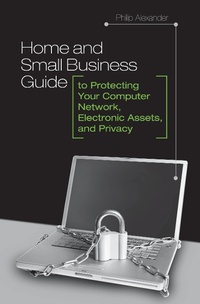
Home and Small Business Guide to Protecting Your Computer Network, Electronic Assets, and Privacy
1st Edition
Published on 30. April 2009
176 pages
978-0-313-36008-4 (ISBN)
Description

In the news on a daily basis are reports of lost or stolen computer data, hacker successes, identity thefts, virus and spyware problems, and network incursions of various kinds. Many people, especially nonprofessional administrators of home or small business networks, feel helpless. In this book, technical security expert Philip Alexander explains in layman's terms how to keep networks and individual computers safe from the bad guys. In presenting solutions to these problems and many others, the book is a lifeline to those who know their computer systems are vulnerable to smart thieves and hackers-not to mention tech-savvy kids or employees who are swapping music files, stealing software, or otherwise making a mockery of the word security.
In his job protecting data and combating financial fraud, Philip Alexander knows well which power tools are required to keep hackers and thieves at bay. With his gift for putting technical solutions in everyday language, Alexander helps readers with home and/or small business networks protect their data, their identities, and their privacy using the latest techniques. In addition, readers will learn how to protect PDAs and smartphones, how to make hardware thefts more unlikely, how to sniff out scammers and the motives of offshore tech support personnel who ask too many questions, and how to keep personal information safer when shopping over the Internet or telephone.
In his job protecting data and combating financial fraud, Philip Alexander knows well which power tools are required to keep hackers and thieves at bay. With his gift for putting technical solutions in everyday language, Alexander helps readers with home and/or small business networks protect their data, their identities, and their privacy using the latest techniques. In addition, readers will learn how to protect PDAs and smartphones, how to make hardware thefts more unlikely, how to sniff out scammers and the motives of offshore tech support personnel who ask too many questions, and how to keep personal information safer when shopping over the Internet or telephone.
More details
Edition
1. Auflage
Language
English
Place of publication
New York
United States
Publishing group
Bloomsbury Publishing Plc
ISBN-13
978-0-313-36008-4 (9780313360084)
Copyright in bibliographic data and cover images is held by Nielsen Book Services Limited or by the publishers or by their respective licensors: all rights reserved.
Schweitzer Classification
Other editions
Additional editions
Philip Alexander
Home and Small Business Guide to Protecting Your Computer Network, Electronic Assets, and Privacy
Book
04/2009
Praeger Publishers Inc
€78.50
Shipment within 15-20 days
Person
Philip Alexander is the Director of Security Operations for a fraud-management company. Alexander holds technical as well as security certifications (CISSP, ISSMP, MCSE, MCT) and has been working in the computer field since the 1980s in both the public and private sectors. He is the author Information Security: A Manager's Guide to Thwarting Data Thieves and Hackers (Praeger Security International, 2007).
Content
Preface
Acknowledgments
1. Job #1: Secure Your Network
2. Solve Problems While Neutralizing Nosy Tech Support
3. Know Where Personal and Customer Data Goes
4. Gain Remote Access Securely
5. Keep Hackers and Snoops Out of Your Wireless World
6. Laugh Off Scammers
7. Employ Helpful Software and Safety Tools
8. Protect Your Cell Phones and PDAs
9. Avoid Theft and Loss of Hardware
10. Combat ID Theft
11. Protecting Children
Appendix A: Online Back-up Services
Appendix B: Services to Help Keep Children Safer Online
Appendix C: Tips and Tricks
Glossary
Acknowledgments
1. Job #1: Secure Your Network
2. Solve Problems While Neutralizing Nosy Tech Support
3. Know Where Personal and Customer Data Goes
4. Gain Remote Access Securely
5. Keep Hackers and Snoops Out of Your Wireless World
6. Laugh Off Scammers
7. Employ Helpful Software and Safety Tools
8. Protect Your Cell Phones and PDAs
9. Avoid Theft and Loss of Hardware
10. Combat ID Theft
11. Protecting Children
Appendix A: Online Back-up Services
Appendix B: Services to Help Keep Children Safer Online
Appendix C: Tips and Tricks
Glossary
