

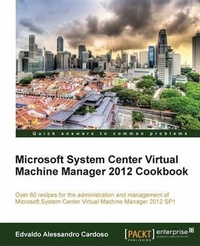
Microsoft System Center Virtual Machine Manager 2012 Cookbook
Over 60 recipes for the administration and management of Microsoft System Center Virtual Machine Manager 2012 SP1.
Published on 13. January 2025
342 pages
978-1-84968-633-4 (ISBN)
Description

Over 60 recipes for the administration and management of Microsoft System Center Virtual Machine Manager 2012 SP1.
Key Features
Create, deploy, and manage Datacentres, Private and Hybrid Clouds with hybrid hypervisors by using VMM 2012 SP1, App Controller, and Operations Manager.
Integrate and manage fabric (compute, storages, gateways, networking) services and resources. Deploy Clusters from bare metal servers.
Learn how to use VMM 2012 SP1 features such as Windows 2012 and SQL 2012 support, Network Virtualization, Live Migration, Linux VMs, Resource Throttling, and Availability.
Book DescriptionMicrosoft System Center 2012 is a comprehensive IT infrastructure, virtualization, and cloud management platform. With System Center 2012, you can more easily and efficiently manage your applications and services across multiple hypervisors as well as across public and private cloud infrastructures to deliver flexible and cost-effective IT services for your business.This cookbook covers architecture design and planning and is full of deployment tips, techniques, and solutions designed to show users how to improve VMM 2012 in a real world scenario. It will guide you to create, deploy, and manage your own Private Cloud with a mix of Hypervisors: Hyper-V, Vmware ESXi, and Citrix XenServer. It also includes the VMM 2012 SP1 features.This book is a cookbook that covers architecture design, planning and is full of deployment tips, techniques and solutions designed to show users how to improve VMM 2012 in a real world scenario. It will guide you to create, deploy and manage your own Private Cloud with a mix of Hypervisors : Hyper-V, Vmware ESXi and Citrix XenServer.What you will learn
How to use VMM Architecture and plan for a real word deployment
Utilize Network Virtualization, Gateway integration, Storage integration, Resource Throttling, and Availability options
Deploy Operations Manager and integrate with VMM
Integrate SC APP Controller with VMM to manage Private and Public Clouds (Azure)
Cluster deployment with VMM Bare Metal
Create and deploy Virtual Machines from Templates
Deploy a highly available VMM Management Server
Manage Hyper-V, Vmware, and Citrix from VMM
How to upgrade from SCVMM 2008R2 to SCVMM 2012 SP1
Who this book is forThis book is written for solutions architects, technical consultants, administrators, and any other virtualization lover who needs to use Microsoft System Center Virtual Machine Manager in a real world environment.
Key Features
Create, deploy, and manage Datacentres, Private and Hybrid Clouds with hybrid hypervisors by using VMM 2012 SP1, App Controller, and Operations Manager.
Integrate and manage fabric (compute, storages, gateways, networking) services and resources. Deploy Clusters from bare metal servers.
Learn how to use VMM 2012 SP1 features such as Windows 2012 and SQL 2012 support, Network Virtualization, Live Migration, Linux VMs, Resource Throttling, and Availability.
Book DescriptionMicrosoft System Center 2012 is a comprehensive IT infrastructure, virtualization, and cloud management platform. With System Center 2012, you can more easily and efficiently manage your applications and services across multiple hypervisors as well as across public and private cloud infrastructures to deliver flexible and cost-effective IT services for your business.This cookbook covers architecture design and planning and is full of deployment tips, techniques, and solutions designed to show users how to improve VMM 2012 in a real world scenario. It will guide you to create, deploy, and manage your own Private Cloud with a mix of Hypervisors: Hyper-V, Vmware ESXi, and Citrix XenServer. It also includes the VMM 2012 SP1 features.This book is a cookbook that covers architecture design, planning and is full of deployment tips, techniques and solutions designed to show users how to improve VMM 2012 in a real world scenario. It will guide you to create, deploy and manage your own Private Cloud with a mix of Hypervisors : Hyper-V, Vmware ESXi and Citrix XenServer.What you will learn
How to use VMM Architecture and plan for a real word deployment
Utilize Network Virtualization, Gateway integration, Storage integration, Resource Throttling, and Availability options
Deploy Operations Manager and integrate with VMM
Integrate SC APP Controller with VMM to manage Private and Public Clouds (Azure)
Cluster deployment with VMM Bare Metal
Create and deploy Virtual Machines from Templates
Deploy a highly available VMM Management Server
Manage Hyper-V, Vmware, and Citrix from VMM
How to upgrade from SCVMM 2008R2 to SCVMM 2012 SP1
Who this book is forThis book is written for solutions architects, technical consultants, administrators, and any other virtualization lover who needs to use Microsoft System Center Virtual Machine Manager in a real world environment.
More details
Edition
Digital original
Language
English
Place of publication
Birmingham
United Kingdom
Target group
Professional and scholarly
US School Grade: College Graduate Student
Edition type
Digital original
File size
10,63 MB
ISBN-13
978-1-84968-633-4 (9781849686334)
Copyright in bibliographic data and cover images is held by Nielsen Book Services Limited or by the publishers or by their respective licensors: all rights reserved.
Schweitzer Classification
Other editions
Additional editions
Edvaldo Alessandro Cardoso
Microsoft System Center Virtual Machine Manager 2012 Cookbook
Book
03/2013
Packt Publishing
€63.40
Shipment within 3-4 weeks
Person
CARDOSO EDVALDO ALESSANDRO :
Edvaldo Alessandro Cardoso is a virtualization and management enthusiast, author, and team leader. He is a subject matter expert in cloud computing and virtualization, and their management. He is strong team player, and pays attention to detail. His major strengths include strong leadership and hands-on skills, excellent communication skills, the ability to manage varied and conflicting demands to agreed standards and timelines. He has dutiful respect for compliance in all regulated environments. He also has supervisory skills, which includes hiring skills. He has experience in managing, finding solutions, planning, organizing, and leading complex projects. All of these acquired in 23 years of experience in IT, in roles that span from an Application Developer through Network Manager, Network Security Manager, Systems Engineer, and Technical Consultant, working in segments spanning from government to health, education, and IT sectors. His product skill set includes Microsoft infrastructure technologies such as Hyper-V, System Center, Windows Server, SQL Server, Active Directory, Exchange, SharePoint, IIS, and Forefront, and he also has sound knowledge of Quest Migration Manager, Linux Infrastructure, Networking, Security Solutions (such as VPN and Firewall), and VMware in complex and large scenarios. He also has a strong grasp of infrastructure and architecture solutions, IT management and industry-related datacenter processes, strategies, and industry regulations and requirements. He has been a Microsoft Most Valuable Professional in virtualization since 2009, he is a well-known speaker at IT-related events such as TechEd, CNASI, Windows Road Shows, and User Groups. He has consistently been a presenter for more than 10 years. He is an active member of Microsoft System Center TAP. He is also an Australian Computer Society (ACS) Certified Professional, a VMware Certified Professional, and also holds certifications in MCSE, MCSA, MCT. He was selected as Microsoft TechNet Brazil IT Hero in 2007. He was also awarded the Microsoft IT Heroes Happen award in Los Angeles in 2008. Furthermore, his virtualization project for a governmental institution in Brazil, while working as IT Manager, was selected as a business case by Microsoft. He lead major virtualization, AD, and Exchange projects for large customers is APJ, closely collaborating and liaising with presales and sales teams to ensure order fulfillment, client satisfaction, and IT synergies. As a key member of his team, he proactively shares expertise with peers around the globe, building and maintaining confidence of colleagues and customers, developing and nurturing deep expertise in key areas such as private cloud, migration and messages, and collaboration. He has also actively contributed to the development of materials and presentations related to his expertise, the development of best practices, and reusable content to ensure high-quality and consistent delivery of service projects across the globe. He recently reviewed the book Windows Server 2012 Hyper-V Cookbook, published by Packt Publishing. You can check out his blog at http://virtualizationandmanagement.wordpress.com/ and follow him on Twitter at @edvaldocardoso.Sobrinho Edvaldo Alessandro Cardoso :
Edvaldo Alessandro Cardoso is a virtualization and management enthusiast, author, and team leader. He is a subject matter expert in cloud computing and virtualization, and their management. He is strong team player, and pays attention to detail. His major strengths include strong leadership and hands-on skills, excellent communication skills, the ability to manage varied and conflicting demands to agreed standards and timelines. He has dutiful respect for compliance in all regulated environments. He also has supervisory skills, which includes hiring skills. He has experience in managing, finding solutions, planning, organizing, and leading complex projects. All of these acquired in 23 years of experience in IT, in roles that span from an Application Developer through Network Manager, Network Security Manager, Systems Engineer, and Technical Consultant, working in segments spanning from government to health, education, and IT sectors. His product skill set includes Microsoft infrastructure technologies such as Hyper-V, System Center, Windows Server, SQL Server, Active Directory, Exchange, SharePoint, IIS, and Forefront, and he also has sound knowledge of Quest Migration Manager, Linux Infrastructure, Networking, Security Solutions (such as VPN and Firewall), and VMware in complex and large scenarios. He also has a strong grasp of infrastructure and architecture solutions, IT management and industry-related datacenter processes, strategies, and industry regulations and requirements. He has been a Microsoft Most Valuable Professional in virtualization since 2009, he is a well-known speaker at IT-related events such as TechEd, CNASI, Windows Road Shows, and User Groups. He has consistently been a presenter for more than 10 years. He is an active member of Microsoft System Center TAP. He is also an Australian Computer Society (ACS) Certified Professional, a VMware Certified Professional, and also holds certifications in MCSE, MCSA, MCT. He was selected as Microsoft TechNet Brazil IT Hero in 2007. He was also awarded the Microsoft IT Heroes Happen award in Los Angeles in 2008. Furthermore, his virtualization project for a governmental institution in Brazil, while working as IT Manager, was selected as a business case by Microsoft. He lead major virtualization, AD, and Exchange projects for large customers is APJ, closely collaborating and liaising with presales and sales teams to ensure order fulfillment, client satisfaction, and IT synergies. As a key member of his team, he proactively shares expertise with peers around the globe, building and maintaining confidence of colleagues and customers, developing and nurturing deep expertise in key areas such as private cloud, migration and messages, and collaboration. He has also actively contributed to the development of materials and presentations related to his expertise, the development of best practices, and reusable content to ensure high-quality and consistent delivery of service projects across the globe.
Edvaldo Alessandro Cardoso is a virtualization and management enthusiast, author, and team leader. He is a subject matter expert in cloud computing and virtualization, and their management. He is strong team player, and pays attention to detail. His major strengths include strong leadership and hands-on skills, excellent communication skills, the ability to manage varied and conflicting demands to agreed standards and timelines. He has dutiful respect for compliance in all regulated environments. He also has supervisory skills, which includes hiring skills. He has experience in managing, finding solutions, planning, organizing, and leading complex projects. All of these acquired in 23 years of experience in IT, in roles that span from an Application Developer through Network Manager, Network Security Manager, Systems Engineer, and Technical Consultant, working in segments spanning from government to health, education, and IT sectors. His product skill set includes Microsoft infrastructure technologies such as Hyper-V, System Center, Windows Server, SQL Server, Active Directory, Exchange, SharePoint, IIS, and Forefront, and he also has sound knowledge of Quest Migration Manager, Linux Infrastructure, Networking, Security Solutions (such as VPN and Firewall), and VMware in complex and large scenarios. He also has a strong grasp of infrastructure and architecture solutions, IT management and industry-related datacenter processes, strategies, and industry regulations and requirements. He has been a Microsoft Most Valuable Professional in virtualization since 2009, he is a well-known speaker at IT-related events such as TechEd, CNASI, Windows Road Shows, and User Groups. He has consistently been a presenter for more than 10 years. He is an active member of Microsoft System Center TAP. He is also an Australian Computer Society (ACS) Certified Professional, a VMware Certified Professional, and also holds certifications in MCSE, MCSA, MCT. He was selected as Microsoft TechNet Brazil IT Hero in 2007. He was also awarded the Microsoft IT Heroes Happen award in Los Angeles in 2008. Furthermore, his virtualization project for a governmental institution in Brazil, while working as IT Manager, was selected as a business case by Microsoft. He lead major virtualization, AD, and Exchange projects for large customers is APJ, closely collaborating and liaising with presales and sales teams to ensure order fulfillment, client satisfaction, and IT synergies. As a key member of his team, he proactively shares expertise with peers around the globe, building and maintaining confidence of colleagues and customers, developing and nurturing deep expertise in key areas such as private cloud, migration and messages, and collaboration. He has also actively contributed to the development of materials and presentations related to his expertise, the development of best practices, and reusable content to ensure high-quality and consistent delivery of service projects across the globe. He recently reviewed the book Windows Server 2012 Hyper-V Cookbook, published by Packt Publishing. You can check out his blog at http://virtualizationandmanagement.wordpress.com/ and follow him on Twitter at @edvaldocardoso.Sobrinho Edvaldo Alessandro Cardoso :
Edvaldo Alessandro Cardoso is a virtualization and management enthusiast, author, and team leader. He is a subject matter expert in cloud computing and virtualization, and their management. He is strong team player, and pays attention to detail. His major strengths include strong leadership and hands-on skills, excellent communication skills, the ability to manage varied and conflicting demands to agreed standards and timelines. He has dutiful respect for compliance in all regulated environments. He also has supervisory skills, which includes hiring skills. He has experience in managing, finding solutions, planning, organizing, and leading complex projects. All of these acquired in 23 years of experience in IT, in roles that span from an Application Developer through Network Manager, Network Security Manager, Systems Engineer, and Technical Consultant, working in segments spanning from government to health, education, and IT sectors. His product skill set includes Microsoft infrastructure technologies such as Hyper-V, System Center, Windows Server, SQL Server, Active Directory, Exchange, SharePoint, IIS, and Forefront, and he also has sound knowledge of Quest Migration Manager, Linux Infrastructure, Networking, Security Solutions (such as VPN and Firewall), and VMware in complex and large scenarios. He also has a strong grasp of infrastructure and architecture solutions, IT management and industry-related datacenter processes, strategies, and industry regulations and requirements. He has been a Microsoft Most Valuable Professional in virtualization since 2009, he is a well-known speaker at IT-related events such as TechEd, CNASI, Windows Road Shows, and User Groups. He has consistently been a presenter for more than 10 years. He is an active member of Microsoft System Center TAP. He is also an Australian Computer Society (ACS) Certified Professional, a VMware Certified Professional, and also holds certifications in MCSE, MCSA, MCT. He was selected as Microsoft TechNet Brazil IT Hero in 2007. He was also awarded the Microsoft IT Heroes Happen award in Los Angeles in 2008. Furthermore, his virtualization project for a governmental institution in Brazil, while working as IT Manager, was selected as a business case by Microsoft. He lead major virtualization, AD, and Exchange projects for large customers is APJ, closely collaborating and liaising with presales and sales teams to ensure order fulfillment, client satisfaction, and IT synergies. As a key member of his team, he proactively shares expertise with peers around the globe, building and maintaining confidence of colleagues and customers, developing and nurturing deep expertise in key areas such as private cloud, migration and messages, and collaboration. He has also actively contributed to the development of materials and presentations related to his expertise, the development of best practices, and reusable content to ensure high-quality and consistent delivery of service projects across the globe.
Content
Table of Contents
