

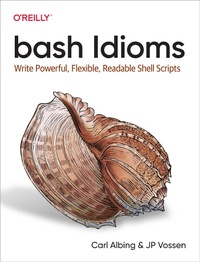
bash Idioms
Description

Shell scripts are everywhere, especially those written in bash-compatible syntax. But these scripts can be complex and obscure. Complexity is the enemy of security, but it''s also the enemy of readability and understanding. With this practical book, you''ll learn how to decipher old bash code and write new code that''s as clear and readable as possible.
Authors Carl Albing and JP Vossen show you how to use the power and flexibility of the shell to your advantage. You may know enough bash to get by, but this book will take your skills from manageable to magnificent. Whether you use Linux, Unix, Windows, or a Mac, you''ll learn how to read and write scripts like an expert. Your future you will thank you.
You''ll explore the clear idioms to use and obscure ones to avoid, so that you can:
- Write useful, flexible, and readable bash code with style
- Decode bash code such as ${MAKEMELC,,} and ${PATHNAME##*/}
- Save time and ensure consistency when automating tasks
- Discover how bash idioms can make your code clean and concise
More details
Other editions
Additional editions
Content
- Cover
- Copyright
- Table of Contents
- Preface
- Running bash
- bash on Mac
- bash in Containers
- Revision Control
- Hello World
- Conventions Used in This Book
- Using Code Examples
- O'Reilly Online Learning
- How to Contact Us
- Acknowledgments
- bash
- Reviewers
- O'Reilly
- From Carl
- From JP
- Chapter 1. A Big "if" Idiom
- The Big "if"
- Or ELSE.
- More than One
- More than One Again
- Don't Do This
- Style and Readability: Recap
- Chapter 2. Looping Lingo
- Looping Constructs
- Explicit Values
- Similar to Python
- Quotes and Spaces
- Developing and Testing for Loops
- while and until
- Style and Readability: Recap
- Chapter 3. Just in CASE
- Make Your Case
- A Realistic Use Case
- Motivation
- Our Script
- Wrapper Scripts
- One More Twist
- Style and Readability: Recap
- Chapter 4. Variable Vernacular
- Variable Reference
- Parameter Expansion
- Shorthand for basename
- Path or Prefix Removal
- Shorthand for dirname or Suffix Removal
- Other Modifiers
- Conditional Substitutions
- Default Values
- Comma-Separated Lists
- Modified Value
- $RANDOM
- Command Substitution
- Style and Readability: Recap
- Chapter 5. Expressions and Arithmetic
- Arithmetic
- No Parentheses Needed
- Compound Commands
- Style and Readability: Recap
- Chapter 6. Functional Framework
- Calling Functions
- Defining Functions
- Function Parameters
- Function Return Values
- Local Variables
- Function Special Cases
- Time for printf
- POSIX Output
- Getting or Using the Date and Time
- printf for Reuse or Debugging
- Style and Readability: Recap
- Chapter 7. List and Hash Handling
- Commonalities
- Lists
- Hashes
- A Simple Word Count Example
- Style and Readability: Recap
- Chapter 8. Arguing
- Your First Argument
- Having Options
- Parsing Options
- Long Arguments
- HELP!
- Debug and Verbose
- Version
- Style and Readability: Recap
- Chapter 9. Files and More
- Reading Files
- read
- mapfile
- Brute Force
- Fiddling with $IFS for Fun and Profit, to Read Files
- Pretend Files
- Drop-in Directories
- Using a Library
- Shebang!
- Unofficial bash Strict Mode
- Exit Codes
- It's a Trap!
- Here-Documents and Here-Strings
- Are We Interactive?
- Summary
- Chapter 10. Beyond Idioms: Working with bash
- Prompts
- bash Time Zone
- Getting User Input
- read
- pause
- select
- Aliases
- Functions
- Local Variables
- Readline Hacks
- Using logger from bash
- Handling JSON with jq
- Grepping the Process List
- Rotating Old Files
- Embedded Documentation
- bash Debugging
- bash Unit Testing
- Summary
- Chapter 11. Developing Your Style Guide
- Readability
- Comments
- Names
- Functions
- Quoting
- Layout
- Syntax
- Other
- Script Template
- Other Style Guides
- bash Linter
- Summary
- Appendix A. The bash Idioms Style Guide
- Readability
- Comments
- Names
- Functions
- Quoting
- Layout
- Syntax
- Other
- Script Template
- Index
- About the Authors
- Colophon
