

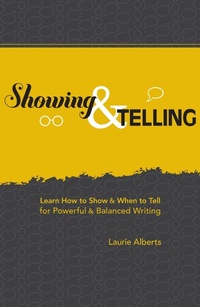
Showing & Telling
Learn How to Show & When to Tell for Powerful & Balanced Writing
Published on 7. April 2010
256 pages
978-1-59963-172-1 (ISBN)
Description

Write vibrant scenes and essential summaries
"Show-don't tell." How many times have you heard this standard bit of writing advice? It's so common in writing courses and critiques that it has become a cliche. Writers are often told to write scenes, dramatize, cut exposition, cut summary-but it's misguided advice. The truth is good writing almost always requires both showing and telling. The trick is finding the right balance of scene and summary-the two basic components of creative prose.
Showing and Telling shows you how to employ each of these essential techniques in the appropriate places within a narrative. You'll learn how to:
• Write scenes and cut exposition
• Compress time and summarize background information
• Create graceful transitions
• Effectively inject interpretation
• And more!
Complete with examples from bestsellers and interactive exercises, this comprehensive guide offers an in-depth look at scene development, the role of reflection in storytelling, the art of summarizing, and how to bring it all together.
"Show-don't tell." How many times have you heard this standard bit of writing advice? It's so common in writing courses and critiques that it has become a cliche. Writers are often told to write scenes, dramatize, cut exposition, cut summary-but it's misguided advice. The truth is good writing almost always requires both showing and telling. The trick is finding the right balance of scene and summary-the two basic components of creative prose.
Showing and Telling shows you how to employ each of these essential techniques in the appropriate places within a narrative. You'll learn how to:
• Write scenes and cut exposition
• Compress time and summarize background information
• Create graceful transitions
• Effectively inject interpretation
• And more!
Complete with examples from bestsellers and interactive exercises, this comprehensive guide offers an in-depth look at scene development, the role of reflection in storytelling, the art of summarizing, and how to bring it all together.
More details
Other editions
Additional editions
Laurie Alberts
Showing and Telling
Learn How to Show and When to Tell for Powerful and Balanced Writing
Book
05/2010
Writer's Digest Books
€20.90
Shipment within 3-4 weeks
Person
Laurie Alberts is the author of 6 books including 3 novels: The Price of Land in Shelby, Lost Daughters and Tempting Fate. She has won several awards, including a Jame Michener Award. She teaches in the MFA in Writing Program at Vermont College of Fine Arts.
