

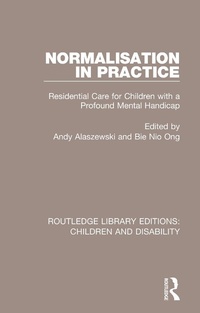
Normalisation in Practice
Residential Care for Children with a Profound Mental Handicap
Published on 22. December 2015
320 pages
978-1-317-36071-1 (ISBN)
Description

First published in 1990, this book was the first informed study to focus on care within the voluntary sector. Written with the child in mind, it is a sensitive work which explores the administration, strategy, and problems facing carers in children's homes, at that time.
Centring on small, community-based facilities, the authors discuss the processes involved in setting up and running such facilities. They examine the difficulties of evaluating progressive services that are influenced by the philosophy of normalisation, and highlight the lessons from which other providers of services are able to learn.
Written by experienced researchers with contributions from service managers, Normalisation in Practice offers pragmatic advice on managing innovation efficiently without neglecting the needs of the child. Detailed interviews are combined with theoretical insight to provide an important guide for students and practitioners and a model for academics undertaking evaluative research. Although written at the start of the 1990s, this book contains discussions and material that are still very relevant to the subject today.
Centring on small, community-based facilities, the authors discuss the processes involved in setting up and running such facilities. They examine the difficulties of evaluating progressive services that are influenced by the philosophy of normalisation, and highlight the lessons from which other providers of services are able to learn.
Written by experienced researchers with contributions from service managers, Normalisation in Practice offers pragmatic advice on managing innovation efficiently without neglecting the needs of the child. Detailed interviews are combined with theoretical insight to provide an important guide for students and practitioners and a model for academics undertaking evaluative research. Although written at the start of the 1990s, this book contains discussions and material that are still very relevant to the subject today.
More details
Series
Language
English
Place of publication
London
United Kingdom
Publishing group
Taylor & Francis Ltd
Target group
College/higher education
Professional and scholarly
File size
10,09 MB
ISBN-13
978-1-317-36071-1 (9781317360711)
Copyright in bibliographic data and cover images is held by Nielsen Book Services Limited or by the publishers or by their respective licensors: all rights reserved.
Schweitzer Classification
Other editions
Additional editions
Andy Alaszewski | Pauline BN Ong
Normalisation in Practice
Residential Care for Children with a Profound Mental Handicap
Book
03/2017
1st Edition
Routledge
€45.10
Shipment within 10-20 days
Andy Alaszewski | Pauline BN Ong
Normalisation in Practice
Residential Care for Children with a Profound Mental Handicap
Book
12/2015
1st Edition
Routledge
€176.10
Shipment within 10-20 days
Persons
Content
List of Tables and Figures; List of Contributors; Acknowledgements; Foreword Gillian Wagner; Preface Andy Alaszewski; Introduction Alan Kendall and Gerry Dodson 1. The Development of Residential Care for Children with a Mental Handicap Andy Alaszewski and Heather Roughton 2. Researching the Croxteth Park Project Andy Alaszewski and Bie Nio Ong with Alan Kendall and Gerry Dodson 3. The Selection and Transfer of the Children Bie Nio Ong and Andy Alaszewski 4. The Selection and Training of the Staff Bie Nio Ong and Andy Alaszewski 5. The Selection, Purchase and Conversion of the Bungalows Bie Nio Ong and Andy Alaszewski 6. Providing Child Care Andy Alaszewski, Gerry Dodson and Bie Nio Ong 7. Staff Management and Support Andy Alaszewski, Bie Nio Ong and Heather Roughton 8. Relatives, Neighbours and Volunteers: Mobilising the Informal Sector of Care Anne Chappell and Andy Alaszewski 9. Education and Health: Co-ordinating Services Alison Morris and Andy Alaszewski 10. The Psychological Development of the Children Steven Lovett 11. The Children's Quality of Care Bie Nio Ong, Nicola Eccles and Andy Alaszewski 12. The Economic Costs Alan Shiell and Ken Wright 13. Lessons from the Croxteth Park Project Andy Alaszewski and Sue Hayes; Bibliography; Index
