

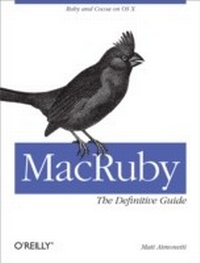
MacRuby: The Definitive Guide
Ruby and Cocoa on OS X
1st Edition
Published on 13. October 2011
246 pages
978-1-4493-1967-0 (ISBN)
Description

Want to build native Mac OS X applications with a sleek, developer-friendly alternative to Objective-C? MacRuby is an ideal choice. This in-depth guide shows you how Apples implementation of Ruby gives you access to all the features available to Objective-C programmers. Youll get clear, detailed explanations of MacRuby, including quick programming techniques such as prototyping.Perfect for programmers at any level, this book is packed with code samples and complete project examples. If you use Ruby, you can tap your skills to take advantage of Interface Builder, Cocoa libraries, the Objective-C runtime, and more. If youre a Cocoa developer, youll learn how to improve your productivity with MacRuby.Get up to speed on MacRuby basics, including classes and methodsLearn how to use MacRuby with Apples Xcode developer suiteDelve into the primitive object classes and data types in Foundation KitBuild event-driven user interfaces with the AppKit frameworkHandle relational object persistence with the Core Data frameworkUse advanced MacRuby techniques, including concurrency and sandboxingGet examples for applications using Twitter and a location web serviceEmbed MacRuby into existing Objective-C applications
More details
Other editions
Additional editions
Book
12/2011
1st Edition
O'Reilly
€37.50
Shipment within 10-20 days
Content
- Intro
- MacRuby: The Definitive Guide
- Dedication
- Preface
- The Purpose of This Book
- Prerequisites
- Conventions Used in This Book
- Using Code Examples
- Safari® Books Online
- How to Contact Us
- Acknowledgments
- I. MacRuby Overview
- 1. Introduction
- Introducing MacRuby
- Why MacRuby?
- Installation
- Mac OS X
- Xcode
- MacRuby
- Code Example
- Loading a Framework
- Using Classes
- Defining a Class and Its Methods
- Ruby Class Instantiation
- Methods
- Documentation
- Method prototypes
- Constant names
- The Interactive Ruby Shell
- Syntactic Sugar
- 2. Fundamentals
- Run Loops
- Callbacks/Delegation
- User Inputs
- Outlets
- Display
- Example
- 3. The Cocoa Environment
- History
- Main Frameworks in the Cocoa API
- Foundation Framework
- AppKit Framework
- CoreData Framework
- Reference Library
- Central Panel
- Sidebar
- Mutability
- 4. Foundation
- Compatibility Table
- Strings and Attributed Strings
- Arrays
- Hashes/Dictionaries
- Sets
- Enumerators
- Date, Time, and Calendars
- NSDate
- NSCalendar
- Data
- Locales
- Time Zones
- Exceptions
- I/O
- URLs/Requests/Connections
- Cache Policy and Cache Access
- Asynchronous Versus Synchronous
- Pipes
- File Handles
- Bundles
- Scheduling
- Run Loops
- Timers
- Tasks/Subprocesses
- Threads
- Operations/Operation Queues
- Notifications
- Notification Centers
- Notification Queues
- Archiving and Serialization
- Miscellaneous Classes
- XML Parsing
- Filtering/Logical Conditions
- Undo/Redo
- User's Preferences
- 5. Application Kit
- Cocoa Key Principles
- Model-View-Controller Design Pattern
- Protocols
- Key-Value Coding
- Bindings
- Delegation
- User Interface
- Windows, Views, and Cells
- Windows and panels
- Views
- Cells
- Positioning
- Events and the Responder Chain
- Drawing
- Graphics Context
- Images
- 6. Xcode
- Xcode IDE
- Template
- Navigator Area
- Editor Area
- Debug Area
- Utility Area
- 7. Core Data
- Data Model
- The Data Model and the Entity
- Adding Attributes
- Relationships
- Setting Up Controllers
- User Interface
- Movies
- Art Cover
- Actors
- Search
- Persistence
- Managed Object Model
- Managed Object Context
- Persistent Store Coordinator
- Workflow
- 8. One Step Deeper
- Selectors
- Blocks
- Concurrency
- Grand Central Dispatch
- Queues
- Groups
- GCD dispatch gem
- Sandboxing
- Using Objective-C or C Code
- Scriptable Applications
- Method Missing
- Pointers
- Void Pointers
- Unsigned Pointer
- Compilation
- Compilation Within Xcode
- II. MacRuby in Practice
- 9. Address Book Example
- User Interface
- Address Book
- Web API Call
- Cleaning Up: Better Management of Widgets
- The Extra Mile: Displaying More Information Through Notifications
- 10. Geolocation
- User Interface
- Table View
- Core Location
- Web API
- 11. MacRuby in Objective-C Projects
- API
- Usage
- Example in an Xcode Project
- User Interface
- Using the MacRuby Method
- 12. Objective-C Code in MacRuby Apps
- Dynamic Library
- Framework
- BridgeSupport
- 13. Using Ruby Third-Party Libraries
- RubyGems
- MacRuby Deploy
- Index
- About the Author
- Colophon
- Copyright
