

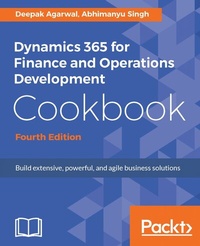
Dynamics 365 for Finance and Operations Development Cookbook
Recipes to explore forms, look-ups and different integrations like Power BI and MS Office for your business solutions
4th Edition
Published on 8. July 2025
480 pages
978-1-78646-611-2 (ISBN)
Description

No detailed description available for "Dynamics 365 for Finance and Operations Development Cookbook".
More details
Edition
4th Revised edition
Language
English
Place of publication
Birmingham
United Kingdom
Target group
Professional and scholarly
US School Grade: College Graduate Student
Edition type
Revised edition
File size
7,41 MB
ISBN-13
978-1-78646-611-2 (9781786466112)
Copyright in bibliographic data and cover images is held by Nielsen Book Services Limited or by the publishers or by their respective licensors: all rights reserved.
Schweitzer Classification
Other editions
Additional editions
Deepak Agarwal | Abhimanyu Singh
Dynamics 365 for Finance and Operations Development Cookbook - Fourth Edition
Recipes to explore forms, look-ups and different integrations like Power BI and MS Office for your business solutions
Book
08/2017
4th Edition
Packt Publishing
€75.50
Shipment within 3-4 weeks
Person
Singh Abhimanyu :
Abhimanyu Singh works as a Microsoft Dynamics 365 for Finance and Operations consultant. Since the start of his career in 2012, he has worked in the development and designing of business solutions for customers in supply chain management, banking, and finance domain using Microsoft technologies. He has several certifications, including the Microsoft Certified Dynamics Specialist certification.Agarwal Deepak :
Deepak Agarwal is a Microsoft Certified Professional who has more than 6 years of relevant experience. He has worked with different versions of Axapta, such as AX 2009, AX 2012, and Dynamics 365. He has had a wide range of development, consulting, and leading roles, while always maintaining a significant role as a business application developer. Although his strengths are rooted in X++ development, he is a highly regarded developer and expert in the technical aspects of Dynamics AX development and customization. He has also worked on base product development with the Microsoft team. He was awarded the Most Valuable Professional (MVP) award from Microsoft for Dynamics AX four times in a row, and he has held this title since 2013. He shares his experience with Dynamics AX on his blog: Axapta V/s Me Deepak has also worked on the following Packt books: Microsoft Dynamics AX 2012 R3 Reporting Cookbook Dynamics AX 2012 Reporting Cookbook Microsoft Dynamics AX 2012 Programming: Getting Started
Abhimanyu Singh works as a Microsoft Dynamics 365 for Finance and Operations consultant. Since the start of his career in 2012, he has worked in the development and designing of business solutions for customers in supply chain management, banking, and finance domain using Microsoft technologies. He has several certifications, including the Microsoft Certified Dynamics Specialist certification.Agarwal Deepak :
Deepak Agarwal is a Microsoft Certified Professional who has more than 6 years of relevant experience. He has worked with different versions of Axapta, such as AX 2009, AX 2012, and Dynamics 365. He has had a wide range of development, consulting, and leading roles, while always maintaining a significant role as a business application developer. Although his strengths are rooted in X++ development, he is a highly regarded developer and expert in the technical aspects of Dynamics AX development and customization. He has also worked on base product development with the Microsoft team. He was awarded the Most Valuable Professional (MVP) award from Microsoft for Dynamics AX four times in a row, and he has held this title since 2013. He shares his experience with Dynamics AX on his blog: Axapta V/s Me Deepak has also worked on the following Packt books: Microsoft Dynamics AX 2012 R3 Reporting Cookbook Dynamics AX 2012 Reporting Cookbook Microsoft Dynamics AX 2012 Programming: Getting Started
Content
- Cover
- Copyright
- Credits
- About the Authors
- About the Reviewer
- www.PacktPub.com
- Customer Feedback
- Table of Contents
- Preface
- Chapter 1: Processing Data
- Introduction
- Creating a new project, package, and model
- How to do it...
- There's more...
- Creating a new number sequence
- How to do it...
- How it works...
- See also
- Renaming the primary key
- How to do it...
- How it works...
- Adding a document handling note
- Getting ready
- How to do it...
- How it works...
- Using a normal table as a temporary table
- How to do it...
- How it works...
- Copying a record
- How to do it...
- How it works...
- There's more...
- Building a query object
- How to do it...
- How it works...
- There's more...
- Using the OR operator
- See also
- Using a macro in a SQL statement
- How to do it...
- How it works...
- Executing a direct SQL statement
- How to do it...
- How it works...
- There's more...
- Enhancing the data consistency checks
- Getting ready
- How to do it...
- How it works...
- There's more...
- Using the date effectiveness feature
- How to do it...
- How it works...
- Chapter 2: Working with Forms
- Introduction
- Creating dialogs using the RunBase framework
- How to do it...
- How it works...
- Handling the dialog event
- How to do it...
- How it works...
- See also
- Creating dialogs using the SysOperation framework
- Getting ready
- How to do it...
- Building a dynamic form
- How to do it...
- How it works...
- Adding a form splitter
- How to do it...
- How it works...
- Creating a modal form
- How to do it...
- How it works...
- There's more...
- See also
- Modifying multiple forms dynamically
- How to do it...
- How it works...
- Storing the last form values
- How to do it...
- How it works...
- Using a tree control
- How to do it...
- How it works...
- See also
- Adding the View details link
- How to do it...
- How it works...
- Selecting a form pattern
- How to do it
- Full list of form patterns
- How to do it...
- Creating a new form
- Getting ready
- How to do it...
- How it works...
- Chapter 3: Working with Data in Forms
- Introduction
- Using a number sequence handler
- How to do it...
- How it works...
- See also
- Creating a custom filter control
- How to do it...
- How it works...
- See also
- Creating a custom instant search filter
- How to do it...
- How it works...
- See also
- Building a selected/available list
- How to do it...
- How it works...
- There's more...
- Creating a wizard
- How to do it...
- How it works...
- Processing multiple records
- How to do it...
- How it works...
- Coloring records
- Getting ready
- How to do it...
- How it works...
- See also
- Adding an image to records
- How to do it...
- How it works...
- There's more...
- Displaying an image as part of a form
- Saving a stored image as a file
- Chapter 4: Building Lookups
- Introduction
- Creating an automatic lookup
- How to do it...
- How it works...
- There's more...
- Creating a lookup dynamically
- How to do it...
- How it works...
- There's more...
- Using a form to build a lookup
- How to do it...
- How it works...
- See also
- Building a tree lookup
- How to do it...
- How it works...
- See also
- Displaying a list of custom options
- How to do it...
- How it works...
- There's more...
- Displaying custom options in another way
- How to do it...
- How it works...
- There's more...
- Building a lookup based on the record description
- How to do it...
- How it works...
- There's more...
- Building the browse for folder lookup
- How to do it...
- How it works...
- There's more...
- Creating a color picker lookup
- How to do it...
- How it works...
- Chapter 5: Processing Business Tasks
- Introduction
- Using a segmented entry control
- How to do it...
- How it works...
- There's more...
- See also
- Creating a general journal
- How to do it...
- How it works...
- There's more
- See also
- Posting a general journal
- How to do it...
- How it works...
- See also
- Processing a project journal
- How to do it...
- How it works...
- There's more...
- Creating and posting a ledger voucher
- How to do it...
- How it works...
- See also
- Changing an automatic transaction text
- Getting ready
- How to do it...
- How it works...
- There's more...
- Creating a purchase order
- How to do it...
- How it works...
- There's more...
- Posting a purchase order
- How to do it...
- How it works...
- There's more...
- Creating a sales order
- How to do it...
- How it works...
- There's more...
- Posting a sales order
- How to do it...
- How it works...
- There's more...
- Creating an electronic payment format
- How to do it...
- How it works...
- Chapter 6: Data Management
- Introduction
- Data entities
- Getting ready
- How to do it...
- How it works...
- There's more...
- Building a data entity with multiple data sources
- How to do it...
- How it works...
- There's more...
- Data packages
- Getting ready...
- How to do it...
- There's more...
- See also
- Data migration
- Getting ready
- How to do it...
- How it works...
- Importing data
- How to do it...
- How it works...
- Troubleshooting
- Getting ready
- How to do it...
- How it works...
- There's more...
- Chapter 7: Integration with Microsoft Office
- Introduction
- Configuring and using the Excel Data Connector add-in
- How to do it...
- How it works...
- Using Workbook Designer
- How to do it...
- How it works...
- Export API
- How to do it...
- How it works...
- Lookup in Excel - creating a custom lookup
- How to do it...
- How it works...
- Document management
- How to do it...
- How it works...
- There's more...
- Chapter 8: Integration with Power BI
- Introduction
- Configuring Power BI
- How to do it...
- How it works...
- There's more...
- See also
- Consuming data in Excel
- How to do it...
- How it works...
- See also
- Integrating Excel with Power BI
- How to do it...
- How it works...
- See also
- Developing interactive dashboards
- How to do it...
- How it works...
- Embedding Power BI visuals
- How to do it...
- How it works...
- Chapter 9: Integration with Services
- Introduction
- Authenticating a native client app
- Getting ready
- How to do it...
- How it works...
- There's more...
- See also
- Creating a custom service
- Getting ready
- How to do it...
- How it works...
- Consuming custom services in JSON
- Getting ready
- How to do it...
- How it works...
- There's more...
- Consuming custom services in SOAP
- Getting ready
- How to do it...
- How it works...
- Consuming OData services
- Getting ready
- How to do it...
- How it works...
- There's more...
- See also
- Consuming external web services
- Getting ready
- How to do it...
- How it works...
- There's more...
- See also
- Chapter 10: Improving Development Efficiency and Performance
- Introduction
- Using extensions
- How to do it...
- How it works...
- Caching a display method
- How to do it...
- How it works...
- There's more...
- Calculating code execution time
- How to do it...
- How it works...
- There's more...
- Enhancing insert, update, and delete operations
- How to do it...
- How it works...
- There's more...
- Using delete_from
- Using update_recordSet for faster updates
- Writing efficient SQL statements
- How to do it...
- How it works...
- There's more...
- See also
- Using event handler
- How to do it...
- How it works...
- There's more...
- Creating a Delegate method
- Getting ready...
- How to do it...
- How it works...
- There's more...
- See also
- Index
