

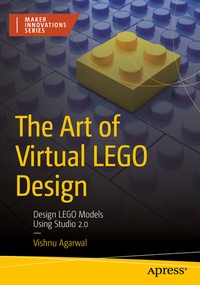
The Art of Virtual LEGO Design
Description

You'll learn how to start a new project, use the camera control options, and drag and drop parts into your building plate. Then take your bricks from a pile of random pieces into intricate masterpiece models using building tools like Select, Hinge, Clone, Hide, Connect, Collision, and more! You'll master all the building tools that help you build LEGO models. Then you'll learn to search and manage LEGO bricks in Studio 2.0 using different palette options like Master, Hidden parts, and Custom parts.
Beyond the official LEGO colors, there are special color options you can use to render neon, glow in the dark, and translucent brick. Use this expanded color palette to add to the complexity of your models, and then render your model to see it realistically in 3D! You'll also learn to animate your model and watch it come to life.
After finishing your design, you'll learn to share what you've built with the world. You'll create professional LEGO instructions for your model that can be printed or shared. Making you a true LEGO design master!
What You'll Learn
-
Make fascinating models with virtual LEGO bricks
-
Design LEGO models more efficiently with Studio 2.0's powerful tools
-
Use "Build Together" simultaneously with another designer on the same project
- Build massive, amazing models on a small budget
Anyone interested in digital modelling or who loves building with LEGOs. Students, hobbyists, and enthusiasts will find fun learning activities.
More details
Other editions
Additional editions
Person
He has also presented a research paper on Teaching Programming and Computational Thinking to Elementary Level Children Using LEGO Robotics Education Kit at Technology for Education (T4E) at IIT, Bombay.
He is also the founder and LEGO artist at Pick A Brick - Build Your Imagination. He uses LEGO bricks to make people's imaginations come to life through custom models, workshops, and employee engagement activities. In other words, he 3D prints their thoughts using LEGO bricks.
He is the author of "The Art of Virtual LEGO Design: Design LEGO Models Using Studio 2.0" published by Apress, a Springer Nature company.
