

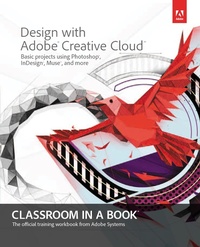
Design with Adobe Creative Cloud Classroom in a Book
Basic Projects using Photoshop, InDesign, Muse, and More
1st Edition
Published on 20. August 2013
377 pages
978-0-13-347762-7 (ISBN)
Description

Creative professionals seeking the fastest, easiest way to learn design with Adobe Creative Cloud choose Design with Adobe Creative Cloud: Classroom in a Book from the Adobe Creative Team. Project-based lessons show readers, step-by-step, the key techniques for working with multiple Adobe applications. Readers learn what they need to know to create engaging layouts for print and web publishing. This completely revised edition covers new tools and essential performance and workflow enhancements, including how to set up assets in Bridge CC, use Content-Aware tools on images and edit video in Photoshop CC, create accurate image tracings in Illustrator CC, design print layouts and documents for mobile devices in InDesign CC, and build a website that works across desktop and mobile devices in Muse CC without writing code.
Lesson files and assets are included as a download so readers can work step-by-step along with the book.
"The Classroom in a Book series is by far the best training material on the market. Everything you need to master the software is included: clear explanations of each lesson, step-by-step instructions, and the project files for the students." -Barbara Binder, Adobe Certified Instructor, Rocky Mountain Training
Classroom in a Book (R), the best-selling series of hands-on software training workbooks, helps you learn the features of Adobe software quickly and easily. Classroom in a Book offers what no other book or training program does-an official training series from Adobe Systems Incorporated, developed with the support of Adobe product experts
Lesson files and assets are included as a download so readers can work step-by-step along with the book.
"The Classroom in a Book series is by far the best training material on the market. Everything you need to master the software is included: clear explanations of each lesson, step-by-step instructions, and the project files for the students." -Barbara Binder, Adobe Certified Instructor, Rocky Mountain Training
Classroom in a Book (R), the best-selling series of hands-on software training workbooks, helps you learn the features of Adobe software quickly and easily. Classroom in a Book offers what no other book or training program does-an official training series from Adobe Systems Incorporated, developed with the support of Adobe product experts
More details
Series
Edition
1. Auflage
Language
English
Place of publication
Hoboken
United States
Publishing group
Pearson Education (US)
Target group
Professional and scholarly
File size
92,96 MB
ISBN-13
978-0-13-347762-7 (9780133477627)
Copyright in bibliographic data and cover images is held by Nielsen Book Services Limited or by the publishers or by their respective licensors: all rights reserved.
Schweitzer Classification
Person
The Adobe Creative Team of designers, writers, and editors has extensive, real world knowledge of Adobe web design products. They work closely with the Adobe product development teams and Adobe's Instructional Communications team to come up with creative, challenging, and visually appealing projects to help both new and experienced users get up to speed quickly on Adobe software products.
Content
1 Creating Visual Identity Materials
Print materials
Online materials
2 Creating a Print Magazine
Inspecting and selecting documents with Adobe Bridge
Modifying an InDesign document
Preparing for printing
Exporting to PDF
3 Creating a Mobile-Friendly Website
Gathering assets from Photoshop and Illustrator files
Storing and sharing files with Creative Cloud
Designing a website with Adobe Muse
Publishing to Business Catalyst
4 Creating a Video with Photoshop
Organizing and preparing video clips
Editing video in Photoshop
Exporting finished video
5 Creating an Interactive App for iPad
Setting up a document
Adding interactive elements
Adding a video to InDesign
Setting up layout rules
Creating a horizontal layout
Previewing the updated document
Submitting to the App Store
6 Creating an eBook
Mobile publishing with Adobe InDesign
Converting a print publishing to ePub format
Understanding more details about exporting to ePub
7 Creating Interactive PDF Forms
Creating PDF forms in Adobe InDesign
Getting Started
Using the sample buttons and forms panel
Checking your work so far
Adding text fields
Creating combo boxes
Finishing the form objects
Cleaning up the table containing the form
8 Using High-Quality Type for the Web
Finding commercial fonts for the web
Adding web fonts to a site
9 Creating Images for Different Media
One image, multiple paths
Image resolution and media
Image color and media
Preparing graphics for the web and mobile devices
Preparing graphics for print
Wrapping up
10 Managing Color Across Adobe Applications
Understanding color management
Choosing a color settings preset
Converting to, assigning, and embedding profiles
Setting up a color-managed print workflow
Setting up a web color workflow
Resolving color space mismatches
Wrapping up
Print materials
Online materials
2 Creating a Print Magazine
Inspecting and selecting documents with Adobe Bridge
Modifying an InDesign document
Preparing for printing
Exporting to PDF
3 Creating a Mobile-Friendly Website
Gathering assets from Photoshop and Illustrator files
Storing and sharing files with Creative Cloud
Designing a website with Adobe Muse
Publishing to Business Catalyst
4 Creating a Video with Photoshop
Organizing and preparing video clips
Editing video in Photoshop
Exporting finished video
5 Creating an Interactive App for iPad
Setting up a document
Adding interactive elements
Adding a video to InDesign
Setting up layout rules
Creating a horizontal layout
Previewing the updated document
Submitting to the App Store
6 Creating an eBook
Mobile publishing with Adobe InDesign
Converting a print publishing to ePub format
Understanding more details about exporting to ePub
7 Creating Interactive PDF Forms
Creating PDF forms in Adobe InDesign
Getting Started
Using the sample buttons and forms panel
Checking your work so far
Adding text fields
Creating combo boxes
Finishing the form objects
Cleaning up the table containing the form
8 Using High-Quality Type for the Web
Finding commercial fonts for the web
Adding web fonts to a site
9 Creating Images for Different Media
One image, multiple paths
Image resolution and media
Image color and media
Preparing graphics for the web and mobile devices
Preparing graphics for print
Wrapping up
10 Managing Color Across Adobe Applications
Understanding color management
Choosing a color settings preset
Converting to, assigning, and embedding profiles
Setting up a color-managed print workflow
Setting up a web color workflow
Resolving color space mismatches
Wrapping up
