

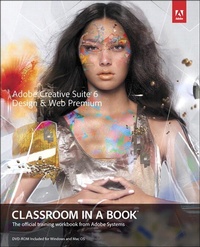
Adobe Creative Suite 6 Design & Web Premium Classroom in a Book
1st Edition
Published on 29. June 2012
368 pages
978-0-13-300638-4 (ISBN)
Description

Creative professionals seeking the fastest, easiest, most comprehensive way to learn Creative Suite 6 choose Adobe Creative Suite 6 Design and Web Premium Classroom in a Book from the Adobe Creative Team at Adobe Press. The 6 project-based lessons show readers step-by-step the key techniques for working with the applications in the Creative Suite. Readers learn what they need to know to create engaging layouts for print or web publishing.
This completely revised Adobe Creative Suite 6 Design & Web Premium edition covers new tools and essential performance and workflow enhancements, including how to set up basic assets in Bridge CS6, use Content-Aware tools on images and edit video in Photoshop CS6, create accurate image tracings in Illustrator CS6, design print layouts and documents for mobile devices in InDesign CS6, and protoype and build a website in Dreamweaver CS6.
?
The companion DVD includes all the lesson files readers need to work along with the book. Each chapter contains a single project that builds on the reader's growing knowledge of the suite and how to use the suite applications together. All of Peachpit's eBooks contain the same content as the print edition. You will find a link in the last few pages of your eBook that directs you to the media files.
Helpful tips:
If you are able to search the book, search for "Where are the lesson files?"
Go to the very last page of the book and scroll backwards.
You will need a web-enabled device or computer in order to access the media files that accompany this ebook. Entering the URL supplied into a computer with web access will allow you to get to the files.
Depending on your device, it is possible that your display settings will cut off part of the URL. To make sure this is not the case, try reducing your font size and turning your device to a landscape view. This should cause the full URL to appear.
This completely revised Adobe Creative Suite 6 Design & Web Premium edition covers new tools and essential performance and workflow enhancements, including how to set up basic assets in Bridge CS6, use Content-Aware tools on images and edit video in Photoshop CS6, create accurate image tracings in Illustrator CS6, design print layouts and documents for mobile devices in InDesign CS6, and protoype and build a website in Dreamweaver CS6.
?
The companion DVD includes all the lesson files readers need to work along with the book. Each chapter contains a single project that builds on the reader's growing knowledge of the suite and how to use the suite applications together. All of Peachpit's eBooks contain the same content as the print edition. You will find a link in the last few pages of your eBook that directs you to the media files.
Helpful tips:
If you are able to search the book, search for "Where are the lesson files?"
Go to the very last page of the book and scroll backwards.
You will need a web-enabled device or computer in order to access the media files that accompany this ebook. Entering the URL supplied into a computer with web access will allow you to get to the files.
Depending on your device, it is possible that your display settings will cut off part of the URL. To make sure this is not the case, try reducing your font size and turning your device to a landscape view. This should cause the full URL to appear.
More details
Series
Edition
1. Auflage
Language
English
Place of publication
Indianapolis
United States
Publishing group
Pearson Education (US)
Target group
College/higher education
File size
94,99 MB
ISBN-13
978-0-13-300638-4 (9780133006384)
Copyright in bibliographic data and cover images is held by Nielsen Book Services Limited or by the publishers or by their respective licensors: all rights reserved.
Schweitzer Classification
Person
The Adobe Creative Team of designers, writers, and editors has extensive, real world knowledge of Adobe products. They work closely with the Adobe product development teams and Adobe's Instructional Communications team to come up with creative, challenging, and visually appealing projects to help both new and experienced users get up to speed quickly on Adobe software products.
Content
Getting Started Part I: Introducing the Suite and Its Individual Applications
About Adobe Creative Suite 6 Design and Web Premium
Part II: The Projects
1 Setting Up Basic Assets
2 Designing for Mobile Devices
3 Creating a Print Layout
4 Creating an Online and Mobile Version of a Print Layout
5 Prototyping and Designing a Website
6 Submitting Work for PDF Review
About Adobe Creative Suite 6 Design and Web Premium
Part II: The Projects
1 Setting Up Basic Assets
2 Designing for Mobile Devices
3 Creating a Print Layout
4 Creating an Online and Mobile Version of a Print Layout
5 Prototyping and Designing a Website
6 Submitting Work for PDF Review
