

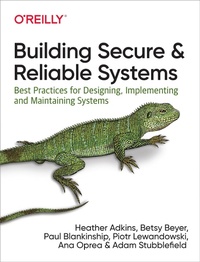
Building Secure and Reliable Systems
Description

Can a system be considered truly reliable if it isn''t fundamentally secure? Or can it be considered secure if it''s unreliable? Security is crucial to the design and operation of scalable systems in production, as it plays an important part in product quality, performance, and availability. In this book, experts from Google share best practices to help your organization design scalable and reliable systems that are fundamentally secure.
Two previous O'Reilly books from Google?Site Reliability Engineering and The Site Reliability Workbook?demonstrated how and why a commitment to the entire service lifecycle enables organizations to successfully build, deploy, monitor, and maintain software systems. In this latest guide, the authors offer insights into system design, implementation, and maintenance from practitioners who specialize in security and reliability. They also discuss how building and adopting their recommended best practices requires a culture that's supportive of such change.
You'll learn about secure and reliable systems through:
- Design strategies
- Recommendations for coding, testing, and debugging practices
- Strategies to prepare for, respond to, and recover from incidents
- Cultural best practices that help teams across your organization collaborate effectively
More details
Other editions
Additional editions
Content
- Cover
- Copyright
- Table of Contents
- Foreword by Royal Hansen
- Foreword by Michael Wildpaner
- Preface
- Why We Wrote This Book
- Who This Book Is For
- A Note About Culture
- How to Read This Book
- Conventions Used in This Book
- O'Reilly Online Learning
- How to Contact Us
- Acknowledgments
- Part I. Introductory Material
- Chapter 1. The Intersection of Security and Reliability
- On Passwords and Power Drills
- Reliability Versus Security: Design Considerations
- Confidentiality, Integrity, Availability
- Confidentiality
- Integrity
- Availability
- Reliability and Security: Commonalities
- Invisibility
- Assessment
- Simplicity
- Evolution
- Resilience
- From Design to Production
- Investigating Systems and Logging
- Crisis Response
- Recovery
- Conclusion
- Chapter 2. Understanding Adversaries
- Attacker Motivations
- Attacker Profiles
- Hobbyists
- Vulnerability Researchers
- Governments and Law Enforcement
- Activists
- Criminal Actors
- Automation and Artificial Intelligence
- Insiders
- Attacker Methods
- Threat Intelligence
- Cyber Kill ChainsT
- Tactics, Techniques, and Procedures
- Risk Assessment Considerations
- Conclusion
- Part II. Designing Systems
- Chapter 3. Case Study: Safe Proxies
- Safe Proxies in Production Environments
- Google Tool Proxy
- Conclusion
- Chapter 4. Design Tradeoffs
- Design Objectives and Requirements
- Feature Requirements
- Nonfunctional Requirements
- Features Versus Emergent Properties
- Example: Google Design Document
- Balancing Requirements
- Example: Payment Processing
- Managing Tensions and Aligning Goals
- Example: Microservices and the Google Web Application Framework
- Aligning Emergent-Property Requirements
- Initial Velocity Versus Sustained Velocity
- Conclusion
- Chapter 5. Design for Least Privilege
- Concepts and Terminology
- Least Privilege
- Zero Trust Networking
- Zero Touch
- Classifying Access Based on Risk
- Best Practices
- Small Functional APIs
- Breakglass
- Auditing
- Testing and Least Privilege
- Diagnosing Access Denials
- Graceful Failure and Breakglass Mechanisms
- Worked Example: Configuration Distribution
- POSIX API via OpenSSH
- Software Update API
- Custom OpenSSH ForceCommand
- Custom HTTP Receiver (Sidecar)
- Custom HTTP Receiver (In-Process)
- Tradeoffs
- A Policy Framework for Authentication and Authorization Decisions
- Using Advanced Authorization Controls
- Investing in a Widely Used Authorization Framework
- Avoiding Potential Pitfalls
- Advanced Controls
- Multi-Party Authorization (MPA)
- Three-Factor Authorization (3FA)
- Business Justifications
- Temporary Access
- Proxies
- Tradeoffs and Tensions
- Increased Security Complexity
- Impact on Collaboration and Company Culture
- Quality Data and Systems That Impact Security
- Impact on User Productivity
- Impact on Developer Complexity
- Conclusion
- Chapter 6. Design for Understandability
- Why Is Understandability Important?
- System Invariants
- Analyzing Invariants
- Mental Models
- Designing Understandable Systems
- Complexity Versus Understandability
- Breaking Down Complexity
- Centralized Responsibility for Security and Reliability Requirements
- System Architecture
- Understandable Interface Specifications
- Understandable Identities, Authentication, and Access Control
- Security Boundaries
- Software Design
- Using Application Frameworks for Service-Wide Requirements
- Understanding Complex Data Flows
- Considering API Usability
- Conclusion
- Chapter 7. Design for a Changing Landscape
- Types of Security Changes
- Designing Your Change
- Architecture Decisions to Make Changes Easier
- Keep Dependencies Up to Date and Rebuild Frequently
- Release Frequently Using Automated Testing
- Use Containers
- Use Microservices
- Different Changes: Different Speeds, Different Timelines
- Short-Term Change: Zero-Day Vulnerability
- Medium-Term Change: Improvement to Security Posture
- Long-Term Change: External Demand
- Complications: When Plans Change
- Example: Growing Scope-Heartbleed
- Conclusion
- Chapter 8. Design for Resilience
- Design Principles for Resilience
- Defense in Depth
- The Trojan Horse
- Google App Engine Analysis
- Controlling Degradation
- Differentiate Costs of Failures
- Deploy Response Mechanisms
- Automate Responsibly
- Controlling the Blast Radius
- Role Separation
- Location Separation
- Time Separation
- Failure Domains and Redundancies
- Failure Domains
- Component Types
- Controlling Redundancies
- Continuous Validation
- Validation Focus Areas
- Validation in Practice
- Practical Advice: Where to Begin
- Conclusion
- Chapter 9. Design for Recovery
- What Are We Recovering From?
- Random Errors
- Accidental Errors
- Software Errors
- Malicious Actions
- Design Principles for Recovery
- Design to Go as Quickly as Possible (Guarded by Policy)
- Limit Your Dependencies on External Notions of Time
- Rollbacks Represent a Tradeoff Between Security and Reliability
- Use an Explicit Revocation Mechanism
- Know Your Intended State, Down to the Bytes
- Design for Testing and Continuous Validation
- Emergency Access
- Access Controls
- Communications
- Responder Habits
- Unexpected Benefits
- Conclusion
- Chapter 10. Mitigating Denial-of-Service Attacks
- Strategies for Attack and Defense
- Attacker's Strategy
- Defender's Strategy
- Designing for Defense
- Defendable Architecture
- Defendable Services
- Mitigating Attacks
- Monitoring and Alerting
- Graceful Degradation
- A DoS Mitigation System
- Strategic Response
- Dealing with Self-Inflicted Attacks
- User Behavior
- Client Retry Behavior
- Conclusion
- Part III. Implementing Systems
- Chapter 11. Case Study: Designing, Implementing, and Maintaining a Publicly Trusted CA
- Background on Publicly Trusted Certificate Authorities
- Why Did We Need a Publicly Trusted CA?
- The Build or Buy Decision
- Design, Implementation, and Maintenance Considerations
- Programming Language Choice
- Complexity Versus Understandability
- Securing Third-Party and Open Source Components
- Testing
- Resiliency for the CA Key Material
- Data Validation
- Conclusion
- Chapter 12. Writing Code
- Frameworks to Enforce Security and Reliability
- Benefits of Using Frameworks
- Example: Framework for RPC Backends
- Common Security Vulnerabilities
- SQL Injection Vulnerabilities: TrustedSqlString
- Preventing XSS: SafeHtml
- Lessons for Evaluating and Building Frameworks
- Simple, Safe, Reliable Libraries for Common Tasks
- Rollout Strategy
- Simplicity Leads to Secure and Reliable Code
- Avoid Multilevel Nesting
- Eliminate YAGNI Smells
- Repay Technical Debt
- Refactoring
- Security and Reliability by Default
- Choose the Right Tools
- Use Strong Types
- Sanitize Your Code
- Conclusion
- Chapter 13. Testing Code
- Unit Testing
- Writing Effective Unit Tests
- When to Write Unit Tests
- How Unit Testing Affects Code
- Integration Testing
- Writing Effective Integration Tests
- Dynamic Program Analysis
- Fuzz Testing
- How Fuzz Engines Work
- Writing Effective Fuzz Drivers
- An Example Fuzzer
- Continuous Fuzzing
- Static Program Analysis
- Automated Code Inspection Tools
- Integration of Static Analysis in the Developer Workflow
- Abstract Interpretation
- Formal Methods
- Conclusion
- Chapter 14. Deploying Code
- Concepts and Terminology
- Threat Model
- Best Practices
- Require Code Reviews
- Rely on Automation
- Verify Artifacts, Not Just People
- Treat Configuration as Code
- Securing Against the Threat Model
- Advanced Mitigation Strategies
- Binary Provenance
- Provenance-Based Deployment Policies
- Verifiable Builds
- Deployment Choke Points
- Post-Deployment Verification
- Practical Advice
- Take It One Step at a Time
- Provide Actionable Error Messages
- Ensure Unambiguous Provenance
- Create Unambiguous Policies
- Include a Deployment Breakglass
- Securing Against the Threat Model, Revisited
- Conclusion
- Chapter 15. Investigating Systems
- From Debugging to Investigation
- Example: Temporary Files
- Debugging Techniques
- What to Do When You're Stuck
- Collaborative Debugging: A Way to Teach
- How Security Investigations and Debugging Differ
- Collect Appropriate and Useful Logs
- Design Your Logging to Be Immutable
- Take Privacy into Consideration
- Determine Which Security Logs to Retain
- Budget for Logging
- Robust, Secure Debugging Access
- Reliability
- Security
- Conclusion
- Part IV. Maintaining Systems
- Chapter 16. Disaster Planning
- Defining "Disaster"
- Dynamic Disaster Response Strategies
- Disaster Risk Analysis
- Setting Up an Incident Response Team
- Identify Team Members and Roles
- Establish a Team Charter
- Establish Severity and Priority Models
- Define Operating Parameters for Engaging the IR Team
- Develop Response Plans
- Create Detailed Playbooks
- Ensure Access and Update Mechanisms Are in Place
- Prestaging Systems and People Before an Incident
- Configuring Systems
- Training
- Processes and Procedures
- Testing Systems and Response Plans
- Auditing Automated Systems
- Conducting Nonintrusive Tabletops
- Testing Response in Production Environments
- Red Team Testing
- Evaluating Responses
- Google Examples
- Test with Global Impact
- DiRT Exercise Testing Emergency Access
- Industry-Wide Vulnerabilities
- Conclusion
- Chapter 17. Crisis Management
- Is It a Crisis or Not?
- Triaging the Incident
- Compromises Versus Bugs
- Taking Command of Your Incident
- The First Step: Don't Panic!
- Beginning Your Response
- Establishing Your Incident Team
- Operational Security
- Trading Good OpSec for the Greater Good
- The Investigative Process
- Keeping Control of the Incident
- Parallelizing the Incident
- Handovers
- Morale
- Communications
- Misunderstandings
- Hedging
- Meetings
- Keeping the Right People Informed with the Right Levels of Detail
- Putting It All Together
- Triage
- Declaring an Incident
- Communications and Operational Security
- Beginning the Incident
- Handover
- Handing Back the Incident
- Preparing Communications and Remediation
- Closure
- Conclusion
- Chapter 18. Recovery and Aftermath
- Recovery Logistics
- Recovery Timeline
- Planning the Recovery
- Scoping the Recovery
- Recovery Considerations
- Recovery Checklists
- Initiating the Recovery
- Isolating Assets (Quarantine)
- System Rebuilds and Software Upgrades
- Data Sanitization
- Recovery Data
- Credential and Secret Rotation
- After the Recovery
- Postmortems
- Examples
- Compromised Cloud Instances
- Large-Scale Phishing Attack
- Targeted Attack Requiring Complex Recovery
- Conclusion
- Part V. Organization and Culture
- Chapter 19. Case Study: Chrome Security Team
- Background and Team Evolution
- Security Is a Team Responsibility
- Help Users Safely Navigate the Web
- Speed Matters
- Design for Defense in Depth
- Be Transparent and Engage the Community
- Conclusion
- Chapter 20. Understanding Roles and Responsibilities
- Who Is Responsible for Security and Reliability?
- The Roles of Specialists
- Understanding Security Expertise
- Certifications and Academia
- Integrating Security into the Organization
- Embedding Security Specialists and Security Teams
- Example: Embedding Security at Google
- Special Teams: Blue and Red Teams
- External Researchers
- Conclusion
- Chapter 21. Building a Culture of Security and Reliability
- Defining a Healthy Security and Reliability Culture
- Culture of Security and Reliability by Default
- Culture of Review
- Culture of Awareness
- Culture of Yes
- Culture of Inevitably
- Culture of Sustainability
- Changing Culture Through Good Practice
- Align Project Goals and Participant Incentives
- Reduce Fear with Risk-Reduction Mechanisms
- Make Safety Nets the Norm
- Increase Productivity and Usability
- Overcommunicate and Be Transparent
- Build Empathy
- Convincing Leadership
- Understand the Decision-Making Process
- Build a Case for Change
- Pick Your Battles
- Escalations and Problem Resolution
- Conclusion
- Conclusion
- Appendix A. A Disaster Risk Assessment Matrix
- Index
- About the Editors
- Colophon
