

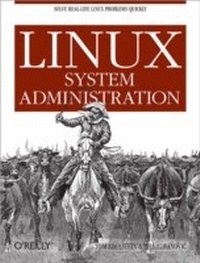
Linux System Administration
1st Edition
Published on 27. March 2007
600 pages
978-0-596-51529-4 (ISBN)
Description

If you're an experienced system administrator looking to acquire Linux skills, or a seasoned Linux user facing a new challenge, Linux System Administration offers practical knowledge for managing a complete range of Linux systems and servers. The book summarizes the steps you need to build everything from standalone SOHO hubs, web servers, and LAN servers to load-balanced clusters and servers consolidated through virtualization. Along the way, you'll learn about all of the tools you need to set up and maintain these working environments.Linux is now a standard corporate platform with users numbering in the hundreds of millions, and there is a definite shortage of talented administrators. Linux System Administration is ideal as an introduction to Linux for Unix veterans, MCSEs, and mainframe administrators, and as an advanced (and refresher) guide for existing Linux administrators who will want to jump into the middle of the book. Inside, you'll learn how to:Set up a stand-alone Linux serverInstall, configure, maintain, and troubleshoot a DNS server using BINDBuild an Internet server to manage sites, perform email and file transfers, and moreSet up an email service for a small-to-medium-sized site, complete with authenticationInstall and configure Apache, PHP, and MySQL on a web server built from scratchCombine computers into a load-balanced Apache web server cluster based on the free Linux Virtual ServerSet up local network services from distributed file systems to DHCP services, gateway services, print services, user management and moreUse Linux virtualization with Xen or VMWare to run multiple kernels on one piece of hardware; manage each kernel's access to processor time, devices, and memoryCreate shell scripts and adapt them for your own needsBack up and restore data with rsync, tar, cdrecord, Amanda, and MySQL toolsLinux System Administration is not only knowledgeable and practical, but convenient. The ingredients for this book had been scattered throughout mailing lists, forums, and discussion groups, as well as books, periodicals, and the experiences of colleagues. Everything is now in one handy guide. In the course of their research, the authors also solved many problems whose solutions were completely undocumented. They now pass their lessons on to you.
More details
Other editions
Additional editions
Book
05/2007
1st Edition
O'Reilly
€42.50
Article not available at the moment
Content
- Intro
- Table of Contents
- Preface
- How This Book Is Organized
- Conventions Used in This Book
- Using Code Examples
- Safari® Enabled
- How to Contact Us
- Acknowledgments
- Requirements for a Linux System Administrator
- About This Book
- How Can We Help?
- Where Do You Start?
- Do You Need a Book?
- Who Needs You?
- Help Wanted
- Analyzing Skill Sets
- What System Managers Should Know About Linux
- What's Next
- Setting Up a Linux Multifunction Server
- Server Requirements
- Installing Debian
- Logging in Remotely
- Configuring the Network
- Changing the Default Debian Packages
- Setting Up Quotas
- Providing Domain Name Services
- Adding a Relational Database: MySQL
- Configuring Mail Securely with Postfix, POP3, and IMAP
- Putting Apache to Work
- Adding FTP Services with ProFTPD
- Summarizing Your Web Statistics with Webalizer
- Synchronizing the System Clock
- Installing Perl Modules Needed by SpamAssassin
- What's Next
- The Domain Name System
- DNS Basics
- Advantages of Localized DNS Administration
- Getting into the BIND
- Components of BIND
- Setting Up a DNS Server
- Using a chroot Environment for Security
- Configuring an Authoritative DNS Server
- Your Responsibility in DNS
- The Distributed Method of Resolving Domain Names
- Finding a Domain
- Answering Queries
- Primary and Secondary DNS Servers
- Caching-Only Servers
- Editing the Configuration Files
- named.conf
- The Primary Zone File
- Enhancements and advanced features
- Putting it all together
- The Reverse Zone File
- PTR records
- Testing Lookups
- Configuring the Secondary Nameserver
- BIND Tools
- nslookup
- rndc
- Troubleshooting BIND
- Cannot Connect Using rndc
- named Starts but Does Not Resolve Names
- Hosts Aren't Recognized
- What's Next
- An Initial Internet-Ready Environment
- Installing ISPConfig
- Requirements
- Getting Started
- ISPConfig Directory Structure
- Setting Up a Server and Users with ISPConfig
- Adding Clients and Web Sites
- Managing Users and Email
- User, email, home, and public web directories
- Email Client Configuration
- Safeguarding a Linux Web Server
- The Role of a Daemon-Monitoring Daemon
- Installing and Configuring monit
- What's Next
- Key Mail Service Terms
- Postfix, Sendmail, and Other MTAs
- The Postfix SMTP Mail Server on Debian
- Debian Postfix-Related Packages
- Installing Postfix on Debian
- Basic Postfix Configuration
- Testing Mail
- Adding Authentication and Encryption
- SASL Authentication
- Configuring Postfix with SASL to authenticate users with accounts
- The saslauthd daemon
- Configuring Postfix with SASL to authenticate users without accounts
- TLS Encryption
- Configuring POP3 and IMAP Mail Delivery Agents
- Email Client Configuration
- What's Next
- Administering Apache
- Static and Dynamic Files
- A Simple LAMP Setup
- Installation
- Apache
- PHP
- MySQL
- Apache Configuration Files
- Configuration File Directives
- User and Group directives
- Listen directive
- DocumentRoot directive
- Authentication and Authorization
- User files
- Group files
- Containers and Aliases
- Absolute pathnames: Directory
- Relative pathnames: Location
- Pattern matching: Files and FilesMatch
- Aliases
- Limits
- Server-Side Includes
- CGI
- Location
- File suffix
- PHP Module-Specific Directives
- Virtual Hosts
- IP-based virtual hosts
- Name-based virtual hosts
- mod_vhost_alias
- Logfiles
- Log Splitting and Rotation
- Splitting Logs with vlogger
- Analyzing Logs with Webalizer
- SSL/TLS Encryption
- suEXEC Support
- Benchmarking
- Installing and Administering Drupal
- Installing Drupal with apt-get
- Installing Drupal from Source
- Configuring Drupal
- Troubleshooting
- Web Page Doesn't Appear in Browser
- Virtual Hosts Don't Work
- SSI Doesn't Work
- CGI Program Doesn't Run
- SSL Doesn't Work
- Further Reading
- Load-Balanced Clusters
- Load Balancing and High Availability
- Load-Balancing Software
- IPVS on the Load Balancer
- ldirectord
- Configuring the Realservers (Apache Nodes)
- Configuring the Load Balancer
- Testing the System
- Adding HA to LB
- Adding Other LB Services
- Scaling Without LB and HA
- Further Reading
- Local Network Services
- Distributed Filesystems
- Introduction to Samba
- Configuring the Network
- DHCP
- Installing DHCP
- Starting Your DHCP Service
- Providing Static IP Addresses
- Assigning IPv6 Addresses with radvd
- Gateway Services
- Another Approach to Gateway Services
- Print Services
- Printing Software Considerations
- Cross-Platform Printing
- Controlling Print Queues from the Command Line
- User Management
- Removing a User
- Sealing the Home Directory
- Graphical User Managers
- Virtualization in the Modern Enterprise
- Why Virtualization Is Popular
- High-Performance Computing
- Business Continuity and Workload Management
- Rapid Provisioning
- How Virtualization Helps
- Installing Xen on Fedora 5
- Installing a Xen Guest OS
- Fedora Core 5
- Other guests
- Installing VMware
- Installing a VMware Guest OS
- Virtualization: A Passing Fad?
- Scripting
- bash Beginnings
- Pathnames and Permissions
- The Default Path
- I/O Redirection
- Variables
- Useful Elements for bash Scripts
- Expressions
- Arithmetic
- If...
- Troubleshooting a Simple Script
- Loops
- cron Jobs
- Scripting Language Shootout
- Data Format: The /etc/passwd File
- Script Versions
- The bash script
- The Perl script
- The PHP script
- The Python script
- Choosing a Scripting Language
- Further Reading
- Backing Up Data
- Backing Up User Data to a Server with rsync
- rsync Basics
- Making a User Backup Script
- Listing Files on the Backup Server
- Restoring Lost or Damaged Files
- Automated Backups
- tar Archives
- Creating a New Archive
- Extracting from an Archive
- A Complete Example of Packing and Unpacking with tar
- Summary
- Saving Files on Optical Media
- Accessing Your CD-R Drive
- Setting Defaults
- Preparing Files to Record on a CD-R
- Recording the CD-R
- Verifying the Recording
- Backing Up and Archiving to Tape with Amanda
- Installing Amanda
- Configuring Amanda
- Restoring Files Backed Up by Amanda
- Backing Up MySQL Data
- bash Script Samples
- Adding Users
- Random Password Generator
- Authoritative DNS Lookup
- Sending Files Between Shell Sessions
- Integrating ssh and screen
- Index
