

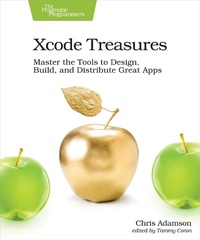
Xcode Treasures
Description

Learn the critical tips and techniques to make using Xcode for the iPhone, iPad, or Mac easier, and even fun. Explore the features and functionality of Xcode you may not have heard of. Go under the hood to discover how projects really work, so when they stop working, you''ll know how to fix them. Explore the common problems developers face when using Xcode, and find out how to get the most out of your IDE. Dig into Xcode, and you''ll discover it''s richer and more powerful than you might have thought.
Get a huge productivity boost by working with Xcode instead of against it. Instead of hacky code fixes and manual processes, once you know the the why and how of Xcode''s process, you''ll discover that doing things Xcode''s way makes your app development more elegant and less aggravating.
Explore the major features of Xcode: project management, building UIs with storyboards, code editing, compiling apps, fixing bugs and performance problems, unit- and UI testing, and source code management. Go beyond the basics and explore tasks that professionals deal with when they''re working on big projects. Create storyboards that many developers can work on at once, even as projects grow to hundreds or thousands of files. Find the tools that make the code editor pleasant to work with, even in long coding sessions. Discover the right way to find and fix bugs when you have lots of code that''s not always playing nicely together.Dig into specific and little-discussed features that help developers on Apple''s other platforms: macOS, watchOS, and tvOS. When you''re ready to distribute your app, learn how Apple''s code-signing system really works. Find out when to let Xcode handle it automatically, and how to do it manually when needed.
Discover how much easier and more fun iOS development is when you know the secrets of the tools.
What You Need:
This book requires Xcode 9 and a Mac running macOS High Sierra (10.13.2) or later. Additionally, an iOS device is recommended for on-device testing but not required.
More details
Other editions
Additional editions
Content
- Cover
- Table of Contents
- Acknowledgments
- Introduction
- Been There, Done That
- What's in an IDE?
- No Regrets
- About This Book
- Expectations and Technical Requirements
- Online Resources
- 1. Projects
- Understanding Projects and Files
- Working with Project and Target Settings
- Using Configurations
- Managing Your App's Version Numbers
- Adding Images and Other Files to the App
- Creating App Extensions and Frameworks
- Wrap-Up
- 2. Storyboards: Appearance
- Working with Scenes
- Inspecting the Inspectors
- Making Sense of Auto Layout
- Wrap-Up
- 3. Storyboards: Behavior
- Segues
- Embedded Scenes
- Storyboard References
- Custom Views
- Wrap-Up
- 4. Editing Source Code
- Theming the Code Editor
- Setting Text Editor Preferences
- Faster File Navigation
- Comment Magic
- Finding Documentation and Definitions
- Typing Source Code
- Searching for and Replacing Text
- Coding with Snippets
- Wrap-Up
- 5. Building Projects
- Understanding App Bundles
- Build Settings
- Build Phases
- Special Files in Builds
- Building on the Command Line
- Wrap-Up
- 6. Debugging Code
- Finding Bugs with Breakpoints
- Digging Deeper into Breakpoints
- Debugging with the Console
- Finding and Fixing Crashing Bugs
- Visual Debugging
- Wrap-Up
- 7. Improving Performance
- Managing Memory Mistakes
- Optimizing CPU Use
- Wrap-Up
- 8. Automated Testing
- Adding Test Targets
- Viewing Code Coverage
- Using Environment Variables in Tests
- Running Tests on the Command Line
- Packaging App Data for Tests
- Wrap-Up
- 9. Security
- Sandboxing and Entitlements
- App IDs and Your Developer Account
- Automatic Code Signing
- Manual Code Signing
- Wrap-Up
- 10. Source Control Management
- Creating and Cloning Git Repositories
- Using Your Git Repository
- Branching and Merging
- Dealing with Xcode's Git Limitations
- Wrap-Up
- 11. Platform Specifics
- Command-Line Applications on macOS
- Multi-Platform Projects
- Working with watchOS Simulators
- On-Demand Resources for tvOS
- Layer Stack Images for tvOS
- External Monitors on iOS
- Wrap-Up
- 12. Extending Xcode
- Editor Extensions
- Distributing the Extension
- Wrap-Up
- Bibliography
- Index
- - SYMBOLS -
- - DIGITS -
- - A -
- - B -
- - C -
- - D -
- - E -
- - F -
- - G -
- - H -
- - I -
- - J -
- - K -
- - L -
- - M -
- - N -
- - O -
- - P -
- - Q -
- - R -
- - S -
- - T -
- - U -
- - V -
- - W -
- - X -
- - Y -
