
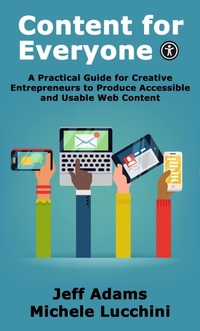
Content for Everyone: A Practical Guide for Creative Entrepreneurs to Produce Accessible and Usable Web Content
Description
Alles über E-Books | Antworten auf Fragen rund um E-Books, Kopierschutz und Dateiformate finden Sie in unserem Info- & Hilfebereich.
Content for Everyone is a must-read for creative entrepreneurs looking to improve the usability and accessibility of their website, email and social media content.
With over a billion people living with some form of disability worldwide, it's more important than ever to make sure your content is accessible. In this easy-to-follow practical guide, you'll learn techniques to make your content more accessible, without needing any in-depth technical knowledge. From adding meaningful alternative text to images, to choosing colors with enough contrast for easy readability, to adding captions to your videos and more, Content for Everyone has everything you need to reach a wider audience and improve the user experience for everyone.
Don't miss out on the opportunity to improve your content and reach more people.

More details
System requirements
File format: ePUB
Copy protection: Adobe-DRM (Digital Rights Management)
System requirements:
- Computer (Windows; MacOS X; Linux): Install the free reader Adobe Digital Editions prior to download (see eBook Help).
- Tablet/smartphone (Android; iOS): Install the free app Adobe Digital Editions or the app PocketBook before downloading (see eBook Help).
- E-reader: Bookeen, Kobo, Pocketbook, Sony, Tolino and many more (not Kindle).
The file format ePub works well for novels and non-fiction books – i.e., „flowing” text without complex layout. On an e-reader or smartphone, line and page breaks automatically adjust to fit the small displays.
This eBook uses Adobe-DRM, a „hard” copy protection. If the necessary requirements are not met, unfortunately you will not be able to open the eBook. You will therefore need to prepare your reading hardware before downloading.
Please note: We strongly recommend that you authorise using your personal Adobe ID after installation of any reading software.
For more information, see our ebook Help page.