

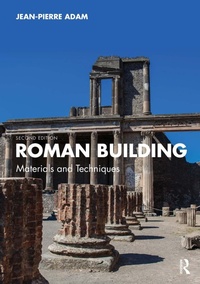
Roman Building
Materials and Techniques
2nd Edition
Published on 29. December 2025
646 pages
978-1-040-44824-3 (ISBN)
Description

This new English edition of Roman Building makes available the most up-to-date revision of the text to a new generation of English scholars of Roman architecture and technology.
Covering every aspect of Roman building techniques from surveying and preparing the materials to decorating and heating the finished structures, this volume offers the most comprehensive discussion of the subject. Placing emphasis on the technical aspects of the subject, it follows the process of building through each stage - from quarry to standing wall, from tree to roof timbers - and how these materials were obtained or manufactured. As well as construction, masonry, carpentry and interiors, this book also examines domestic and commercial architecture in shops, baths and workshops, as well as civil engineering projects such as aqueducts and roads.
Illustrated with over 750 photographs, maps and drawings, Roman Building remains the seminal reference work for Roman architectural technology for students and scholars alike.
Covering every aspect of Roman building techniques from surveying and preparing the materials to decorating and heating the finished structures, this volume offers the most comprehensive discussion of the subject. Placing emphasis on the technical aspects of the subject, it follows the process of building through each stage - from quarry to standing wall, from tree to roof timbers - and how these materials were obtained or manufactured. As well as construction, masonry, carpentry and interiors, this book also examines domestic and commercial architecture in shops, baths and workshops, as well as civil engineering projects such as aqueducts and roads.
Illustrated with over 750 photographs, maps and drawings, Roman Building remains the seminal reference work for Roman architectural technology for students and scholars alike.
More details
Edition
2nd edition
Language
English
Place of publication
London
United Kingdom
Publishing group
Taylor & Francis Ltd
Target group
College/higher education
Illustrations
776 Halftones, black and white; 776 Illustrations, black and white
File size
247,06 MB
ISBN-13
978-1-040-44824-3 (9781040448243)
Copyright in bibliographic data and cover images is held by Nielsen Book Services Limited or by the publishers or by their respective licensors: all rights reserved.
Schweitzer Classification
Other editions
Additional editions
Book
approx. 12/2025
2nd Edition
Routledge
€341.69
Not yet published
Previous edition
E-Book
11/2005
1st Edition
Routledge
€110.69
Available for download
Persons
Jean-Pierre Adam, architect and archaeologist, was head of the Paris office of the Institute for Research on Ancient Architecture (CNRS) from 1972 to 2022.
Content
Introduction; 1. Surveying; 2. Materials; 3. Construction using Large Stone Blocks; 4. Structures of Mixed Construction; 5. Masonry Construction; 6. Arches and Vaults; 7. Carpentry; 8. Wall Covering; 9. Floors; 10. Civil Engineering; 11. Domestic and Commercial Architecture.
