

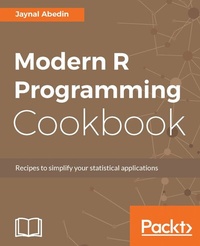
Modern R Programming Cookbook
Recipes to simplify your statistical applications
Published on 8. July 2025
236 pages
978-1-78728-877-5 (ISBN)
Description

No detailed description available for "Modern R Programming Cookbook".
More details
Edition
Digital original
Language
English
Place of publication
Birmingham
United Kingdom
Target group
Professional and scholarly
US School Grade: College Graduate Student
Edition type
Digital original
File size
3,13 MB
ISBN-13
978-1-78728-877-5 (9781787288775)
Copyright in bibliographic data and cover images is held by Nielsen Book Services Limited or by the publishers or by their respective licensors: all rights reserved.
Schweitzer Classification
Other editions
Additional editions
Jaynal Abedin
Modern R Programming Cookbook
Book
10/2017
Packt Publishing
€55.60
Shipment within 3-4 weeks
Person
Abedin Jaynal :
Jaynal Abedin currently holds the position of Statistician at the Centre for Communicable Diseases (CCD) at icddr,b ( www.icddrb.org). He attained his Bachelor's and Master's degrees in Statistics from the University of Rajshahi, Rajshahi, Bangladesh. He has vast experience in R programming and Stata and has efficient leadership qualities. He is currently leading a team of statisticians. He has hands-on experience in developing training material and facilitating training in R programming and Stata along with statistical aspects in public health research. His primary area of interest in research includes causal inference and machine learning. He is currently involved in several ongoing public health research projects and is a co-author of several work-in-progress manuscripts. In the useR! Conference 2013, he presented a poster-edeR: Email Data Extraction using R, available at http://www.edii.uclm.es/~useR-2013/abstracts/files/34_edeR_Email_Data_Extraction_using_R.pdf-and obtained the best application poster award. He is also involved in reviewing scientific manuscripts for the Journal of Applied Statistics (JAS) and the Journal of Health Population and Nutrition (JHPN). He is also a successful freelance statistician on online platforms and has an excellent reputation through his high-quality work, especially in R programming. He can be contacted at joystatru@gmail.com, http://bd.linkedin.com/in/jaynal; his Twitter handle is @jaynal83.
Jaynal Abedin currently holds the position of Statistician at the Centre for Communicable Diseases (CCD) at icddr,b ( www.icddrb.org). He attained his Bachelor's and Master's degrees in Statistics from the University of Rajshahi, Rajshahi, Bangladesh. He has vast experience in R programming and Stata and has efficient leadership qualities. He is currently leading a team of statisticians. He has hands-on experience in developing training material and facilitating training in R programming and Stata along with statistical aspects in public health research. His primary area of interest in research includes causal inference and machine learning. He is currently involved in several ongoing public health research projects and is a co-author of several work-in-progress manuscripts. In the useR! Conference 2013, he presented a poster-edeR: Email Data Extraction using R, available at http://www.edii.uclm.es/~useR-2013/abstracts/files/34_edeR_Email_Data_Extraction_using_R.pdf-and obtained the best application poster award. He is also involved in reviewing scientific manuscripts for the Journal of Applied Statistics (JAS) and the Journal of Health Population and Nutrition (JHPN). He is also a successful freelance statistician on online platforms and has an excellent reputation through his high-quality work, especially in R programming. He can be contacted at joystatru@gmail.com, http://bd.linkedin.com/in/jaynal; his Twitter handle is @jaynal83.
Content
- Cover
- Copyright
- Credits
- About the Author
- About the Reviewer
- www.PacktPub.com
- Customer Feedback
- Table of Contents
- Preface
- Chapter 1: Installing and Configuring R and its Libraries
- Introduction
- Installing and configuring base R in Windows
- Getting ready
- How to do it...
- How it works...
- There's more...
- See also
- Installing and configuring base R in Linux
- Getting ready
- How to do it...
- There's more...
- See also
- Installing and configuring RStudio IDE in Windows
- Getting ready
- How to do it.
- How it works.
- There's more.
- See also
- Installing and configuring RStudio IDE in Linux
- Getting ready
- How to do it.
- How it works...
- See also
- Installing and configuring R tools for Visual Studio in Windows
- Getting ready
- How to do it.
- How it works.
- See also
- Installing R libraries from various sources
- Getting ready
- How to do it.
- The ggplot2 library
- The devtools library
- Installing a library from GitHub
- Installing a library from the BioC repository
- How it works.
- There's more.
- See also
- Installing a specific version of R library
- Getting ready
- How to do it.
- How it works.
- Chapter 2: Data Structures in R
- Introduction
- Creating a vector and accessing its properties
- Getting ready
- How to do it.
- How it works.
- There's more.
- See also
- Creating a matrix and accessing its properties
- Getting ready
- How to do it.
- How it works.
- There's more.
- See also
- Creating a data frame and accessing its properties
- Getting ready
- How to do it.
- How it works.
- There's more.
- See also
- Creating an array and accessing its properties
- Getting ready
- How to do it.
- How it works.
- There's more.
- See also
- Creating a list from a combination of vector, matrix, and data frame
- Getting ready
- How to do it.
- How it works.
- There's more.
- See also
- Converting a matrix to a data frame and a data frame to a matrix
- Getting ready
- How to do it.
- How it works.
- There's more.
- See also
- Chapter 3: Writing Customized Functions
- Introduction
- Writing your first function in R
- Getting ready
- How to do it.
- How it works.
- There's more.
- Writing functions with multiple arguments and use of default values
- Getting ready
- How to do it.
- How it works.
- There's more.
- Handling data types in input arguments
- Getting ready
- How to do it.
- How it works.
- There's more.
- Producing different output types and return values
- Getting ready
- How to do it.
- How it works.
- There's more.
- Making a recursive call to a function
- Getting ready
- How to do it.
- How it works.
- There's more.
- Handling exceptions and error messages
- Getting ready
- How to do it.
- How it works.
- There's more.
- See also
- Chapter 4: Conditional and Iterative Operations
- Introduction
- The use of the if conditional statement
- Getting ready
- How to do it.
- How it works.
- There's more.
- The use of the if.else conditional operator
- Getting ready
- How to do it.
- How it works.
- There's more.
- The use of the ifelse vectorised conditional operator
- Getting ready
- How to do it.
- How it works.
- There's more.
- See also
- Writing a function using the switch operator
- Getting ready
- How to do it.
- How it works.
- There's more.
- Comparing the performance of switch and series of the if.else statements
- Getting ready
- How to do it.
- How it works.
- Using for loop for iterations
- Getting ready
- How to do it.
- How it works.
- Vectorised operation versus for loop
- Getting ready
- How to do it.
- How it works.
- Chapter 5: R Objects and Classes
- Introduction
- Defining a new S3 class
- Getting ready
- How to do it.
- How it works.
- There's more.
- See also
- Defining methods for the S3 class
- Getting ready
- How to do it.
- How it works.
- There's more.
- See also
- Creating a generic function and defining a method for the S3 class
- Getting ready
- How to do it.
- How it works.
- There's more.
- Defining a new S4 class
- Getting ready
- How to do it.
- How it works.
- There's more.
- See also
- Defining methods for an S4 class
- Getting ready
- How to do it.
- How it works.
- There's more.
- See also
- Creating a function to return an object of the S4 class
- Getting ready
- How to do it.
- How it works.
- There's more.
- See also
- Chapter 6: Querying, Filtering, and Summarizing
- Introduction
- Using the pipe operator for data processing
- Getting ready
- How to do it.
- How it works.
- There's more.
- See also
- Efficient and fast summarization using the dplyr verbs
- Getting ready
- How to do it.
- How it works.
- There's more.
- See also
- Using the customized function within the dplyr verbs
- Getting ready
- How to do it...
- How it works...
- There's more.
- See also
- Using the select verb for data processing
- Getting ready
- How to do it...
- How it works...
- There's more.
- See also
- Using the filter verb for data processing
- Getting ready
- How to do it...
- How it works...
- Using the arrange verb for data processing
- Getting ready
- How to do it...
- How it works...
- There's more.
- Using mutate for data processing
- Getting ready
- How to do it...
- How it works...
- There's more.
- Using summarise to summarize dataset
- Getting ready
- How to do it...
- How it works...
- Chapter 7: R for Text Processing
- Introduction
- Extracting unstructured text data from a plain web page
- Getting ready
- How to do it.
- How it works.
- There's more.
- Extracting text data from an HTML page
- Getting ready
- How to do it.
- How it works.
- There's more.
- Extracting text data from an HTML page using the XML library
- Getting ready
- How to do it.
- How it works.
- Extracting text data from PubMed
- Getting ready
- How to do it.
- How it works.
- There's more.
- Importing unstructured text data from a plain text file
- Getting ready
- How to do it.
- How it works.
- There's more.
- Importing plain text data from a PDF file
- Getting ready
- How to do it.
- How it works.
- There's more.
- Pre-processing text data for topic modeling and sentiment analysis
- Getting ready
- How to do it.
- How it works.
- There's more.
- Creating a word cloud to explore unstructured text data
- Getting ready
- How to do it.
- How it works.
- There's more.
- Using regular expression in text processing
- Getting ready
- How to do it.
- How it works.
- There's more.
- Chapter 8: R and Databases
- Introduction
- Installing the PostgreSQL database server
- Getting ready
- How to do it.
- How it works.
- Creating a new user in the PostgreSQL database server
- Getting ready
- How to do it.
- How it works.
- There's more.
- See also
- Creating a table in a database in PostgreSQL
- Getting ready
- How to do it...
- How it works.
- There's more.
- Creating a dataset in PostgreSQL from R
- Getting ready
- How to do it...
- How it works...
- Interacting with the PostgreSQL database from R
- Getting ready
- How to do it.
- How it works.
- There's more...
- Creating and interacting with the SQLite database from R
- Getting ready
- How to do it...
- How it works...
- There's more.
- Chapter 9: Parallel Processing in R
- Introduction
- Creating an XDF file from CSV input
- Getting ready
- How to do it.
- How it works.
- There's more.
- See also
- Processing data as a chunk
- Getting ready
- How to do it.
- How it works.
- There's more.
- See also
- Comparing computation time with data frame and XDF
- Getting ready
- How to do it.
- How it works.
- There's more.
- Linear regression with larger data (rxFastLiner)
- Getting ready
- How to do it.
- How it works.
- There's more.
- See also
- Index
