

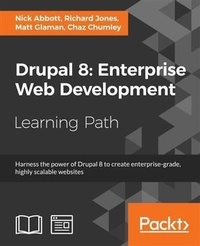
Drupal 8: Enterprise Web Development
Published on 30. December 2016
1005 pages
978-1-78728-153-0 (ISBN)
Description

Harness the power of Drupal 8 to create enterprise-grade, highly scalable websitesAbout This BookBuild complete, complex websites with no prior knowledge of web development entirely using the intuitive Drupal user interfaceEnsure your sites are modern, responsive and mobile-friendly through utilizing the full features available in Drupal 8Quickly master theme administration, custom block layouts, views, and the Twig template structureWho This Book Is ForThis course is suitable for web developers, designers, as well as web administrators who are keen on building modern, scalable websites using Drupal 8 and its wide range of new featuresWhat You Will LearnSet up a local "e;stack"e; development environment and install your first Drupal 8 siteFind out what is available in the Drupal 8 coreIntegrate third-party front-end and back-end libraries with DrupalUnderstand the plugin system that powers many of Drupal 8's new APIs to extend its functionalityBuild custom block layouts with reusable and fieldable blocksWork with the new Twig PHP templating engineDevelop a theme from scratch following a step-by-step project outlineIn DetailThis Drupal 8 course takes you through the journey of building, extending, and customizing websites to build highly scalable and enterprise-ready websites.The first part-Learning Drupal 8-takes you step by step through building a Drupal 8 website. You will start with the basics, such as setting up a local "e;stack"e; development environment and installing your first Drupal 8 site, then we move on to image and media handling and extending Drupal modules. This section will help you get to grips with the modular nature of Drupal, and you'll learn how to extend it by adding new functionalities to create your new modules. After learning to develop and manage a modern and responsive website using Drupal 8, you'll start exploring different techniques to take advantage of the new Drupal 8 features.The next module-Drupal 8 Development Cookbook-is your go-to guide to experimenting with all of Drupal 8's features through helpful recipes. You will explore techniques to customize and configure the Drupal environment, create blocks and custom modules, as well as make your web apps responsive by harnessing the mobile-first feature of Drupal 8. This module will also show you how to incorporate multilingual facilities in your sites, use web services and third-party plugins with your applications from inside Drupal 8, and test and deploy your apps.In the third part-Drupal 8 Theming with Twig-you will master Drupal 8's new Twig templating engine to customize the look and feel of your website. This section will walk you through a real-world project to create a Twig theme from concept to completion while adopting best practices to implement CSS frameworks and JavaScript libraries. You will see just how quick and easy it is to create beautiful, responsive Drupal 8 websites while avoiding the common mistakes that many front-end developers make. By the end, you will have learned how to develop, manage, extend, and customize an enterprise-level website.This Learning Path combines some of the best that Packt has to offer in one complete, curated package. It includes content from the following Packt products:Learning Drupal 8 by Nick Abbott and Richard JonesDrupal 8 Development Cookbook by Matt GlamanDrupal 8 Theming with Twig by Chaz ChumleyStyle and approachThis course offers a thorough coverage of developing, managing, extending, and designing highly scalable websites using the Drupal 8 platform. Filled with practical examples and recipes, this course is a great combination of example-driven learning complemented by interesting techniques to take advantage of the Drupal platform.
More details
Content
- Cover
- Copyright
- Credits
- Preface
- Table of Contents
- Module 1: Learning Drupal 8
- Chapter 1: Introduction
- What is Drupal?
- Some Drupal history
- Summary
- Chapter 2: Installation
- System requirements
- Setting up a development environment
- Free cloud hosting
- Installing Drupal 8
- Troubleshooting your installation
- Trusted host patterns
- Summary
- Chapter 3: Basic Concepts
- Modules
- Entities, nodes, and fields
- Taxonomy
- Blocks
- Views
- Users, roles, and permissions
- Themes
- Hooks
- Summary
- Chapter 4: Getting Started with the UI
- The Drupal 8 user interface
- Responsiveness
- Quick content creation
- Listing content
- Structure
- Configuration
- Appearance
- People
- Reports
- Extend
- Summary
- Chapter 5: Basic Content
- Introducing your site-building scenario
- Basic pages
- Articles
- Summary
- Chapter 6: Structure
- Managing menus
- Managing taxonomy
- Working with the Views module
- Working with Views blocks
- Summary
- Chapter 7: Advanced Content
- Field types
- Extending content types
- Creating new content types
- Listing testimonials with a view
- Summary
- Chapter 8: Configuration
- People - Account settings
- System
- Content authoring
- User interface
- Development
- Configuration synchronization
- Media
- Search and metadata
- Regional and language
- Web services
- Summary
- Chapter 9: Users and Access Control
- Users and roles
- Permissions
- Summary
- Chapter 10: Optional Features
- Activity Tracker
- Aggregator
- Ban
- Book
- Forum
- Responsive image
- Statistics
- Syslog
- Core (experimental), Multilingual, and Web services
- Summary
- Chapter 11: Reports
- Accessing reports
- Available updates
- Recent log messages
- Field list
- Status report
- Top 'access denied' errors
- Top 'page not found' errors
- Top search phrases
- Views plugins
- Summary
- Chapter 12: Extending Drupal
- Installing a module
- Improving FAQs
- Pathauto and Token
- Summary
- Chapter 13: Theming Drupal
- What is a theme?
- Terminology
- Themes included in Drupal 8
- Setting the active theme
- Common settings
- Theme regions
- Color scheme
- Setting the admin theme
- Advanced themes from the Drupal community
- Custom themes
- Summary
- Chapter 14: Getting Support
- What is open source?
- The Drupal community
- Drupal.org
- Issue queues
- The Drupal security team
- api.drupal.org
- IRC chat
- The Drupal Association
- DrupalCon
- DrupalCamps
- Specialist Drupal companies
- Training
- Certification
- Summary
- Module 2: Drupal 8 Development Cookbook
- Chapter 1: Up and Running with Drupal 8
- Introduction
- Installing Drupal
- Using a distribution
- Installing modules and themes
- Using multisites in Drupal 8
- Tools for setting up an environment
- Running Simpletest and PHPUnit
- Chapter 2: The Content Authoring Experience
- Introduction
- Configuring the WYSIWYG editor
- Adding and editing content
- Creating a menu and linking content
- Providing inline editing
- Creating a custom content type
- Applying new Drupal 8 core field types
- Customizing the form display of a node
- Customizing the display output of a node
- Chapter 3: Displaying Content through Views
- Introduction
- Listing content
- Editing the default admin interfaces
- Creating a block from a View
- Utilizing dynamic arguments
- Adding a relationship in a View
- Providing an Entity Reference result View
- Chapter 4: Extending Drupal
- Introduction
- Creating a module
- Defining a custom page
- Defining permissions
- Providing the configuration on installation or update
- Using Features 2.x
- Chapter 5: Frontend for the Win
- Introduction
- Creating a custom theme based on Classy
- Using the new asset management system
- Twig templating
- Using the Breakpoint module
- Using the Responsive Image module
- Chapter 6: Creating Forms with the Form API
- Introduction
- Creating a form
- Using new HTML5 elements
- Validating form data
- Processing submitted form data
- Altering other forms
- Chapter 7: Plug and Play with Plugins
- Introduction
- Creating blocks using plugins
- Creating a custom field type
- Creating a custom field widget
- Creating a custom field formatter
- Creating a custom plugin type
- Chapter 8: Multilingual and Internationalization
- Introduction
- Translating administrative interfaces
- Translating configuration
- Translating content
- Creating multilingual views
- Chapter 9: Configuration Management - Deploying in Drupal 8
- Introduction
- Importing and exporting configurations
- Synchronizing site configurations
- Using command-line workflow processes
- Using the filesystem for configuration storage
- Chapter 10: The Entity API
- Introduction
- Creating a configuration entity type
- Creating a content entity type
- Creating a bundle for a content entity type
- Implementing custom access control for an entity
- Providing a custom storage handler
- Creating a route provider
- Chapter 11: Off the Drupalicon Island
- Introduction
- Implementing and using a third-party JavaScript library
- Implementing and using a third-party CSS library
- Implementing and using a third-party PHP library
- Using Composer manager
- Chapter 12: Web Services
- Introduction
- Enabling RESTful interfaces
- Using GET to retrieve data
- Using POST to create data
- Using PATCH to update data
- Using Views to provide custom data sources
- Authentication
- Chapter 13: The Drupal CLI
- Introduction
- Rebuilding cache in Console or Drush
- Using Drush to interact with the database
- Using Drush to manage users
- Scaffolding code through Console
- Making a Drush command
- Making a Console command
- Module 3: Drupal 8 Theming with Twig
- Chapter 1: Setting Up Our Development Environment
- Installing an AMP (Apache, MySQL, PHP) stack
- A quick tour of MAMP PRO
- Installing Drupal 8
- Reviewing the new admin interface
- Using the project files
- Summary
- Chapter 2: Theme Administration
- What is a theme?
- Exploring the Appearance interface
- Drupal's core themes
- Theme states
- Installing and uninstalling themes
- Theme settings
- Theme-specific settings
- Using prebuilt themes
- Manually installing a theme
- Cleaning up our themes folder
- Managing content with blocks
- Managing custom blocks
- Summary
- Chapter 3: Dissecting a Theme
- Setting up a local development environment
- Default themes versus custom themes
- Folder structure and naming conventions
- Managing configuration in Drupal 8
- Reviewing the new info.yml file
- The role of templates in Drupal
- Creating our first basic theme
- Introducing Twig
- Template variables
- The role of the theme file in Drupal
- Summary
- Chapter 4: Getting Started - Creating Themes
- Starter themes
- Creating a Bootstrap starter
- Creating a Jumbotron
- Rethinking our layout
- Using Twig templates
- Subthemes
- Touring Classy
- Summary
- Chapter 5: Prepping Our Project
- Walking through the design mockup
- Restoring our database snapshot
- Creating a custom theme
- Summary
- Chapter 6: Theming Our Homepage
- Creating our HTML wrapper
- Creating our homepage
- Implementing our Header Top region
- Implementing our Header region
- Implementing our Headline Region
- Implementing our Before Content region
- Implementing the footer
- Summary
- Chapter 7: Theming Our Interior Page
- Reviewing the About Us mockup
- Creating our interior page template
- Adding our Global Header
- Implementing our page title
- Implementing our main page structure
- Implementing our Team members section
- Adding our global footer
- Fixing JavaScript errors
- Summary
- Chapter 8: Theming Our Blog Listing Page
- Reviewing the Blog Listing mockup
- Creating our blog listing
- Creating a Post Listing view
- Managing our Post Listing block
- Implementing our Node template
- Creating a theme file
- Creating a Categories block
- Managing our Categories block
- Implementing responsive sidebars
- Theming a Block template
- Drupal Views and Twig templates
- Managing popular versus recent content
- Adding the About Us block
- Summary
- Chapter 9: Theming Our Blog Detail Page
- Reviewing the Blog detail mockup
- Previewing our Blog detail page
- Creating a Post Full template
- Working with comments
- Implementing social sharing capabilities
- Summary
- Chapter 10: Theming Our Contact Page
- Reviewing the contact page mockup
- Introducing contact forms
- Contact page layout
- Adding a Callout block
- Integrating Google Maps into our contact page
- Summary
- Chapter 11: Theming Our Search Results
- Reviewing the Search Results mockup
- Looking at default Search results
- Introducing core search
- Working with Search Results templates
- Search alternatives
- Summary
- Chapter 12: Tips, Tricks, and Where to Go from Here
- Working with Local Tasks
- Reusing Twig templates
- Where do we go from here?
- Summary
- Biblography
