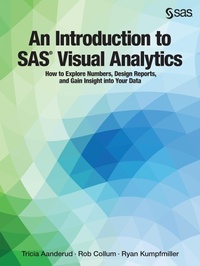
An Introduction to SAS Visual Analytics
Description

SAS Visual Analytics automatically highlights key relationships, outliers, clusters, trends and more. These abilities will guide you to critical insights that inspire action from your data. With this book, you will become proficient using SAS Visual Analytics to present data and results in customizable, robust visualizations, as well as guided analyses through auto-charting. With interactive dashboards, charts, and reports, you will create visualizations which convey clear and actionable insights for any size and type of data.
This book largely focuses on the version of SAS Visual Analytics on SAS 9.4, although it is available on both 9.4 and SAS Viya platforms. Each version is considered the latest release, with subsequent releases planned to continue on each platform; hence, the Viya version works similarly to the 9.4 version and will look familiar. This book covers new features of each and important differences between the two.
With this book, you will learn how to:
- Prepare a dashboard and determine the best layout
- Effectively use geo-spatial objects to add location analytics to reports
- Understand and use the elements of data visualizations
- Prepare and load your data with the SAS Visual Analytics Data Builder
- Analyze data with a variety of options, including forecasting, word clouds, heat maps, correlation matrix, and more
- Understand administration activities to keep SAS Visual Analytics humming along
- Optimize your environment for considerations such as scalability, availability, and efficiency between components of your SAS software deployment and data providers
More details
Other editions
Additional editions