

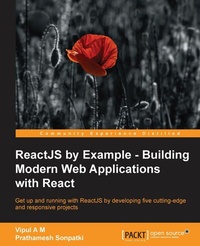
ReactJS by Example - Building Modern Web Applications with React
Building Modern Web Applications with React
1st Edition
Published on 8. July 2025
280 pages
978-1-78528-274-4 (ISBN)
Description

Get up and running with ReactJS by developing five cutting-edge and responsive projectsKey Features - [*]Create pragmatic real-world applications while learning React and its modern developer tools
- [*]Build sustainable user interfaces by transforming data into components of UI
- [*]Learn how to generate reusable ReactJS components effectively
Book DescriptionReactJS is an open-source JavaScript library that brings the power of reactive programming to web applications and sites. It aims to address the challenges encountered in developing single-page applications, and is intended to help developers build large, easily scalable and changing web apps. Starting with a project on Open Library API, you will be introduced to React and JSX before moving on to learning about the life cycle of a React component. In the second project, building a multi-step wizard form, you will learn about composite dynamic components and perform DOM actions. You will also learn about building a fast search engine by exploring server-side rendering in the third project on a search engine application. Next, you will build a simple frontpage for an e-commerce app in the fourth project by using data models and React add-ons. In the final project you will develop a complete social media tracker by using the flux way of defining React apps and know about the best practices and use cases with the help of ES6 and redux. By the end of this book, you will not only have a good understanding of ReactJS but will also have built your very own responsive frontend applications from scratch. What you will learn - [*]Create, reuse, and compose React components using JSX
- [*]Share data between various React components and techniques for data flow within a React app
- [*]Handle user interactions with the help of event handlers and dynamic components
- [*]Set up and use various next generation ES2015/ES6 features with React
- [*]Understand the performance and immutability features of React using React add-ons
- [*]Learn the techniques of Animation in React
- [*]Use data stores to store model-related data and information
- [*]Create a flux-based React application by using Reflux library
Who this book is forIf you are a web developer and wish to learn ReactJS from scratch, then this book is tailor-made for you. Good understanding of Javascript, HTML, and CSS is expected.
- [*]Build sustainable user interfaces by transforming data into components of UI
- [*]Learn how to generate reusable ReactJS components effectively
Book DescriptionReactJS is an open-source JavaScript library that brings the power of reactive programming to web applications and sites. It aims to address the challenges encountered in developing single-page applications, and is intended to help developers build large, easily scalable and changing web apps. Starting with a project on Open Library API, you will be introduced to React and JSX before moving on to learning about the life cycle of a React component. In the second project, building a multi-step wizard form, you will learn about composite dynamic components and perform DOM actions. You will also learn about building a fast search engine by exploring server-side rendering in the third project on a search engine application. Next, you will build a simple frontpage for an e-commerce app in the fourth project by using data models and React add-ons. In the final project you will develop a complete social media tracker by using the flux way of defining React apps and know about the best practices and use cases with the help of ES6 and redux. By the end of this book, you will not only have a good understanding of ReactJS but will also have built your very own responsive frontend applications from scratch. What you will learn - [*]Create, reuse, and compose React components using JSX
- [*]Share data between various React components and techniques for data flow within a React app
- [*]Handle user interactions with the help of event handlers and dynamic components
- [*]Set up and use various next generation ES2015/ES6 features with React
- [*]Understand the performance and immutability features of React using React add-ons
- [*]Learn the techniques of Animation in React
- [*]Use data stores to store model-related data and information
- [*]Create a flux-based React application by using Reflux library
Who this book is forIf you are a web developer and wish to learn ReactJS from scratch, then this book is tailor-made for you. Good understanding of Javascript, HTML, and CSS is expected.
All prices
More details
Other editions
Additional editions
Vipul Amler | Prathamesh Sonpatki
ReactJS by Example- Building Modern Web Applications with React
Book
04/2016
Packt Publishing
€55.90
Shipment within 3-4 weeks
Person
A M Vipul :
Vipul A M is Director at BigBinary. He is part of Rails Issues Team, and helps triaging issues. His spare time is spent exploring and contributing to many Open Source ruby projects, when not dabbling with React JS. Vipul loves Ruby's vibrant community and helps in building PuneRb, is the founder of and runs RubyIndia Community Newsletter and RubyIndia Podcast, and organizes Deccan Ruby Conference in Pune. He can be found @vipulnsward on twitter and on his site http://vipulnsward.com.
Vipul A M is Director at BigBinary. He is part of Rails Issues Team, and helps triaging issues. His spare time is spent exploring and contributing to many Open Source ruby projects, when not dabbling with React JS. Vipul loves Ruby's vibrant community and helps in building PuneRb, is the founder of and runs RubyIndia Community Newsletter and RubyIndia Podcast, and organizes Deccan Ruby Conference in Pune. He can be found @vipulnsward on twitter and on his site http://vipulnsward.com.
Content
- Cover
- Copyright
- Credits
- About the Authors
- About the Reviewers
- www.PacktPub.com
- Table of Contents
- Preface
- Chapter 1: Getting Started with React
- What is React?
- When Shawn meets Mike and ReactJS
- Requiring React library
- Building our first component
- Back to work
- Displaying static data
- Passing data to components
- Summary
- Chapter 2: JSX in Depth
- Why JSX?
- Transforming JSX into JavaScript
- HTML tags vs React components
- Self closing tag
- Multiple components
- JavaScript expressions
- Namespaced components
- Spread attributes
- Styles in JSX
- JSX Gotchas
- Conditionals in JSX
- Non-DOM attributes
- Summary
- Chapter 3: Data Flow and Life Cycle Events
- Data flow in React
- Props validation
- Specifying default props
- Modifying this.props.children
- State
- Setting initial state
- Setting state
- Avoiding state
- State versus props
- Component life cycle overview
- Component life cycle methods
- Summary
- Chapter 4: Composite Dynamic Components and Forms
- Forms in React
- Setting up the application
- Getting started with forms
- Interactive props
- Controlled components
- Uncontrolled components
- Getting started with form wizard
- Form events
- Parent Child relationship
- Form validation
- Shipping details step
- Delivery details step
- Summary
- Chapter 5: Mixins and the DOM
- Back at the office
- Adding a modal
- Refs
- Summary
- Chapter 6: React on the Server
- Getting React to render on server
- On the server
- Summary
- Chapter 7: React Addons
- Getting started with Addons
- Immutability helpers
- Available commands
- Cloning components
- Helpers for testing React apps
- Setting up Jest
- Testing structure of React components
- Testing behavior of React components
- Shallow rendering
- Summary
- Chapter 8: Performance of React Apps
- Performance of React apps
- Virtual DOM
- The PERF addon
- DOM operations performed by React
- Time taken to render all the components
- Time wasted by React
- The shouldComponentUpdate hook
- PureRenderMixin
- The PureRenderMixin anti pattern
- Immutable data
- Summary
- Chapter 9: React Router and Data Models
- A new adventure
- Creating Backbone models
- Incorporating defined Backbone models
- Data models and Backbone
- Summary
- Chapter 10: Animation
- Fun stuff at Adequate LLC!
- Model updates
- Animate
- Summary
- Chapter 11: React Tools
- Development tools
- Using Babel for ES6 and JSX
- ESLint
- React Dev Tools
- Build tools
- What is Webpack?
- Webpack configuration
- Loaders
- Hot module replacement
- Summary
- Chapter 12: Flux
- Flux architecture and unidirectional flow
- Flux actions
- Flux stores
- Summary
- Chapter 13: Redux and React
- Redux
- Setting up Redux
- Summary
- Index

