

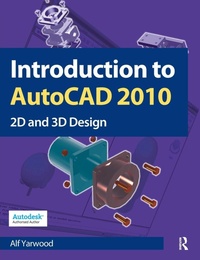
Introduction to AutoCAD 2010
1st Edition
Published on 24. July 2009
Book
Paperback/Softback
456 pages
978-1-85617-868-6 (ISBN)
Description
Alf Yarwood provides a practical, structured course of work matched to the latest release of AutoCAD. After introducing first principles and the creation of 2D technical drawings, he goes on to demonstrate the construction of 3D solid drawings, surface model drawings and rendering. All the new features of the 2010 software release are taken into account and the increasing emphasis on 3D solid modelling in the software is reflected in the book. The 2D chapters are also suitable for those learning how to use AutoCAD LT 2010.
Suitable for all new users of AutoCAD, this book is particularly applicable to vocational and introductory level undergraduate courses in engineering and construction. Further Education students in the UK will find this an ideal textbook to cater for the City & Guilds 4353 and 2303 qualifications and the relevant CAD units of BTEC National and BTEC Higher National Engineering and Construction schemes from Edexcel. Many Foundation Degrees also contain CAD modules for which this book can be of use.
Readers will also be able to visit a free companion website at http://books.elsevier.com/companions/9781856178686, where they will find worked solutions and AutoCAD drawing files of stages and results for the exercises in the book, as well as further exercises and multiple-choice questions with answers.
Suitable for all new users of AutoCAD, this book is particularly applicable to vocational and introductory level undergraduate courses in engineering and construction. Further Education students in the UK will find this an ideal textbook to cater for the City & Guilds 4353 and 2303 qualifications and the relevant CAD units of BTEC National and BTEC Higher National Engineering and Construction schemes from Edexcel. Many Foundation Degrees also contain CAD modules for which this book can be of use.
Readers will also be able to visit a free companion website at http://books.elsevier.com/companions/9781856178686, where they will find worked solutions and AutoCAD drawing files of stages and results for the exercises in the book, as well as further exercises and multiple-choice questions with answers.
More details
Language
English
Place of publication
Oxford
United Kingdom
Publishing group
Taylor & Francis Ltd
Target group
College/higher education
Students taking vocational courses in engineering drawing and design, such as City & Guilds 4353 Computer Aided Design, City & Guilds 2303 Certificate in Computer-aided
Engineering, and the drawing units in BTEC National and Higher National Engineering.
Foundation and first year undergraduate students in engineering, construction and
architecture. Professional engineers learning AutoCAD for the first time.
Engineering, and the drawing units in BTEC National and Higher National Engineering.
Foundation and first year undergraduate students in engineering, construction and
architecture. Professional engineers learning AutoCAD for the first time.
Illustrations
Approx. 700 illustrations
Dimensions
Height: 246 mm
Width: 189 mm
Thickness: 25 mm
Weight
879 gr
ISBN-13
978-1-85617-868-6 (9781856178686)
Copyright in bibliographic data and cover images is held by Nielsen Book Services Limited or by the publishers or by their respective licensors: all rights reserved.
Schweitzer Classification
Other editions
Additional editions
Alf Yarwood
Introduction to AutoCAD 2010
Book
05/2017
1st Edition
Routledge
€171.10
Shipment within 10-20 days
Alf Yarwood
Introduction to AutoCAD 2010
E-Book
05/2010
1st Edition
Routledge
€68.49
Available for download
Alf Yarwood
Introduction to AutoCAD 2010
E-Book
05/2010
1st Edition
Routledge
€68.49
Available for download
Previous edition
Book
07/2008
1st Edition
Newnes
€39.60
Shipment within 15-20 days
Person
Alf Yarwood is an Autodesk authorized author and a member of the Autodesk Advanced Developer Network.
Content
Part 1 - 2D design. 1. Introducing AutoCAD 2010. 2. Introducing drawing. 3. Draw tools, Object Snap and Dynamic Input. 4. Zoom, Pan and templates. 5. The Modify tools. 6. Dimensions and Text. 7. Orthographic and isometric. 8. Hatching. 9. Blocks and Inserts. 10. Other types of file format. 11. Sheet Sets. Part 2 - 3D design. 12. Introducing 3D modelling. 13. 3D models in viewports. 14. The modification of 3D models. 15. Rendering. 16. Building drawings. 17. Three-dimensional space. 18. Editing 3D solid models. 19. Other features of 3D modelling. Part 3 - Internet tools and Design. 20. Internet tools and Help. 21. Design and AutoCAD 2010. Appendices: Appendix A - Printing/Plotting. Appendix B - List of tools. Appendix C - Some set variables. Index.