

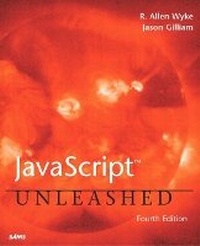
JavaScript Unleashed
4th Edition
Published on 28. November 2002
Book
Paperback/Softback
816 pages
978-0-672-32431-4 (ISBN)
Description
JavaScript Unleashed serves as a complete reference to the JavaScript language for the experienced programmer as well as a guide for developing JavaScript but familiar with other programming languages. Over the years JavaScript has solidified its position as the de facto standard in Web site scripting-even Microsoft uses JavaScript on its Web sites. And the capabilities of JavaScript have gradually been extended to the server side and to third-party products. JavaScript can be used in both Microsofts .NET environment and Windows Script Host, and Adobe Web development products are beginning to use JavaScript as their built-in scripting language.
More details
Edition
4th edition
Language
English
Place of publication
Indianapolis
United States
Publishing group
Pearson Education (US)
Target group
College/higher education
Dimensions
Height: 230 mm
Width: 187 mm
Thickness: 44 mm
Weight
1311 gr
ISBN-13
978-0-672-32431-4 (9780672324314)
Copyright in bibliographic data and cover images is held by Nielsen Book Services Limited or by the publishers or by their respective licensors: all rights reserved.
Schweitzer Classification
Other editions
Previous edition
R. Allen Wyke | Richard Wagner
JavaScript Unleashed
Book
07/2000
3rd Edition
Sams Publishing
€45.30
Article exhausted; check for reprint
Persons
R. Allen Wyke, of Durham, North Carolina, is the Vice President of Technology and Services at Blue292. Allen is responsible for ensuring that Blue292 products have the proper technical vision and direction, while at the same time guiding network engineering to deliver on that message and providing services to support them.
Allen participated on the W3C P3P Working Group, which represents a machine-based privacy standard to be used on the Internet. He has published a dozen books on various Internet technologies such as Perl, JavaScript, and XML, and somehow continues to find time for his dogs and routine trips to the beach.
Jason D. Gilliam is a software developer at Blue292 in Durham, North Carolina. At Blue292 he is an active developer on all of the company's products as well as guiding the development teams' coding activities. His development activities cover a range of technologies such as Java, JSP, ASP, HTML, JavaScript, and the .NET Framework, just to name a few.
In addition to his work at Blue292, Jason has also worked in other Web-based arenas such as chat and discussion group software as well as work in the telecommunications industry. Jason is also a co-author of the book Pure JavaScript.
Allen participated on the W3C P3P Working Group, which represents a machine-based privacy standard to be used on the Internet. He has published a dozen books on various Internet technologies such as Perl, JavaScript, and XML, and somehow continues to find time for his dogs and routine trips to the beach.
Jason D. Gilliam is a software developer at Blue292 in Durham, North Carolina. At Blue292 he is an active developer on all of the company's products as well as guiding the development teams' coding activities. His development activities cover a range of technologies such as Java, JSP, ASP, HTML, JavaScript, and the .NET Framework, just to name a few.
In addition to his work at Blue292, Jason has also worked in other Web-based arenas such as chat and discussion group software as well as work in the telecommunications industry. Jason is also a co-author of the book Pure JavaScript.
Content
(NOTE: Each chapter concludes with a Summary.)
Introduction.
Who Should Read This Book? System Requirements. How This Book Is Organized. Conventions Used in This Book.
I. GETTING STARTED WITH JAVASCRIPT.
1. Introducing JavaScript.
JavaScript, JScript, ECMAScript, What? Web-based Application Development. What Can You Do with JavaScript? Browser Support for JavaScript. Resources on the Web.
2. Assembling Your JavaScript Toolkit.
An Overview of Necessary Tools. The JavaScript Development Process. Creating JavaScript Code.
3. Beginning the Process of Writing Scripts.
Initial Decisions. Starting Your Script. Your First Script.
II. THE CORE JAVASCRIPT LANGUAGE.
4. Fundamental Language Components.
JavaScript Versions. Tokens. Variables. Constants. Data Types. Expressions. Comments. Functions. JavaScript Objects. Events.
5. Operators.
Assignment Operators. Arithmetic Operators. Comparison Operators. String Operators. Conditional Operators. Boolean Operators. The typeof Operator. Function Operators. Data Structure Operators. Bitwise Operators. Operator Precedence.
6. Control Structures and Looping.
Conditional Statements. Looping Statements. label Statements. with Statements. switch Statements.
7. Functions.
Understanding Functions. Working with Arguments. More Information on Functions.
III. CORE AND CLIENT JAVASCRIPT OBJECTS.
8. Core Language Objects.
The Global Object. The String Object. The RegExp Object. The Array Object. The Date Object. The Math Object. The Boolean Object. The Number Object. The Error Object. The Function Object.
9. navigator Objects.
Understanding the Object. Using These Objects.
10. Window Object.
The Window Object. Opening and Closing Windows. Navigating Between Windows. Displaying Message Boxes. Working with Status Bar Messages.
11. Document Objects.
The Document Object. The Link Object. The Anchor Object. The Image Object. The Applet Object.
12. Form Objects.
The Form Object. The Text Input Object. The Button Objects: Submit, Reset, Button, and Image. The Checkbox Object. The Radio Object. The Select Object. The Password Object. The Hidden Object. The FileUpload Object.
13. Frames.
The Frame Object. The Location Object. The History Object.
14. Creating Custom JavaScript Objects.
Creating an Object. Instantiating Objects. Working with Object Instances. Creating Complex Objects. Creating Objects Dynamically. Extending Instantiated Objects.
IV. DOM OBJECTS.
15. Fundamentals of the Document Object Model.
Understanding the Document Object Model. The Document Object Model Specification. Structure of the DOM.
16. Accessing the DOM.
The ECMAScript Language Binding. Accessing the DOM. Navigating the DOM.
17. Manipulating the DOM.
Deleting Nodes. Creating Nodes. Copying Nodes.
V. SCRIPTING DOCUMENTS.
18. Handling Events.
Understanding Events and Event Handlers. JavaScript Event Handlers. Other Event Tricks.
19. Cascading Style Sheets.
Basic Style Sheet Concepts. Using Styles in Your Document. JavaScript Style Objects.
20. Layers.
Universal Practices. and
Introduction.
Who Should Read This Book? System Requirements. How This Book Is Organized. Conventions Used in This Book.
I. GETTING STARTED WITH JAVASCRIPT.
1. Introducing JavaScript.
JavaScript, JScript, ECMAScript, What? Web-based Application Development. What Can You Do with JavaScript? Browser Support for JavaScript. Resources on the Web.
2. Assembling Your JavaScript Toolkit.
An Overview of Necessary Tools. The JavaScript Development Process. Creating JavaScript Code.
3. Beginning the Process of Writing Scripts.
Initial Decisions. Starting Your Script. Your First Script.
II. THE CORE JAVASCRIPT LANGUAGE.
4. Fundamental Language Components.
JavaScript Versions. Tokens. Variables. Constants. Data Types. Expressions. Comments. Functions. JavaScript Objects. Events.
5. Operators.
Assignment Operators. Arithmetic Operators. Comparison Operators. String Operators. Conditional Operators. Boolean Operators. The typeof Operator. Function Operators. Data Structure Operators. Bitwise Operators. Operator Precedence.
6. Control Structures and Looping.
Conditional Statements. Looping Statements. label Statements. with Statements. switch Statements.
7. Functions.
Understanding Functions. Working with Arguments. More Information on Functions.
III. CORE AND CLIENT JAVASCRIPT OBJECTS.
8. Core Language Objects.
The Global Object. The String Object. The RegExp Object. The Array Object. The Date Object. The Math Object. The Boolean Object. The Number Object. The Error Object. The Function Object.
9. navigator Objects.
Understanding the Object. Using These Objects.
10. Window Object.
The Window Object. Opening and Closing Windows. Navigating Between Windows. Displaying Message Boxes. Working with Status Bar Messages.
11. Document Objects.
The Document Object. The Link Object. The Anchor Object. The Image Object. The Applet Object.
12. Form Objects.
The Form Object. The Text Input Object. The Button Objects: Submit, Reset, Button, and Image. The Checkbox Object. The Radio Object. The Select Object. The Password Object. The Hidden Object. The FileUpload Object.
13. Frames.
The Frame Object. The Location Object. The History Object.
14. Creating Custom JavaScript Objects.
Creating an Object. Instantiating Objects. Working with Object Instances. Creating Complex Objects. Creating Objects Dynamically. Extending Instantiated Objects.
IV. DOM OBJECTS.
15. Fundamentals of the Document Object Model.
Understanding the Document Object Model. The Document Object Model Specification. Structure of the DOM.
16. Accessing the DOM.
The ECMAScript Language Binding. Accessing the DOM. Navigating the DOM.
17. Manipulating the DOM.
Deleting Nodes. Creating Nodes. Copying Nodes.
V. SCRIPTING DOCUMENTS.
18. Handling Events.
Understanding Events and Event Handlers. JavaScript Event Handlers. Other Event Tricks.
19. Cascading Style Sheets.
Basic Style Sheet Concepts. Using Styles in Your Document. JavaScript Style Objects.
20. Layers.
Universal Practices. and