

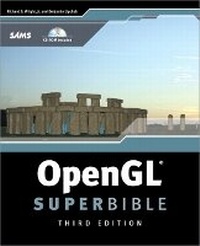
OpenGL SuperBible
3rd Edition
Published on 8. July 2004
Book
Mixed media product
1200 pages
978-0-672-32601-1 (ISBN)
Description
In a world where everything from how we take pictures to how we get our food is designed to happen as quickly and easily as possible, it can take a lot longer to learn how to make it all work behind the scenes. Theories and concepts can weigh you down when all you really want to know is how to create, design and go. That's where OpenGL SuperBible comes in. Complete with supporting figures and a CD packed with free tools, demos and libraries, OpenGL SuperBible simplifies 3D programming concepts without wasting your time with programming theory. Mac and Windows users will both find this comprehensive hands-on guide helpful as you learn to program for games, visualization applications and multi-platforms. This is the ultimate resource for any new programmer.
More details
Edition
3rd edition
Language
English
Place of publication
Indianapolis
United States
Publishing group
Pearson Education (US)
Target group
College/higher education
Dimensions
Height: 230 mm
Width: 188 mm
Thickness: 61 mm
Weight
1972 gr
ISBN-13
978-0-672-32601-1 (9780672326011)
Copyright in bibliographic data and cover images is held by Nielsen Book Services Limited or by the publishers or by their respective licensors: all rights reserved.
Schweitzer Classification
Other editions
New editions
Richard S. Wright | Benjamin Lipchak | Nicholas Haemel
OpenGL SuperBible
Comprehensive Tutorial and Reference
Book
06/2007
4th Edition
Addison Wesley
€53.22
Article exhausted; check for reprint
Previous edition

Richard S. Wright | Michael Sweet.
OpenGL SuperBible, Second Edition
Book
01/2000
2nd Edition
Waite Group
€65.30
Article exhausted; check for reprint
Persons
Richard S. Wright, Jr. has used OpenGL for 10 years and teaches OpenGL programming in the game design degree program at Full Sail in Orlando, Florida. He is a former Real 3D representative to the OpenGL Architecture Review Board and has delivered multiple commercial applications that use OpenGL extensively, including games, scientific and medical applications, database visualization and educational software. Lead author of the first and second editions of OpenGL SuperBible, he is also the founder and president of Starstone Software Systems, Inc., where he develops multimedia simulation software for the PC and Macintosh platforms using OpenGL.
Benjamin Lipchak develops OpenGL drives at ATI Research in Marlboro, Massachusetts. Formerly writing Digital UNIX and Windows NT OpenGL drives for AlphaStations at DEC and Compaq, Benj recently joined ATI to help pioneer programmable shader technology. He participated in the OpenGL Architecture Review Board standardization of shader extensions and chaired the ARB_fragment_program working group.
Benjamin Lipchak develops OpenGL drives at ATI Research in Marlboro, Massachusetts. Formerly writing Digital UNIX and Windows NT OpenGL drives for AlphaStations at DEC and Compaq, Benj recently joined ATI to help pioneer programmable shader technology. He participated in the OpenGL Architecture Review Board standardization of shader extensions and chaired the ARB_fragment_program working group.
Content
Introduction.
I. CLASSIC OPENGL.
1. Introduction to 3D Graphics and OpenGL.
2. Using OpenGL.
3. Drawing in Space: Geometric Primitives and Buffers.
4. Geometric Transformations: The Pipeline.
5. Color, Materials, and Lighting: The Basics.
6. More on Colors and Materials.
7. Imaging with OpenGL.
8. Texture Mapping: The Basics.
9. Texture Mapping: Beyond the Basics.
10. Curves and Surfaces.
11. It's All About the Pipeline: Faster Geometry Throughput.
12. Interactive Graphics.
II. OPENGL EVERYWHERE.
13. Wiggle: OpenGL on Windows.
14. OpenGL on MacOS X.
15. GLX: OpenGL on Linux.
III. OPENGL: THE NEXT GENERATION.
16. Buffer Objects: It's Your Video Memory; You Manage It!
17. Occlusion Queries: Why Do More Work Than You Need To?
18. Depth Textures and Shadows.
19. Programmable Pipeline: This Isn't Your Father's OpenGL.
20. Low-Level Shading: Coding to the Metal.
21. High-Level Shading: The Real Slim Shader.
22. Vertex Shading: Do-It-Yourself Transform, Lighting, and Texgen.
23. Fragment Shading: Empower Your Pixel Processing.
Appendix A. Further Reading.
Appendix B. Glossary.
Appendix C. OpenGL ES.
Index.
I. CLASSIC OPENGL.
1. Introduction to 3D Graphics and OpenGL.
2. Using OpenGL.
3. Drawing in Space: Geometric Primitives and Buffers.
4. Geometric Transformations: The Pipeline.
5. Color, Materials, and Lighting: The Basics.
6. More on Colors and Materials.
7. Imaging with OpenGL.
8. Texture Mapping: The Basics.
9. Texture Mapping: Beyond the Basics.
10. Curves and Surfaces.
11. It's All About the Pipeline: Faster Geometry Throughput.
12. Interactive Graphics.
II. OPENGL EVERYWHERE.
13. Wiggle: OpenGL on Windows.
14. OpenGL on MacOS X.
15. GLX: OpenGL on Linux.
III. OPENGL: THE NEXT GENERATION.
16. Buffer Objects: It's Your Video Memory; You Manage It!
17. Occlusion Queries: Why Do More Work Than You Need To?
18. Depth Textures and Shadows.
19. Programmable Pipeline: This Isn't Your Father's OpenGL.
20. Low-Level Shading: Coding to the Metal.
21. High-Level Shading: The Real Slim Shader.
22. Vertex Shading: Do-It-Yourself Transform, Lighting, and Texgen.
23. Fragment Shading: Empower Your Pixel Processing.
Appendix A. Further Reading.
Appendix B. Glossary.
Appendix C. OpenGL ES.
Index.