

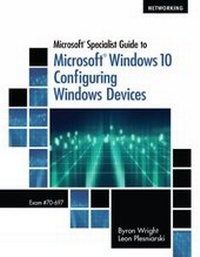
Microsoft Specialist Guide to Microsoft Windows 10 (Exam 70-697, Configuring Windows Devices)
Will be published approx. on 18. August 2016
Book
Paperback/Softback
736 pages
978-1-285-86857-8 (ISBN)
Description
Prepare for a career in network administration using Microsoft Windows 10 with the real-world examples and hands-on activities that reinforce key concepts in MICROSOFT (R) SPECIALIST GUIDE TO MICROSOFT (R) WINDOWS 10. This book also features troubleshooting tips for solutions to common problems that you will encounter in Windows 10 administration. This book's in-depth study focuses on all of the functions and features of installing, configuring, and maintaining Windows 10 as a client operating system. Activities let you experience first-hand the processes involved in Windows 10 configuration and management. Review Questions reinforce concepts and help you prepare for the Microsoft (R) certification exam. Case Projects offer a real-world perspective on the concepts introduced in each chapter, helping you prepare for even the most challenging situations that must be managed in a live networking environment.
More details
Edition
New edition
Language
English
Place of publication
Boston, MA
United States
Publishing group
Cengage Learning, Inc
Target group
College/higher education
Edition type
New edition
Dimensions
Height: 25 mm
Width: 210 mm
Thickness: 271 mm
Weight
1220 gr
ISBN-13
978-1-285-86857-8 (9781285868578)
Copyright in bibliographic data and cover images is held by Nielsen Book Services Limited or by the publishers or by their respective licensors: all rights reserved.
Schweitzer Classification
Other editions
New editions
Byron Wright | Leon Plesniarski
Microsoft 365 Modern Desktop Administrator Guide to Exam MD-100
Windows 10
Book
01/2021
Course Technology Inc
€94.50
Shipment within 15-20 days
Persons
Byron Wright (@ByronWrightGeek) is a consultant, author and instructor with a focus on Microsoft technologies. He has a broad range of knowledge about Microsoft (R) operating systems, Active Directory, Office 365, Azure AD, Windows PowerShell, networking and security. In recognition of his community contributions, he received the Microsoft MVP award for Exchange Server from 2012-2015. His longtime experience as a Microsoft (R) Certified Trainer (MCT) and consultant enables Mr. Wright to provide practical advice and relevant content to a wide variety of organizations. Most of his current projects are implementations of Microsoft cloud services that include identity management and email migration. In addition he occasionally teaches management information systems courses for the Asper School of Business at the University of Manitoba. Leon Plesniarski is an information technology architect who has been building with Microsoft (R) products for many decades. While his formal training was in computer and electrical engineering, he has since applied his skills primarily to aligning Microsoft-based technology with business needs. Through his work as a technical instructor, Mr. Plesniarski has extensive experience equipping IT leaders, professionals and end-users with the skills needed to move to newer or unfamiliar technology. He currently works as a consultant for Broadview Networks to analyze client requirements, coach customers on adoption strategies and implement practical solutions for their needs. In recent years he has focused on Microsoft (R) cloud services, such as Windows Azure, Office 365 and Microsoft (R) 365. Mr. Plesniarski effectively leverages his teaching skills and experience as a Microsoft (R) Certified Trainer (MCT) to create learning materials that are technically accurate and easy to understand. His other leading Cengage books detail both Windows Vista and Windows.
Content
Introduction to Windows 10.
Installing Windows 10.
Using System Utilities.
Managing Disks and File Systems.
User Management.
Windows 10 Security Features.
Networking.
User Productivity Tools.
Application Support.
Disaster Recovery and Troubleshooting.
Windows Intune.
Hyper-V.
Enterprise Computing.
Remote Access.
Appendix: Exam 70-697
Appendix: Objectives Mapping Grid
Appendix: Cloud Computing.
Installing Windows 10.
Using System Utilities.
Managing Disks and File Systems.
User Management.
Windows 10 Security Features.
Networking.
User Productivity Tools.
Application Support.
Disaster Recovery and Troubleshooting.
Windows Intune.
Hyper-V.
Enterprise Computing.
Remote Access.
Appendix: Exam 70-697
Appendix: Objectives Mapping Grid
Appendix: Cloud Computing.