

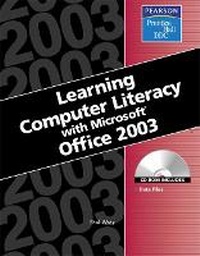
Learning Series (DDC)
Learning Computer Literacy with Microsoft Office 2003
Published on 5. August 2004
Book
Paperback/Softback
512 pages
978-0-13-147673-8 (ISBN)
Description
Appropriate for all introductory level courses in personal computing and office productivity applications.
Designed for students who are new or relatively new to computers, this is a total-immersion, hands-on tutorial in the basics of working with PCs and using todays #1 productivity tool, Microsoft Office 2003. It walks students step by step, mouse-click by mouse-click, keystroke by keystroke through all the basic tasks associated with running a Windows XP computer and using Microsoft Office 2003's key applications: Word, Excel, PowerPoint, and Access. It also contains step-by-step coverage of using the Internet and e-mail, and of maintaining a computer. The well-illustrated, spiral-bound manual contains easy-to-read, appealingly formatted procedural explanations, step-by-step exercises, and many screen shots- all in a carefully organized multi-part lesson format. Each lesson is comprised of several exercises built around using Microsoft Office in real-life business settings. Coverage includes: navigating the Windows desktop and Start menu; managing documents; basic Microsoft Office application concepts; editing, formatting, page setup, proofreading, and clip art; calculating with Excel worksheets; building PowerPoint presentations; creating Access databases and entering and retrieving data from them; working on LANs, using e-mail and the Web, PC maintenance, anti-virus software, backup/restore, and more. Also included: a full chapter on desktop publishing newsletters and other documents with Microsoft Office Word.
Designed for students who are new or relatively new to computers, this is a total-immersion, hands-on tutorial in the basics of working with PCs and using todays #1 productivity tool, Microsoft Office 2003. It walks students step by step, mouse-click by mouse-click, keystroke by keystroke through all the basic tasks associated with running a Windows XP computer and using Microsoft Office 2003's key applications: Word, Excel, PowerPoint, and Access. It also contains step-by-step coverage of using the Internet and e-mail, and of maintaining a computer. The well-illustrated, spiral-bound manual contains easy-to-read, appealingly formatted procedural explanations, step-by-step exercises, and many screen shots- all in a carefully organized multi-part lesson format. Each lesson is comprised of several exercises built around using Microsoft Office in real-life business settings. Coverage includes: navigating the Windows desktop and Start menu; managing documents; basic Microsoft Office application concepts; editing, formatting, page setup, proofreading, and clip art; calculating with Excel worksheets; building PowerPoint presentations; creating Access databases and entering and retrieving data from them; working on LANs, using e-mail and the Web, PC maintenance, anti-virus software, backup/restore, and more. Also included: a full chapter on desktop publishing newsletters and other documents with Microsoft Office Word.
More details
Language
English
Place of publication
United States
Publishing group
Pearson Education (US)
Target group
Professional and scholarly
Weight
1048 gr
ISBN-13
978-0-13-147673-8 (9780131476738)
Copyright in bibliographic data and cover images is held by Nielsen Book Services Limited or by the publishers or by their respective licensors: all rights reserved.
Schweitzer Classification
Content
Introduction.
Lesson 1: Introduction to Computers.
Lesson 2: Introduction to Windows.
Lesson 3: Learn Microsoft Office 2003 Basics.
Lesson 4: Microsoft Office Word 2003.
Lesson 5: Desktop Publishing.
Lesson 6: Microsoft Office Excel 2003.
Lesson 7: Microsoft Office PowerPoint 2003.
Lesson 8: Microsoft Office Access 2003.
Lesson 9: Computer Communications.
Lesson 10: Computer Care.
Appendix A: History of Computers.
Index.
Lesson 1: Introduction to Computers.
Lesson 2: Introduction to Windows.
Lesson 3: Learn Microsoft Office 2003 Basics.
Lesson 4: Microsoft Office Word 2003.
Lesson 5: Desktop Publishing.
Lesson 6: Microsoft Office Excel 2003.
Lesson 7: Microsoft Office PowerPoint 2003.
Lesson 8: Microsoft Office Access 2003.
Lesson 9: Computer Communications.
Lesson 10: Computer Care.
Appendix A: History of Computers.
Index.