

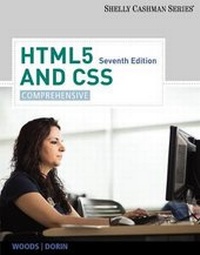
HTML5 and CSS
Comprehensive
7th Edition
Will be published approx. on 6. June 2012
Book
Paperback/Softback
744 pages
978-1-133-52614-8 (ISBN)
Description
Part of the highly successful Shelly Cashman Series (R), this text provides comprehensive coverage of HTML5 and CSS leading the user through a clear, step-by-step, screen-by-screen approach to learning. Readers learn how to create a Web page using HTML5, format the page, add graphics, and more.
More details
Edition
7th edition
Language
English
Place of publication
Boston, MA
United States
Publishing group
Cengage Learning, Inc
Target group
College/higher education
Dimensions
Height: 30 mm
Width: 215 mm
Thickness: 274 mm
Weight
1588 gr
ISBN-13
978-1-133-52614-8 (9781133526148)
Copyright in bibliographic data and cover images is held by Nielsen Book Services Limited or by the publishers or by their respective licensors: all rights reserved.
Schweitzer Classification
Other editions
New editions
Book
02/2016
8th Edition
Course Technology Inc
€100.27
Shipment within 15-20 days
Persons
Dr. Denise M. Woods is an associate professor in the School of Management at Purdue University Calumet in Hammond, Indiana. Prior to her 10 years in academia, she worked in the information technology (IT) industry for 20 years. She is the co-author of all four editions of the Shelly Cashman Series' HTML titles. William J. Dorin is the chair of the Computer and Information Systems department at Indiana University Northwest in Gary, Indiana. He has authored or co-authored several textbooks for the Shelly Cashman Series, including JavaScript and several editions of HTML.
Content
1. Introduction to HTML, XHTML, and CSS
2. Creating and Editing a Web Page Using Inline Styles.
3. Creating Web Pages with Links, Images, and Embedded Style Sheets.
4. Creating Tables in a Web Site Using an External Style Sheet.
Special Feature - Attracting Visitors to Your Web Site.
5. Creating an Image Map.
6. Creating a Form on a Web page.
7. Using Advanced Cascading Style Sheets.
8. Adding Multimedia Content to Web Pages.
Special Feature - Converting Frames on Your Web Site.
9. Integrating JavaScript and HTML5.
10. Creating Pop-up Windows, Adding Scrolling Messages, and Validating Forms.
11. Using DOM to Enhance Web Pages.
12. Creating and Using XML Documents.
Appendix A: HTML Quick Reference.
Appendix B: Browser-Safe Color Palette.
Appendix C: Accessibility Standards and the Web.
Appendix D: CSS Properties and Values.
Appendix E: Publishing Web Pages to a Web Server.
Appendix F: Symbols and Characters Quick Reference.
Appendix G: JavaScript Quick Reference.
Appendix H: XML Quick Reference.
2. Creating and Editing a Web Page Using Inline Styles.
3. Creating Web Pages with Links, Images, and Embedded Style Sheets.
4. Creating Tables in a Web Site Using an External Style Sheet.
Special Feature - Attracting Visitors to Your Web Site.
5. Creating an Image Map.
6. Creating a Form on a Web page.
7. Using Advanced Cascading Style Sheets.
8. Adding Multimedia Content to Web Pages.
Special Feature - Converting Frames on Your Web Site.
9. Integrating JavaScript and HTML5.
10. Creating Pop-up Windows, Adding Scrolling Messages, and Validating Forms.
11. Using DOM to Enhance Web Pages.
12. Creating and Using XML Documents.
Appendix A: HTML Quick Reference.
Appendix B: Browser-Safe Color Palette.
Appendix C: Accessibility Standards and the Web.
Appendix D: CSS Properties and Values.
Appendix E: Publishing Web Pages to a Web Server.
Appendix F: Symbols and Characters Quick Reference.
Appendix G: JavaScript Quick Reference.
Appendix H: XML Quick Reference.