

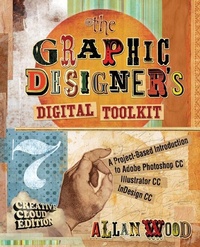
The Graphic Designer's Digital Toolkit
A Project-Based Introduction to Adobei?1/2 Photoshopi?1/2 Creative Cloud, Illustrator Creative Cloud & InDesign Creative Cloud
7th Edition
Published on 9. July 2014
Book
Paperback/Softback
884 pages
978-1-305-26365-9 (ISBN)
Description
THE GRAPHIC DESIGNER'S DIGITAL TOOLKIT, 7th Edition not only introduces students to the essential features of industry-standard software applications, but also gives them an understanding of how to integrate these programs into a seamless whole. Using a highly visual and project-based approach, this fully revised new edition examines Macintosh OS X Maverick (R), Windows 7 (R) and Windows 8 (R) operating systems, as well the most up to date Creative Cloud features of the "Big 3" digital design programs used in the graphics industry today: Adobe Illustrator (R), Adobe Photoshop (R), and Adobe InDesign (R) . After thoroughly examining the features of each application from the designer's perspective, the author then reveals in practical detail the traditional skills and technology necessary for effective design for print and Web media. Using online project files, students are encouraged to practice what they have learned by tackling design projects throughout the text from concept to completion. Effectively merging theory with practice, THE GRAPHIC DESIGNER'S DIGITAL TOOLKIT, 7th Edition stresses the critical importance of integration in design while meeting design parameters and client expectations.
Contact your Learning Consultant to learn more about how CourseMate can enhance the way you teach and your students learn.
Contact your Learning Consultant to learn more about how CourseMate can enhance the way you teach and your students learn.
More details
Edition
7th edition
Language
English
Place of publication
Clifton Park
United States
Publishing group
Cengage Learning, Inc
Target group
College/higher education
Product notice
Paperback (trade)
Unsewn / adhesive bound
Dimensions
Height: 234 mm
Width: 187 mm
Thickness: 40 mm
Weight
1751 gr
ISBN-13
978-1-305-26365-9 (9781305263659)
Copyright in bibliographic data and cover images is held by Nielsen Book Services Limited or by the publishers or by their respective licensors: all rights reserved.
Schweitzer Classification
Person
Allan Wood served 12 years as an Assistant Professor and Program Chair of the Graphic Design and Professional Photography degree programs at McIntosh College in New Hampshire, until its closure a couple of years ago. He currently teaches a full load of college level courses independently as an adjunct Professor in digital media and business at New Hampshire's Great Bay College and Manchester Community College, along with an online multimedia course each semester for DeVry. Allan recently was awarded a second place standing for Educator of the Year in the Computer Design: Graphics and Photography category among 80 colleges participating. Mr. Wood is a member of the New Hampshire Professional Photographer's Association and the National Association of Photoshop Professionals. His images have appeared in national greeting cards, calendars, and catalogs, and on a variety of Websites. He holds a Master's degree in Instructional Design and Online Learning, sits on academic advisory committees for digital media and computer technology departments, and is a beta tester for Adobe products. Allan Wood served 12 years as an Assistant Professor and Program Chair of the Graphic Design and Professional Photography degree programs at McIntosh College in New Hampshire, until its closure a couple of years ago. He currently teaches a full load of college level courses independently as an adjunct Professor in digital media and business at New Hampshire's Great Bay College and Manchester Community College, along with an online multimedia course each semester for DeVry. Allan recently was awarded a second place standing for Educator of the Year in the Computer Design: Graphics and Photography category among 80 colleges participating. Mr. Wood is a member of the New Hampshire Professional Photographer's Association and the National Association of Photoshop Professionals. His images have appeared in national greeting cards, calendars, and catalogs, and on a variety of Websites. He holds a Master's degree in Instructional Design and Online Learning, sits on academic advisory committees for digital media and computer technology departments, and is a beta tester for Adobe products.
Content
Preface.
UNIT I: GETTING READY FOR PRODUCTION.
1. Welcome to the Land of OS.
2. Designing for the Client.
UNIT II: DIGITAL IMAGE EDITING: ADOBE PHOTOSHOP CC.
3. Adjusting Images in Photoshop.
4. Working with Selections and Channels.
5. Using Layers.
6. Restoring and Coloring a Black and White Photograph.
UNIT III: DIGITAL ILLUSTRATION: ADOBE ILLUSTRATOR CC.
7. Creating Shapes with Illustrator.
8. Working with Brushes, Symbols, and Layers.
9. Precision with the Pen Tool.
10. integrating Photoshop and Illustrator Files for Web Use.
UNIT IV: DIGITAL PUBLISHING: INDESIGN CC.
11. InDesign Fundamentals.
12. Working with Multipage Documents.
Appendix A: Completed Projects and Tutorials.
Glossary.
Index.
UNIT I: GETTING READY FOR PRODUCTION.
1. Welcome to the Land of OS.
2. Designing for the Client.
UNIT II: DIGITAL IMAGE EDITING: ADOBE PHOTOSHOP CC.
3. Adjusting Images in Photoshop.
4. Working with Selections and Channels.
5. Using Layers.
6. Restoring and Coloring a Black and White Photograph.
UNIT III: DIGITAL ILLUSTRATION: ADOBE ILLUSTRATOR CC.
7. Creating Shapes with Illustrator.
8. Working with Brushes, Symbols, and Layers.
9. Precision with the Pen Tool.
10. integrating Photoshop and Illustrator Files for Web Use.
UNIT IV: DIGITAL PUBLISHING: INDESIGN CC.
11. InDesign Fundamentals.
12. Working with Multipage Documents.
Appendix A: Completed Projects and Tutorials.
Glossary.
Index.