

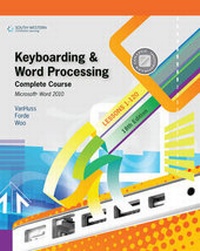
Keyboarding and Word Processing, Complete Course, Lessons 1-120: Microsoft Word 2010
18th Edition
Published on 30. November 2010
Book
Spiral bound
672 pages
978-0-538-49647-6 (ISBN)
Description
Help your students master the keyboarding and word processing skills they need for career success! The Eighteenth Edition of KEYBOARDING AND WORD PROCESSING COMPLETE COURSE, LESSONS 1-120 uses proven techniques to guide students from initial new-key learning to expertise in creating business documents with Microsoft(R) Word 2010. South-Western College Keyboarding offers a time-tested pedagogy that helps students develop a strong foundation in basic keyboarding, steadily improve their skills, and rapidly become proficient in document formatting, proofreading, and business communication. Each lesson is clearly focused, well structured, and designed to provide step-by-step training and reinforcement to help students quickly acquire and apply new skills. Based on customer feedback, the complete course is divided into two semesters with 55 lessons each, plus a set of supplemental lessons to complete the Microsoft Office Specialist certification. This comprehensive text combines all of the lessons and learning tools you will need for your course within a space-saving easel-back format.
Lessons 1-25 concentrate on building fundamental keyboarding skills by mastering the alphabetic keyboard, top-row numbers, symbols, and the numeric keypad. Lessons 26-55 teach the basics of document formats and word processing, including block and modified block letters, memos, tables, and graphics. Lessons 56-110 cover document design, mail merge, advanced graphics, meeting documents and collaboration, legal and medical documents, and employment documents. The final 10 lessons include material to help students pursue Microsoft Office Specialist certification.
Help your students master the keyboarding and word processing skills they need for career success! The Eighteenth Edition of KEYBOARDING AND WORD PROCESSING COMPLETE COURSE, LESSONS 1-120 uses proven techniques to guide students from initial new-key learning to expertise in creating business documents with Microsoft(R) Word 2010. South-Western College Keyboarding offers a time-tested pedagogy that helps students develop a strong foundation in basic keyboarding, steadily improve their skills, and rapidly become proficient in document formatting, proofreading, and business communication. Each lesson is clearly focused, well structured, and designed to provide step-by-step training and reinforcement to help students quickly acquire and apply new skills. Based on customer feedback, the complete course is divided into two semesters with 55 lessons each, plus a set of supplemental lessons to complete the Microsoft Office Specialist certification. This comprehensive text combines all of the lessons and learning tools you will need for your course within a space-saving easel-back format.
Lessons 1-25 concentrate on building fundamental keyboarding skills by mastering the alphabetic keyboard, top-row numbers, symbols, and the numeric keypad. Lessons 26-55 teach the basics of document formats and word processing, including block and modified block letters, memos, tables, and graphics. Lessons 56-110 cover document design, mail merge, advanced graphics, meeting documents and collaboration, legal and medical documents, and employment documents. The final 10 lessons include material to help students pursue Microsoft Office Specialist certification.
Lessons 1-25 concentrate on building fundamental keyboarding skills by mastering the alphabetic keyboard, top-row numbers, symbols, and the numeric keypad. Lessons 26-55 teach the basics of document formats and word processing, including block and modified block letters, memos, tables, and graphics. Lessons 56-110 cover document design, mail merge, advanced graphics, meeting documents and collaboration, legal and medical documents, and employment documents. The final 10 lessons include material to help students pursue Microsoft Office Specialist certification.
Help your students master the keyboarding and word processing skills they need for career success! The Eighteenth Edition of KEYBOARDING AND WORD PROCESSING COMPLETE COURSE, LESSONS 1-120 uses proven techniques to guide students from initial new-key learning to expertise in creating business documents with Microsoft(R) Word 2010. South-Western College Keyboarding offers a time-tested pedagogy that helps students develop a strong foundation in basic keyboarding, steadily improve their skills, and rapidly become proficient in document formatting, proofreading, and business communication. Each lesson is clearly focused, well structured, and designed to provide step-by-step training and reinforcement to help students quickly acquire and apply new skills. Based on customer feedback, the complete course is divided into two semesters with 55 lessons each, plus a set of supplemental lessons to complete the Microsoft Office Specialist certification. This comprehensive text combines all of the lessons and learning tools you will need for your course within a space-saving easel-back format.
Lessons 1-25 concentrate on building fundamental keyboarding skills by mastering the alphabetic keyboard, top-row numbers, symbols, and the numeric keypad. Lessons 26-55 teach the basics of document formats and word processing, including block and modified block letters, memos, tables, and graphics. Lessons 56-110 cover document design, mail merge, advanced graphics, meeting documents and collaboration, legal and medical documents, and employment documents. The final 10 lessons include material to help students pursue Microsoft Office Specialist certification.
Reviews / Votes
Level I: DEVELOPING KEYBOARDING SKILL. 1. Alphabetic Keys. 2. Figure and Symbol Keys. Level II: WORD PROCESSING DOCUMENT DESIGN. 3. Word 2010 Basics. 4. Memos and Letters. 5. Tables. 6. Reports. 7. Graphics. 8. Review. Project 1: TruAcc, Inc. Level III: DOCUMENT DESIGN MASTERY. 9. Word 2010 Review. 10. Memos and Letters. 11. Organize Tables. 12. Reports. 13. Mail Merge. Project 2: Palm Beach Pet Center I. Level IV: ADVANCED DOCUMENT PROCESSING. 14. Documents with Graphics. 15. Meeting Documents and Collaboration. 16. Legal and Medical Documents. 17. Employment Documents. 18. Review and Assessment. Project 3: Palm Beach Pet Center II. 19. Mastering Word Commands. 20. Sharing and Maintaining Documents. Reference Guide. Summary of Commands. Index.Level I: DEVELOPING KEYBOARDING SKILL. 1. Alphabetic Keys. 2. Figure and Symbol Keys. Level II: WORD PROCESSING DOCUMENT DESIGN. 3. Word 2010 Basics. 4. Memos and Letters. 5. Tables. 6. Reports. 7. Graphics. 8. Review. Project 1: TruAcc, Inc. Level III: DOCUMENT DESIGN MASTERY. 9. Word 2010 Review. 10. Memos and Letters. 11. Organize Tables. 12. Reports. 13. Mail Merge. Project 2: Palm Beach Pet Center I. Level IV: ADVANCED DOCUMENT PROCESSING. 14. Documents with Graphics. 15. Meeting Documents and Collaboration. 16. Legal and Medical Documents. 17. Employment Documents. 18. Review and Assessment. Project 3: Palm Beach Pet Center II. 19. Mastering Word Commands. 20. Sharing and Maintaining Documents. Reference Guide. Summary of Commands. Index.
More details
Edition
18th Revised edition
Language
English
Place of publication
Mason, OH
United States
Publishing group
Cengage Learning, Inc
Target group
College/higher education
Edition type
Revised edition
Dimensions
Height: 305 mm
Width: 216 mm
Thickness: 38 mm
Weight
1678 gr
ISBN-13
978-0-538-49647-6 (9780538496476)
Copyright in bibliographic data and cover images is held by Nielsen Book Services Limited or by the publishers or by their respective licensors: all rights reserved.
Schweitzer Classification
Content
Level I: DEVELOPING KEYBOARDING SKILL. 1. Alphabetic Keys. 2. Figure and Symbol Keys. Level II: WORD PROCESSING DOCUMENT DESIGN. 3. Word 2010 Basics. 4. Memos and Letters. 5. Tables. 6. Reports. 7. Graphics. 8. Review. Project 1: TruAcc, Inc. Level III: DOCUMENT DESIGN MASTERY. 9. Word 2010 Review. 10. Memos and Letters. 11. Organize Tables. 12. Reports. 13. Mail Merge. Project 2: Palm Beach Pet Center I. Level IV: ADVANCED DOCUMENT PROCESSING. 14. Documents with Graphics. 15. Meeting Documents and Collaboration. 16. Legal and Medical Documents. 17. Employment Documents. 18. Review and Assessment. Project 3: Palm Beach Pet Center II. 19. Mastering Word Commands. 20. Sharing and Maintaining Documents. Reference Guide. Summary of Commands. Index.