

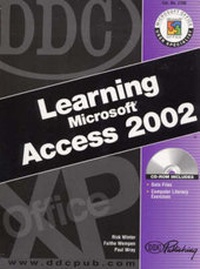
DDC Learning Microsoft Access 2002
Published on 24. September 2002
Book
Mixed media product
401 pages
978-1-58577-139-4 (ISBN)
Description
For course in Access.
Designed for students at a variety of skill levels, this manual provides students with a total-immersion, hands-on tutorial that walks them step by step, mouse-click by mouse-click, keystroke by keystroke through the various features of Access. The well-illustrated, spiral-bound manual contains easy-to-read, appealingly formatted procedural explanations and step-by-step exercises in a multi-part Lesson format.
Designed for students at a variety of skill levels, this manual provides students with a total-immersion, hands-on tutorial that walks them step by step, mouse-click by mouse-click, keystroke by keystroke through the various features of Access. The well-illustrated, spiral-bound manual contains easy-to-read, appealingly formatted procedural explanations and step-by-step exercises in a multi-part Lesson format.
More details
Language
English
Place of publication
Upper Saddle River
United States
Publishing group
Pearson Education (US)
Target group
Professional and scholarly
Weight
907 gr
ISBN-13
978-1-58577-139-4 (9781585771394)
Copyright in bibliographic data and cover images is held by Nielsen Book Services Limited or by the publishers or by their respective licensors: all rights reserved.
Schweitzer Classification
Content
Introduction.
Microsoft Office User Specialist (MOUS).
Index of MOUS Objectives.
Directory of Data Files on CD.
Lesson 1: Getting Started with Access (Exercise 1-6).
Lesson 2: Working with Tables and Datasheets (Exercises 7-10).
Lesson 3: Simplifying Data Entry with Lookups and Forms (Exercises 11-16).
Lesson 4: Find Information in a Database (Exercises 17-25).
Lesson 5: Display Information with Reports (Exercises 26-32).
Lesson 6: Integrate Access with Other Programs (Exercises 33-40).
Lesson 7: Advanced Table and Form Design (Exercises 41-47).
Lesson 8: Working with Advanced Queries (Exercises 48-53).
Lesson 9: Advanced Calculations (Exercises 54-59).
Lesson 10: Automating Access (Exercises 60-69).
Index.
Microsoft Office User Specialist (MOUS).
Index of MOUS Objectives.
Directory of Data Files on CD.
Lesson 1: Getting Started with Access (Exercise 1-6).
Lesson 2: Working with Tables and Datasheets (Exercises 7-10).
Lesson 3: Simplifying Data Entry with Lookups and Forms (Exercises 11-16).
Lesson 4: Find Information in a Database (Exercises 17-25).
Lesson 5: Display Information with Reports (Exercises 26-32).
Lesson 6: Integrate Access with Other Programs (Exercises 33-40).
Lesson 7: Advanced Table and Form Design (Exercises 41-47).
Lesson 8: Working with Advanced Queries (Exercises 48-53).
Lesson 9: Advanced Calculations (Exercises 54-59).
Lesson 10: Automating Access (Exercises 60-69).
Index.