

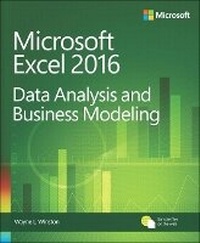
Microsoft Excel Data Analysis and Business Modeling
5th Edition
Published on 26. January 2017
Book
Paperback/Softback
864 pages
978-1-5093-0421-9 (ISBN)
Description
Master business modeling and analysis techniques with Microsoft Excel 2016, and transform data into bottom-line results. Written by award-winning educator Wayne Winston, this hands on, scenario-focused guide helps you use Excel's newest tools to ask the right questions and get accurate, actionable answers. This edition adds 150+ new problems with solutions, plus a chapter of basic spreadsheet models to make sure you're fully up to speed.
Solve real business problems with Excel-and build your competitive advantage
Quickly transition from Excel basics to sophisticated analytics
Summarize data by using PivotTables and Descriptive Statistics
Use Excel trend curves, multiple regression, and exponential smoothing
Master advanced functions such as OFFSET and INDIRECT
Delve into key financial, statistical, and time functions
Leverage the new charts in Excel 2016 (including box and whisker and waterfall charts)
Make charts more effective by using Power View
Tame complex optimizations by using Excel Solver
Run Monte Carlo simulations on stock prices and bidding models
Work with the AGGREGATE function and table slicers
Create PivotTables from data in different worksheets or workbooks
Learn about basic probability and Bayes' Theorem
Automate repetitive tasks by using macros
Solve real business problems with Excel-and build your competitive advantage
Quickly transition from Excel basics to sophisticated analytics
Summarize data by using PivotTables and Descriptive Statistics
Use Excel trend curves, multiple regression, and exponential smoothing
Master advanced functions such as OFFSET and INDIRECT
Delve into key financial, statistical, and time functions
Leverage the new charts in Excel 2016 (including box and whisker and waterfall charts)
Make charts more effective by using Power View
Tame complex optimizations by using Excel Solver
Run Monte Carlo simulations on stock prices and bidding models
Work with the AGGREGATE function and table slicers
Create PivotTables from data in different worksheets or workbooks
Learn about basic probability and Bayes' Theorem
Automate repetitive tasks by using macros
More details
Series
Edition
5th edition
Language
English
Place of publication
Boston
United States
Publishing group
Microsoft Press,U.S.
Target group
Professional and scholarly
Dimensions
Height: 229 mm
Width: 190 mm
Thickness: 44 mm
Weight
1437 gr
ISBN-13
978-1-5093-0421-9 (9781509304219)
Schweitzer Classification
Other editions
New editions
Wayne Winston
Microsoft Excel 2019 Data Analysis and Business Modeling
Book
04/2019
6th Edition
Microsoft Press
€47.00
Shipment within 3-4 weeks
Additional editions
Wayne Winston
Microsoft Excel Data Analysis and Business Modeling
E-Book
11/2017
5th Edition
Microsoft Press
€71.39
Available for download
Wayne Winston
Microsoft Excel Data Analysis and Business Modeling
E-Book
11/2016
5th Edition
Microsoft Press
€39.29
Available for download
Previous edition
Wayne Winston
Microsoft Excel 2013 Data Analysis and Business Modeling
Book
01/2014
Microsoft Press
€65.79
Article exhausted; check for reprint
Person
WAYNE L. WINSTON is Professor Emeritus of Decision Sciences at Indiana University's Kelley School of Business and Visiting Professor of Decision and Information Sciences at University of Houston Bauer College of Business. He has earned numerous MBA teaching awards. For more than 20 years, he has taught clients at Fortune 500 companies, various accounting groups, the US Navy, and the US Army how to use Excel to make smarter business decisions. Wayne and his business partner Jeff Sagarin developed the player-statistics tracking and rating system used by the Dallas Mavericks professional basketball team. He is also a two time Jeopardy! champion.
Content
Chapter 1 Basic spreadsheet modeling
Chapter 2 Range names
Chapter 3 Lookup functions
Chapter 4 The INDEX function
Chapter 5 The MATCH function
Chapter 6 Text functions
Chapter 7 Dates and date functions
Chapter 8 Evaluating investment by using net present value criteria
Chapter 9 Internal rate of return
Chapter 10 More Excel financial functions
Chapter 11 Circular references
Chapter 12 IF statements
Chapter 13 Time and time functions
Chapter 14 The Paste Special command
Chapter 2 Range names
Chapter 3 Lookup functions
Chapter 4 The INDEX function
Chapter 5 The MATCH function
Chapter 6 Text functions
Chapter 7 Dates and date functions
Chapter 8 Evaluating investment by using net present value criteria
Chapter 9 Internal rate of return
Chapter 10 More Excel financial functions
Chapter 11 Circular references
Chapter 12 IF statements
Chapter 13 Time and time functions
Chapter 14 The Paste Special command